- Welcome to Dogs Of War Vu.

Cry Havoc! And let slip the dogs of war!


SOW Waterloo Multiplayer Wednesday 14/08/19 at 20:00 GMT

Immersive, friendly session.
Played with full fog of war.
********************************
** Notes **
********************************
SOW Version: Waterloo 1.03
Largest command: Corps
Smallest command: Brigade
Mission Duration: 120 minutes
Minimum number players: 2
Date: Wednesday 14/08/19
Time: 20:00 GMT
Time (local): Click here
Teamspeak IP: 104.153.105.2:35200 Please wait in lobby for access to other areas.
Room: Scourge Of War
Extra Notes:
• TIME LIMIT: 01.30 a.m. GMT at the following day, if no different agreement has been made by the participants.
• The room will be open at 19:30 GMT for preparation & mission setup
• House rules: Click here
• HITS system
• Courier orders
• Bare map. Full F.O.W.
• No voice during game. (comms by courier only)
Mods required:
• DOW Community Toolbar V8: This will be provided.
• If an updated mod is required you will be sent a link via pm
Player Skill/Ability:
• Must be proficient Using HITS
• Have a good understanding of UI
Commanders and leaders:
Biondo
Colbert
Sandman
Mitra...
Slitherine & Matrix Games get new Websites!
AlbertoC 12 Aug 2019

The new site features a range of great new features such as Bundles, Wishlists and a great new Coming Soon section, but also just make a host of quality of life improvements making it easier to find information about your games and making sales and offers clearer. We've also revamped the MyPage section to make it easier to manage your library of games, link to your Steam account and get help when you need it.
We are launching the new sites today, for both Slitherine and Matrix Games!
Both sites can be accessed at the same URLs:
Slitherine: www.slitherine.com
Matrix Games: www.matrixgames.com
Although we have been through months of testing, sometimes bugs slip through so if you do encounter any technical issue at all, please let us know and we'll fix them ASAP.
We're excited to hear what you think of the new site, so let us know on the forum.
...
AlbertoC 12 Aug 2019
The new site features a range of great new features such as Bundles, Wishlists and a great new Coming Soon section, but also just make a host of quality of life improvements making it easier to find information about your games and making sales and offers clearer. We've also revamped the MyPage section to make it easier to manage your library of games, link to your Steam account and get help when you need it.
We are launching the new sites today, for both Slitherine and Matrix Games!
Both sites can be accessed at the same URLs:
Slitherine: www.slitherine.com
Matrix Games: www.matrixgames.com
Although we have been through months of testing, sometimes bugs slip through so if you do encounter any technical issue at all, please let us know and we'll fix them ASAP.
We're excited to hear what you think of the new site, so let us know on the forum.
...

Tacview 1.8.0 beta 17 is available Now
Download: HERE
• Release Date: Sun, 11 Aug 2019
• Operating System: Windows® 32-bit / 64-bit
• File Size: 269.0 MB
Release notes
FEATURES & CHANGES
• NOTICE: Windows XP is not supported anymore (definitive)
• The active object list has been moved to a dockable window
• The playback control bar has been moved to a dockable window
• The time slider now displays target time during a drag operation
• Drag & drop a file on Tacview with the CTRL key will merge it with the existing telemetry
• You can now press SHIFT+CTRL to display mouse cursor world and bullseye coordinates
• Added a brand-new shot log
• Added an option to automatically pause on shot log events
• On pause, the current shot log event is now displayed in the 3D view
• BEGIN/END buttons have been replaced by PREVIOUS/NEXT SHOT LOG EVENT commands
• Added CTRL+LEFT/RIGHT to jump to previous and next shot log event
• Added an option to remove objects from the 3D view context menu
• Added an option to add object on the ground from the 3D view context menu
• It is now possible to specify the altitude of new object above ground level
• When an object is manually added to the world,...
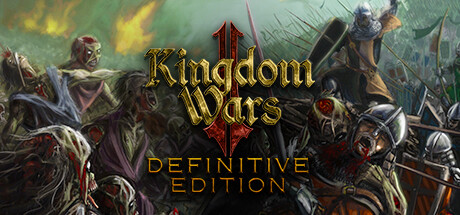
An intense real-time strategy game set in a dark fantasy world of Orcs, Elves and Dragons. Kingdom Wars 2 combines the best of Zombie survival and crafting with complex fast-paced city building. Fight massive siege battles that turn beautiful landscapes into gory blood-soaked battlefields.
Home page
Steam
Steam forum
Single-player, Multi-player, Online Multi-Player, Co-op, Online Co-op
Official Gameplay Trailer 2019
About
Kingdom Wars 2: Definitive Edition is an intense real-time strategy game set in a dark fantasy world of Orcs, Elves and Dragons. It combines the best of Zombie survival and long term crafting with complex fast-paced city building. Engage in skirmish siege combat that turns beautiful landscapes into gory blood-soaked battlefields.
Completely Redesigned
The original Kingdom Wars 2 has been reworked and redesigned from the ground up. With new engine, sweet new graphics, and a total update of presentation, and interface. This is not just a high definition version, but a new gameplay experience.
The Great Races
The game is focused on the dominant races of Humans, Elves and Orcs with each able to recruit from other races depending on the alliances, techs and buildings they have...