- Welcome to Dogs Of War Vu.

Cry Havoc! And let slip the dogs of war!

Recent posts
#61
News & Announcements / Histwar : Napoleonic Update V6...
Last post by Asid - July 12, 2026, 01:59:28 PMNew version Release Candidate V6.0169
9 July 2026
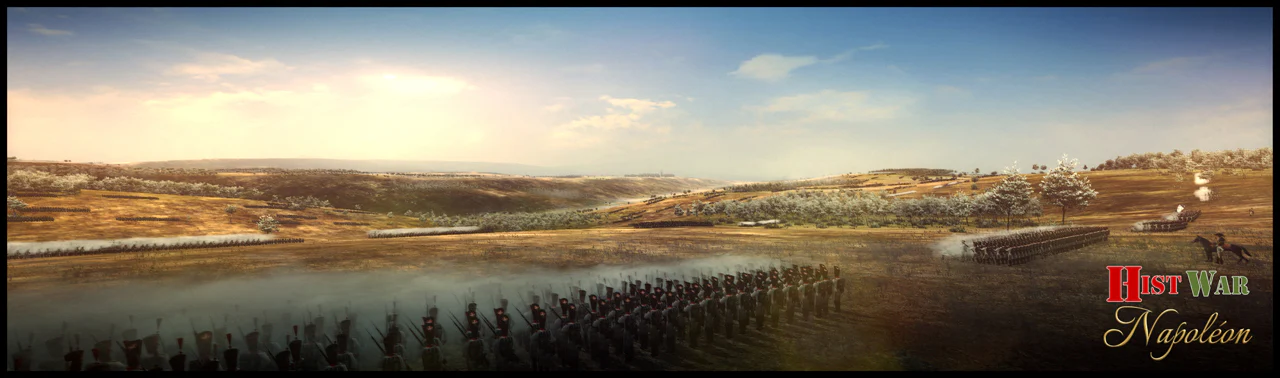
Hi everyone...
New version... maybe the last one if there's no negative feedback
Note: regarding the AIs: the army corps and unit AIs don't know whether orders are sent by the player or by the GT AI. I need to check the other 2 AIs (division / brigade) before these orders become available.
Best regards
JMM
Nouvelle version Realease Candidate V6.0169
9 July 2026
Salut à tous...
Nouvelle version... peut-être la dernière s'il n'y a pas de retours négatifs
Remarque concernant les IA : les IA des corps d'armée et des unités ne savent pas si les ordres sont envoyés par le joueur ou par l'IA GT. Je dois vérifier les 2 autres IA (division / brigade) avant que ces ordres ne soient disponibles.
Amicalement
JMM
9 July 2026
Hi everyone...
New version... maybe the last one if there's no negative feedback
- Army corps movement: I've fixed a few bugs
- ART: new algorithm to limit losses.
- Scenarios are displayed if they exist when you select the "scenarios" item
Note: regarding the AIs: the army corps and unit AIs don't know whether orders are sent by the player or by the GT AI. I need to check the other 2 AIs (division / brigade) before these orders become available.
Best regards
JMM
Nouvelle version Realease Candidate V6.0169
9 July 2026
Salut à tous...
Nouvelle version... peut-être la dernière s'il n'y a pas de retours négatifs
- Mouvement des corps d'armée : j'ai corrigé quelques dysfonctionnements
- ART : nouvel algorithme pour limiter les pertes.
- Les scénarios s'affichent si ils existent lorsque vous sélectionnez l'élément « scénarios »
Remarque concernant les IA : les IA des corps d'armée et des unités ne savent pas si les ordres sont envoyés par le joueur ou par l'IA GT. Je dois vérifier les 2 autres IA (division / brigade) avant que ces ordres ne soient disponibles.
Amicalement
JMM
#62
Games Discussion / Re: Grand Tactician: Napoleoni...
Last post by Asid - July 12, 2026, 01:27:02 PMFebruary DevBlog - Unit Preview #2
Mon, February 16, 2026
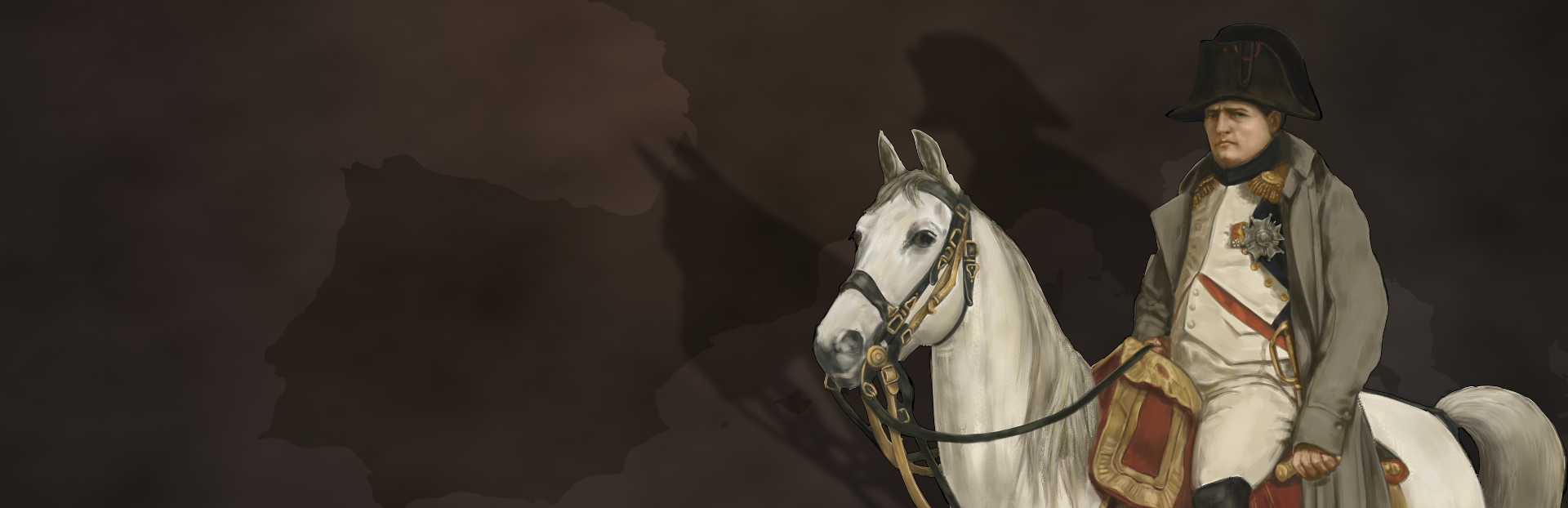
Cavalry during the Italian Campaign (1796-97)
Mon Général!
Historically and in Grand Tactician: Napoleonic Wars (1792-1815) "cavalry is useful before, during, and after the battle." – Napoleon Bonaparte.*
During the Napoleonic era, cavalry played an important role in battle and during campaigns. Much of the image of Napoleonic cavalry comes from scenes of French cuirassiers charging during a field battle, usually Hollywood-style, with broken formation and each individual eager to get into some slashing action... probably not that accurate a depiction.
Roots and Role
The mounted knight, heavily armoured and highly trained, charging in with a lowered lance, was in a way the peak of European medieval warfare. With the weight of formation and unwavering determination, they were almost an unstoppable force, especially in open field battles (with dry ground). As discussed in the previous unit preview, with the introduction of infantry pike tactics, cavalry charges became a much more dangerous business.
If we look into the beginning of the 17th Century and the early years of the Thirty Years War, European cavalry had already adapted to the realities of pike and shot warfare. Heavy cavalry, most famously the cuirassiers ("black knights"), had switched their lances to a number of wheellock pistols. Lightly armoured harquebusier cavalry provided supporting firepower from further back, while irregular cavalry, hussars, Cossacks and Croats preyed on weak or unprotected flanks. The role of armour was still relevant, as higher velocity muskets able to penetrate armour from a distance were still rare.
Cavalry commonly formed into squadrons, deep formations resembling squares (the word "squadron" deriving from "square"). Depending upon the school of tactics used by an army, this was usually from 150 men in 5-8 ranks in Flanders (where battlefield cavalry operations were hampered by the terrain) to up to 1,000 men in 10 or more ranks in central Europe, especially among the Catholic forces aligned with the Holy Roman Emperor. These squadrons formed knee to knee in the charge, creating a proper battering ram that was difficult to resist – except with a cohesive and determined pike formation.
The tactic to engage intact pike blocks was called the caracole (from "snail" in Italian). In its most elegant form, one rank at a time would ride forward toward the pike block, turn left just outside the reach of the pikes, and fire their pistols into the infantry, then riding back to the rear of the squadron to reload. This was a rather ineffective tactic when it came to casualties inflicted, but it did immobilize the targeted unit and prevent own casualties. And with sufficient attrition, the infantry formation may have lost its cohesion, and then it would be the moment for a well-timed charge to break the formation. Whether the caracole tactics, as such, were still intentionally used during the first half of the Thirty Years War, or did aborted cavalry charges just resemble them, remains a favourite dispute among historians.
As the Thirty Years War continued, tactics and weapons evolved. In the battle of Breitenfeld (1631), the Swedish cavalry formed into thin lines, only 3-4 ranks deep, with "commanded" musketeer infantry deployed between the cavalry squadrons. When the imperial cavalry charged, the musketeers fired salvoes to break their formation, forcing them to abort the charge, and then the Swedish cavalry countercharged, firing their pistols and charging home with cold steel.
Fast forward a decade, and most cavalry operated in smaller, thin squadrons (usually 100-300 men in three ranks), wore little to no armour, and preferred charging home, firing their pistols as they went. They usually formed the "wings" of a field army, fighting the enemy cavalry wings and trying to outflank the enemy center, where the infantry would be posted. As lighter muskets with improved penetration power were developed, armour no longer provided protection, but became an expensive burden. Speed became more important, which also led to disbanding the commanded musketeers that slowed down cavalry, hampering its tactical flexibility. Instead, the infantry-cavalry hybrid arm, the dragoons, gained importance. Starting as pure infantry using second-rate horses to move fast, but fighting dismounted with their muskets, dragoon tactics steered more toward that of other cavalry especially after the Thirty Years War.
This development was not universal, though, not even in Europe. The Eastern European steppes were a different kind of battlefield, and there, hussars, Cossacks and other light or irregular cavalry types reigned, most famously the Polish winged hussars, who still preferred their long lances over firepower.
While the battlefield role of cavalry saw quite dramatic change, the operational role saw even bigger ones. Cavalry was always good for scouting ahead, raiding, and of limited use during sieges (the main form of combat during this era!) As the countryside became devastated and couldn't support large field armies of infantry, the proportion of cavalry increased drastically. And with this, their tactical and operational uses became more apparent and developed further.
Fast forward to the time of the earlier quote (*often attributed to Napoleon, but most likely part of aphorisms written a bit later), where cavalry's role is becoming more specialized than before. Before the battle, cavalry would scout ahead of the armies and provide them with a screen that masked the army's movement and intent, leaving the enemy commanders guessing. During the battle light cavalry usually formed on the flanks to screen or to outflank the enemy army, while the heavy cavalry was used to provide shock action and exploitation of breached lines. The true source of victory (turning a tactical victory to an operational or even strategic one) was in the pursuit, which was one of the key tasks for the light cavalry. A well-executed pursuit could often turn retreat into rout and prevent the enemy army from reorganizing.
Cavalry Organization and Tactics in Italy 1796-97
The century plus after the Thirty Years War, cavalry armament and battlefield tactics had not changed drastically. Three ranks remained the main depth of cavalry squadrons until around the mid-18th Century, when the prevalent view started to shift toward reducing the number of ranks to just two. While the third rank did add to the "weight" of the formation, it usually failed to contribute much in combat. The conservative Austrians still stick to the old school of three ranks. The squadron is the main tactical formation, as the battalion is to infantry. Squadrons are usually formed from two companies (forming the left/right wings), with a strength of between 100 and 250 troopers each. Light squadrons usually are slightly larger. Cavalry regiments form a number of squadrons, usually 4-8.
The cavalry types can be classified roughly into heavy and light cavalry, following the logic of operational uses described above. The "hay-day" (pun intended) of cavalry, with the use of large independent formations, with supporting horse artillery, is still in the future in 1796. Instead, it is common to form cavalry brigades to be attached to infantry divisions, to support the infantry's battle, or even to attach single squadrons of cavalry to infantry brigades. Forming light and fast moving vanguards or rearguards from light infantry, light cavalry and horse-artillery is common.
Heavy Cavalry
Cuirassiers (with only breast- and backplates remaining from the full-body armour) were the main heavy cavalry till the 18th Century. By the time of the Seven Years War (1756-63), dragoons had evolved from horse-mounted infantry to heavy (or "medium") cavalry. During the 18th Century, most nations abandoned the cuirass armour to emphasize speed (and to cut costs).
In 1796, Austrian cuirassiers have a fierce reputation, that of the premier heavy cavalry in Europe. They are some of the few still wearing armour, though a breastplate only. Two elite regiments of carabiniers are similarly armed. The French heavy cavalry regiments (Cavalerie) and elite carabiniers are unarmoured, but their tactical use is similar to their Austrian counterparts - the heavy cuirass was too royalist, or too cumbersome, for the fast- moving style of the Republic (one regiment, the old Cuirassiers du Roi, still retain their cuirasses, though, and are hence called "cuirassiers" in the game). While the name "carabinier" comes from the cavalry firearm "carbine," and they most certainly are armed with them along with pistols, heavy cavalry do not use their firearms in battles for ranged skirmishing, as they are all about shock action.
Austrian dragoons are formed with the cuirassiers as part of the heavy cavalry arm, and their skirmishing and dismounted days in battles are long gone. Staff dragoons provide the escorts to field commanders. The French dragoons, on the other hand, have retained the training to fight dismounted when needed (as the Spanish front will later highlight).
As the Italian theater is secondary to that of the Rhine, especially the French have mainly light cavalry and dragoons in Italy.
Light Cavalry
Light cavalry are the eyes and ears of an army. They are more useful outside of a battle than during it, moving fast to reconnoiter, screen, harass the enemy and to raid. They wear no armour, ride slightly less significant horses than their heavier counterparts, and some retain the training to skirmish with their firearms from the saddle.
Austrian light cavalry came in three forms: the chevauxlegers (literally "light horses," from French "chevaux‑légers"), a multi-role cavalry with the ability to skirmish, like their French counterparts, the Chasseurs-à-Cheval. Hussars and Uhlans have their roots in the Eastern cavalry tradition and tactics. Hussars are the premier light cavalry for speed, ferocity and raiding, while the Uhlans are armed with lances (a practice that would resurface on a larger scale in a few years' time.) The French also have their hussars, but in addition a small elite party of Chasseurs known as the Guides, hand-picked by Napoleon himself. With the formation of Polish legions, in the game the French may also field a small number of lance-armed light cavalry in Italy.
Cavalry Firearms and Skirmishing
The cavalry carbines are short weapons with limited range, and firing from the saddle is inaccurate. Most cavalry is armed with carbines and pistols (at least part of the men in a unit), but firing from the horseback is limited to a few specialist units and the use of pistols in melee. In the game, chevauxlegers and chasseurs-à-cheval (and Guides) can use mounted skirmishing tactics. The other cavalry types reserve the use of their carbines to outpost, picket, vedette and escort or guarding duties, or for foraging or fighting partisans.
Detaching "flankers" (cavalry equivalent of infantry skirmishers, also called vedettes) allow some light and dragoon cavalry units to screen their main formation to harass the enemy with carbine fire, but this too requires sufficient training.
Cavalry Battle Tactics
Heavy cavalry's main role is in battles, where they provide fast-moving and heavy-hitting capability for the commanders, and they are usually held back in reserve to punch a hole in a wavering enemy line or to counterattack on a decisive moment. Heavy cavalry has the largest horses available, and they rely upon the impact of the charge, where riders form knee-to-knee and maintain a solid front. The charge is executed at the trot (or canter), not breaking into Hollywood-style gallop of individuals, at least if the unit is properly trained. During the charge the tightly packed formation is vulnerable to artillery fire. The light cavalry in the game is versatile and fast. Good uses for light cavalry are, for example, threatening the enemy infantry to force them to form squares, effectively immobilizing them and making them vulnerable to artillery fire, fending off enemy cavalry, attacking unprotected flanks of the enemy, and pursuit.
Prolonged Hollywood -style melees are rare. Charging (or being charged by) a superior foe commonly leads to disengaging, even before contact is made. Charging a well formed infantry in the game, as in real life, is ill-advised, even if the infantry is not formed in a proper square. But, once the infantry is demoralized or their formation is broken, a well timed cavalry charge can be deadly, with the target prone to break in panic even before impact. When coming under fire, a cavalry squadron would usually try to countercharge or simply disengage out of range.
The main cavalry formation is the line, for the French in two ranks and three for the Austrians. As with their infantry, the French cavalry is known to experiment with columnar formations for charges, providing pressure against a narrower part of the enemy front. In the game, it's essential to keep the horses fresh for charges, otherwise it's likely the charge falls apart with little effect achieved.
Other commonly used formations are different kinds of columns for fast maneuvering outside imminent contact. While the Austrians are "old school" with their third rank, their light cavalry often use the additional rank to extend the line, for example when engaging in ranged combat or charging. Neither nation uses swarm tactics, such as those commonly employed by the legendary Russian Cossacks.
To maintain the formation and to coordinate maneuvers, officers and senior NCOs are deployed in the front, rear and flanks of the formation. A number of trumpeters relay the commander's orders to the squadron. To improve command and control in the confusion of battle, the officers and trumpeters usually ride white or gray horses, which will stand out from the rest, providing a beacon for the troopers to follow.
In the accompanying video you can see some of the cavalry formations and tactics in battles:
Cheers,
Grand Engineer Corps
Mon, February 16, 2026
Cavalry during the Italian Campaign (1796-97)
Mon Général!
Historically and in Grand Tactician: Napoleonic Wars (1792-1815) "cavalry is useful before, during, and after the battle." – Napoleon Bonaparte.*
During the Napoleonic era, cavalry played an important role in battle and during campaigns. Much of the image of Napoleonic cavalry comes from scenes of French cuirassiers charging during a field battle, usually Hollywood-style, with broken formation and each individual eager to get into some slashing action... probably not that accurate a depiction.
Roots and Role
The mounted knight, heavily armoured and highly trained, charging in with a lowered lance, was in a way the peak of European medieval warfare. With the weight of formation and unwavering determination, they were almost an unstoppable force, especially in open field battles (with dry ground). As discussed in the previous unit preview, with the introduction of infantry pike tactics, cavalry charges became a much more dangerous business.
If we look into the beginning of the 17th Century and the early years of the Thirty Years War, European cavalry had already adapted to the realities of pike and shot warfare. Heavy cavalry, most famously the cuirassiers ("black knights"), had switched their lances to a number of wheellock pistols. Lightly armoured harquebusier cavalry provided supporting firepower from further back, while irregular cavalry, hussars, Cossacks and Croats preyed on weak or unprotected flanks. The role of armour was still relevant, as higher velocity muskets able to penetrate armour from a distance were still rare.
Cavalry commonly formed into squadrons, deep formations resembling squares (the word "squadron" deriving from "square"). Depending upon the school of tactics used by an army, this was usually from 150 men in 5-8 ranks in Flanders (where battlefield cavalry operations were hampered by the terrain) to up to 1,000 men in 10 or more ranks in central Europe, especially among the Catholic forces aligned with the Holy Roman Emperor. These squadrons formed knee to knee in the charge, creating a proper battering ram that was difficult to resist – except with a cohesive and determined pike formation.
The tactic to engage intact pike blocks was called the caracole (from "snail" in Italian). In its most elegant form, one rank at a time would ride forward toward the pike block, turn left just outside the reach of the pikes, and fire their pistols into the infantry, then riding back to the rear of the squadron to reload. This was a rather ineffective tactic when it came to casualties inflicted, but it did immobilize the targeted unit and prevent own casualties. And with sufficient attrition, the infantry formation may have lost its cohesion, and then it would be the moment for a well-timed charge to break the formation. Whether the caracole tactics, as such, were still intentionally used during the first half of the Thirty Years War, or did aborted cavalry charges just resemble them, remains a favourite dispute among historians.
As the Thirty Years War continued, tactics and weapons evolved. In the battle of Breitenfeld (1631), the Swedish cavalry formed into thin lines, only 3-4 ranks deep, with "commanded" musketeer infantry deployed between the cavalry squadrons. When the imperial cavalry charged, the musketeers fired salvoes to break their formation, forcing them to abort the charge, and then the Swedish cavalry countercharged, firing their pistols and charging home with cold steel.
Fast forward a decade, and most cavalry operated in smaller, thin squadrons (usually 100-300 men in three ranks), wore little to no armour, and preferred charging home, firing their pistols as they went. They usually formed the "wings" of a field army, fighting the enemy cavalry wings and trying to outflank the enemy center, where the infantry would be posted. As lighter muskets with improved penetration power were developed, armour no longer provided protection, but became an expensive burden. Speed became more important, which also led to disbanding the commanded musketeers that slowed down cavalry, hampering its tactical flexibility. Instead, the infantry-cavalry hybrid arm, the dragoons, gained importance. Starting as pure infantry using second-rate horses to move fast, but fighting dismounted with their muskets, dragoon tactics steered more toward that of other cavalry especially after the Thirty Years War.
This development was not universal, though, not even in Europe. The Eastern European steppes were a different kind of battlefield, and there, hussars, Cossacks and other light or irregular cavalry types reigned, most famously the Polish winged hussars, who still preferred their long lances over firepower.
While the battlefield role of cavalry saw quite dramatic change, the operational role saw even bigger ones. Cavalry was always good for scouting ahead, raiding, and of limited use during sieges (the main form of combat during this era!) As the countryside became devastated and couldn't support large field armies of infantry, the proportion of cavalry increased drastically. And with this, their tactical and operational uses became more apparent and developed further.
Fast forward to the time of the earlier quote (*often attributed to Napoleon, but most likely part of aphorisms written a bit later), where cavalry's role is becoming more specialized than before. Before the battle, cavalry would scout ahead of the armies and provide them with a screen that masked the army's movement and intent, leaving the enemy commanders guessing. During the battle light cavalry usually formed on the flanks to screen or to outflank the enemy army, while the heavy cavalry was used to provide shock action and exploitation of breached lines. The true source of victory (turning a tactical victory to an operational or even strategic one) was in the pursuit, which was one of the key tasks for the light cavalry. A well-executed pursuit could often turn retreat into rout and prevent the enemy army from reorganizing.
Cavalry Organization and Tactics in Italy 1796-97
The century plus after the Thirty Years War, cavalry armament and battlefield tactics had not changed drastically. Three ranks remained the main depth of cavalry squadrons until around the mid-18th Century, when the prevalent view started to shift toward reducing the number of ranks to just two. While the third rank did add to the "weight" of the formation, it usually failed to contribute much in combat. The conservative Austrians still stick to the old school of three ranks. The squadron is the main tactical formation, as the battalion is to infantry. Squadrons are usually formed from two companies (forming the left/right wings), with a strength of between 100 and 250 troopers each. Light squadrons usually are slightly larger. Cavalry regiments form a number of squadrons, usually 4-8.
The cavalry types can be classified roughly into heavy and light cavalry, following the logic of operational uses described above. The "hay-day" (pun intended) of cavalry, with the use of large independent formations, with supporting horse artillery, is still in the future in 1796. Instead, it is common to form cavalry brigades to be attached to infantry divisions, to support the infantry's battle, or even to attach single squadrons of cavalry to infantry brigades. Forming light and fast moving vanguards or rearguards from light infantry, light cavalry and horse-artillery is common.
Heavy Cavalry
Cuirassiers (with only breast- and backplates remaining from the full-body armour) were the main heavy cavalry till the 18th Century. By the time of the Seven Years War (1756-63), dragoons had evolved from horse-mounted infantry to heavy (or "medium") cavalry. During the 18th Century, most nations abandoned the cuirass armour to emphasize speed (and to cut costs).
In 1796, Austrian cuirassiers have a fierce reputation, that of the premier heavy cavalry in Europe. They are some of the few still wearing armour, though a breastplate only. Two elite regiments of carabiniers are similarly armed. The French heavy cavalry regiments (Cavalerie) and elite carabiniers are unarmoured, but their tactical use is similar to their Austrian counterparts - the heavy cuirass was too royalist, or too cumbersome, for the fast- moving style of the Republic (one regiment, the old Cuirassiers du Roi, still retain their cuirasses, though, and are hence called "cuirassiers" in the game). While the name "carabinier" comes from the cavalry firearm "carbine," and they most certainly are armed with them along with pistols, heavy cavalry do not use their firearms in battles for ranged skirmishing, as they are all about shock action.
Austrian dragoons are formed with the cuirassiers as part of the heavy cavalry arm, and their skirmishing and dismounted days in battles are long gone. Staff dragoons provide the escorts to field commanders. The French dragoons, on the other hand, have retained the training to fight dismounted when needed (as the Spanish front will later highlight).
As the Italian theater is secondary to that of the Rhine, especially the French have mainly light cavalry and dragoons in Italy.
Light Cavalry
Light cavalry are the eyes and ears of an army. They are more useful outside of a battle than during it, moving fast to reconnoiter, screen, harass the enemy and to raid. They wear no armour, ride slightly less significant horses than their heavier counterparts, and some retain the training to skirmish with their firearms from the saddle.
Austrian light cavalry came in three forms: the chevauxlegers (literally "light horses," from French "chevaux‑légers"), a multi-role cavalry with the ability to skirmish, like their French counterparts, the Chasseurs-à-Cheval. Hussars and Uhlans have their roots in the Eastern cavalry tradition and tactics. Hussars are the premier light cavalry for speed, ferocity and raiding, while the Uhlans are armed with lances (a practice that would resurface on a larger scale in a few years' time.) The French also have their hussars, but in addition a small elite party of Chasseurs known as the Guides, hand-picked by Napoleon himself. With the formation of Polish legions, in the game the French may also field a small number of lance-armed light cavalry in Italy.
Cavalry Firearms and Skirmishing
The cavalry carbines are short weapons with limited range, and firing from the saddle is inaccurate. Most cavalry is armed with carbines and pistols (at least part of the men in a unit), but firing from the horseback is limited to a few specialist units and the use of pistols in melee. In the game, chevauxlegers and chasseurs-à-cheval (and Guides) can use mounted skirmishing tactics. The other cavalry types reserve the use of their carbines to outpost, picket, vedette and escort or guarding duties, or for foraging or fighting partisans.
Detaching "flankers" (cavalry equivalent of infantry skirmishers, also called vedettes) allow some light and dragoon cavalry units to screen their main formation to harass the enemy with carbine fire, but this too requires sufficient training.
Cavalry Battle Tactics
Heavy cavalry's main role is in battles, where they provide fast-moving and heavy-hitting capability for the commanders, and they are usually held back in reserve to punch a hole in a wavering enemy line or to counterattack on a decisive moment. Heavy cavalry has the largest horses available, and they rely upon the impact of the charge, where riders form knee-to-knee and maintain a solid front. The charge is executed at the trot (or canter), not breaking into Hollywood-style gallop of individuals, at least if the unit is properly trained. During the charge the tightly packed formation is vulnerable to artillery fire. The light cavalry in the game is versatile and fast. Good uses for light cavalry are, for example, threatening the enemy infantry to force them to form squares, effectively immobilizing them and making them vulnerable to artillery fire, fending off enemy cavalry, attacking unprotected flanks of the enemy, and pursuit.
Prolonged Hollywood -style melees are rare. Charging (or being charged by) a superior foe commonly leads to disengaging, even before contact is made. Charging a well formed infantry in the game, as in real life, is ill-advised, even if the infantry is not formed in a proper square. But, once the infantry is demoralized or their formation is broken, a well timed cavalry charge can be deadly, with the target prone to break in panic even before impact. When coming under fire, a cavalry squadron would usually try to countercharge or simply disengage out of range.
The main cavalry formation is the line, for the French in two ranks and three for the Austrians. As with their infantry, the French cavalry is known to experiment with columnar formations for charges, providing pressure against a narrower part of the enemy front. In the game, it's essential to keep the horses fresh for charges, otherwise it's likely the charge falls apart with little effect achieved.
Other commonly used formations are different kinds of columns for fast maneuvering outside imminent contact. While the Austrians are "old school" with their third rank, their light cavalry often use the additional rank to extend the line, for example when engaging in ranged combat or charging. Neither nation uses swarm tactics, such as those commonly employed by the legendary Russian Cossacks.
To maintain the formation and to coordinate maneuvers, officers and senior NCOs are deployed in the front, rear and flanks of the formation. A number of trumpeters relay the commander's orders to the squadron. To improve command and control in the confusion of battle, the officers and trumpeters usually ride white or gray horses, which will stand out from the rest, providing a beacon for the troopers to follow.
In the accompanying video you can see some of the cavalry formations and tactics in battles:
Cheers,
Grand Engineer Corps
#63
Games Discussion / Re: Battleship Command: Scharn...
Last post by Asid - July 10, 2026, 06:40:45 PMKey binding
Tue, June 16, 2026
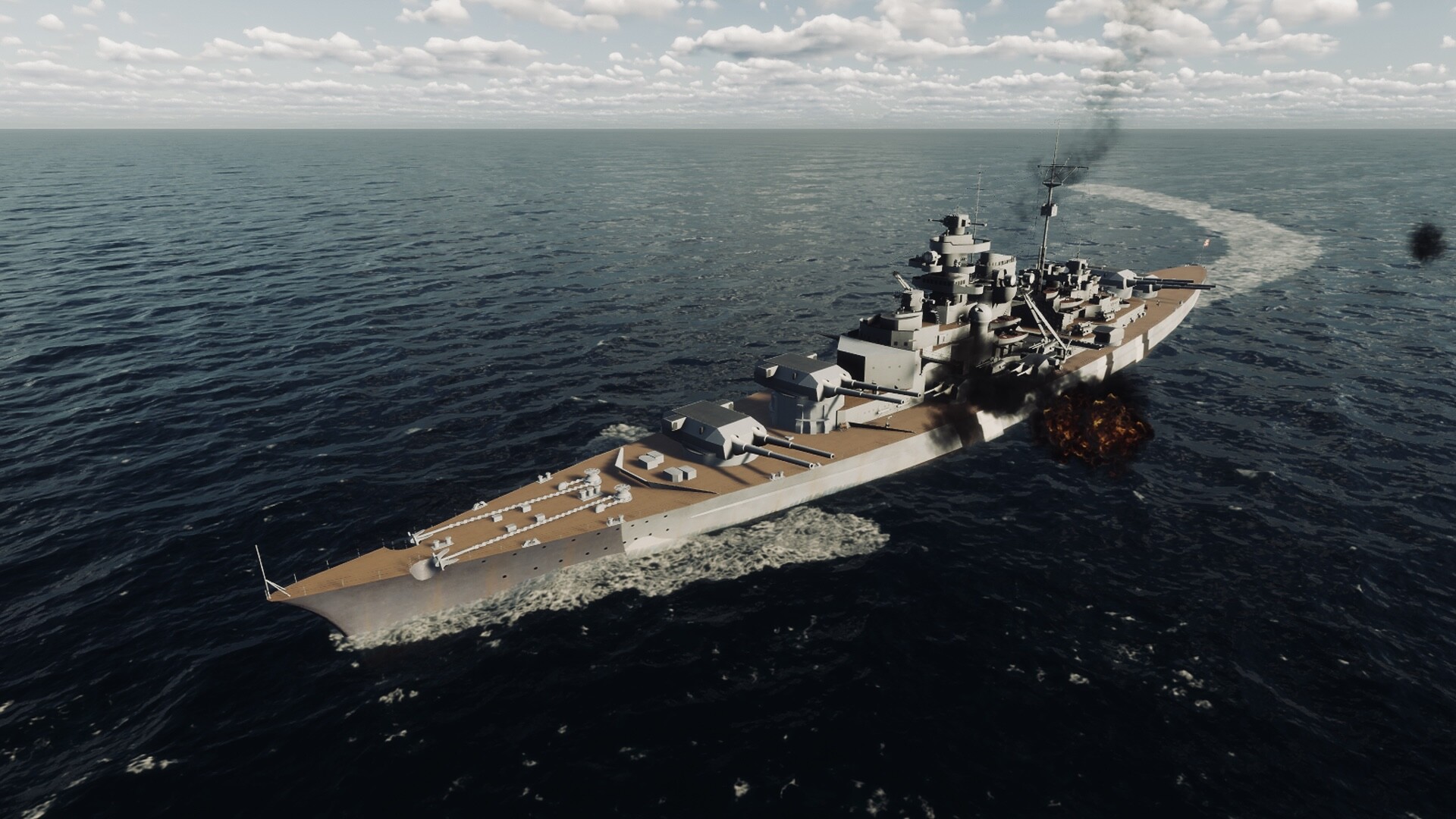
Hi everyone!
This update brings key binding to the game so you can customize the controls in the settings panel.
It is a first iteration of the system, so there are still a few limitations.
Over time I will be adding more functions that can be bound to keys, like opening various panels or firing individual turrets.
There will be a thread in the Steam discussions where you can report issues with this system or request "commands" that can be bound to keys.
All the best!
/Bracer
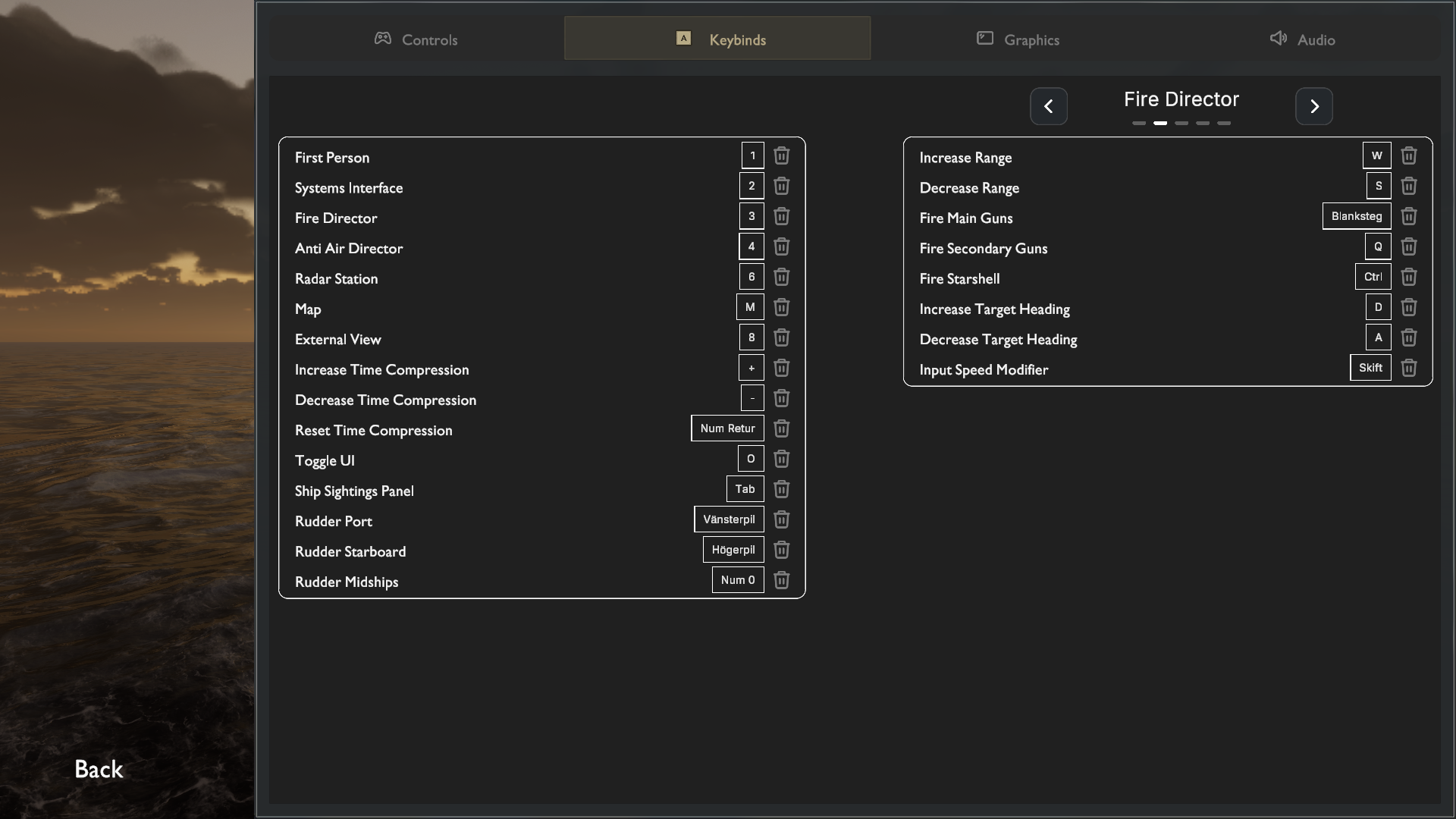
Tue, June 16, 2026
Hi everyone!
This update brings key binding to the game so you can customize the controls in the settings panel.
It is a first iteration of the system, so there are still a few limitations.
Over time I will be adding more functions that can be bound to keys, like opening various panels or firing individual turrets.
There will be a thread in the Steam discussions where you can report issues with this system or request "commands" that can be bound to keys.
All the best!
/Bracer
#64
Games Discussion / Re: Battleship Command: Scharn...
Last post by Asid - July 10, 2026, 06:38:23 PMWhat is that smell, Captain?
Tue, June 9, 2026
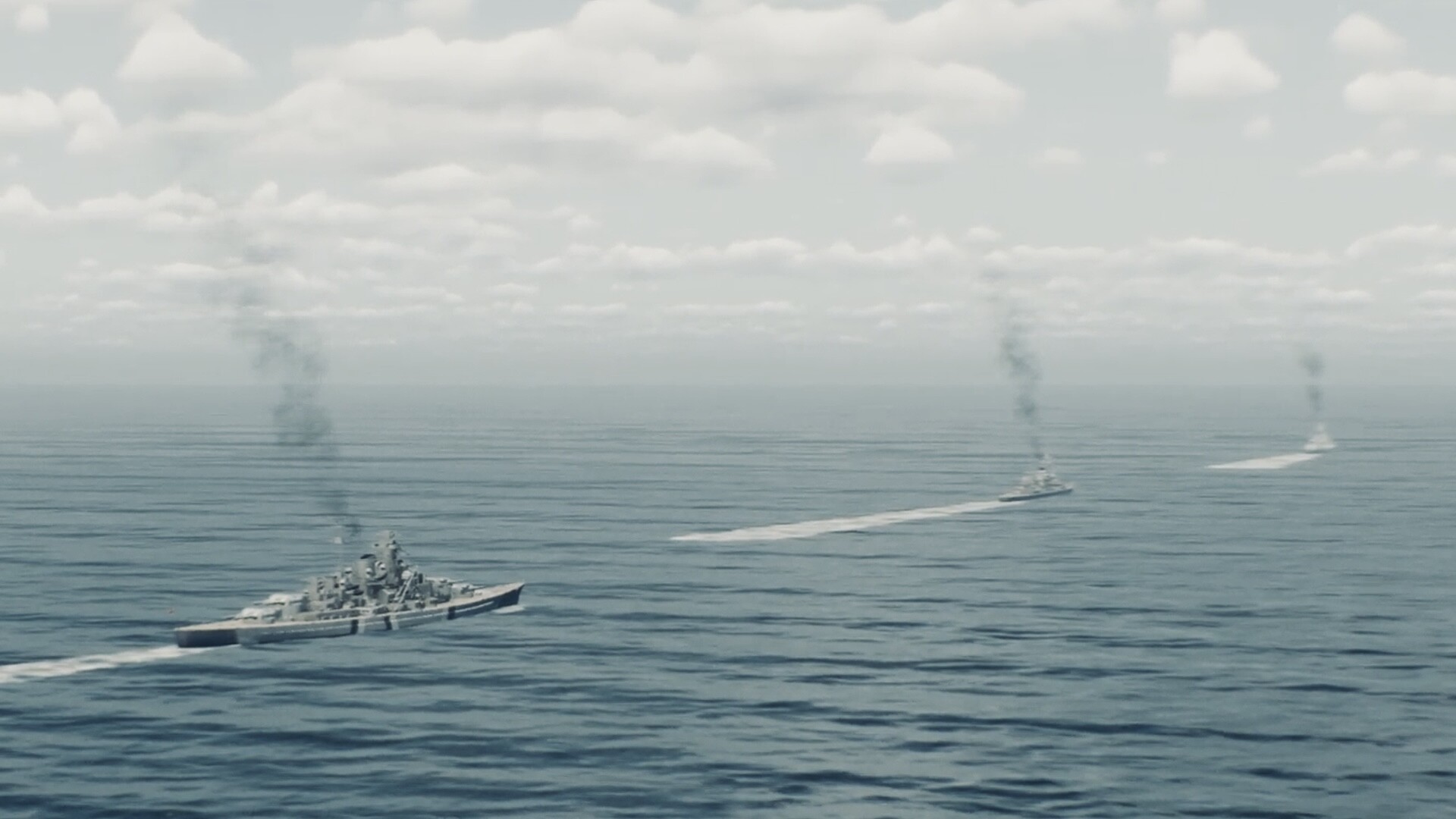
...Must be the buffet of missions that the creative people of the community are cooking!
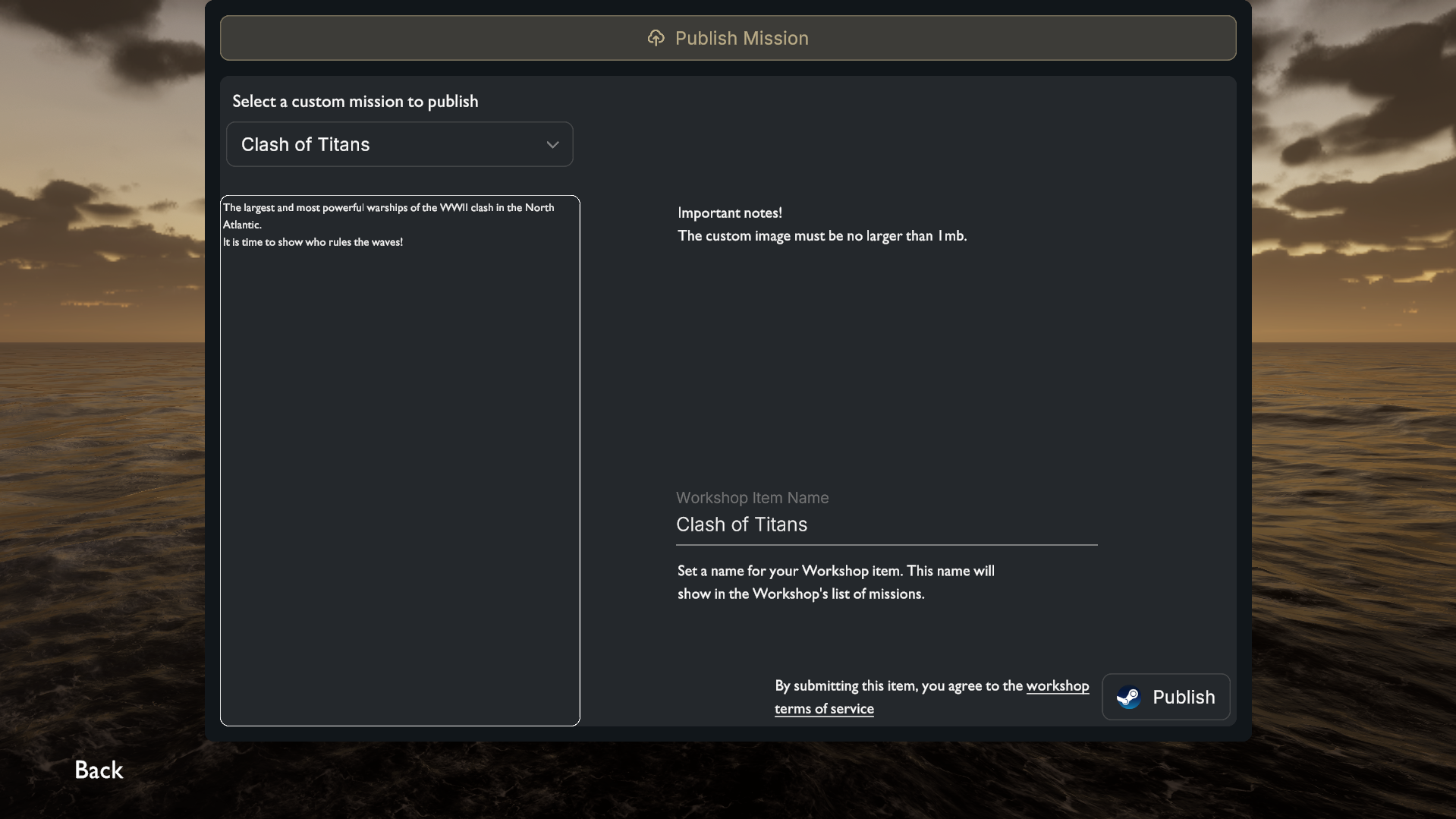
The game now has basic support for the Steam Workshop!
You will be able to upload your custom missions as items to Battleship Command's Workshop directly from the game.
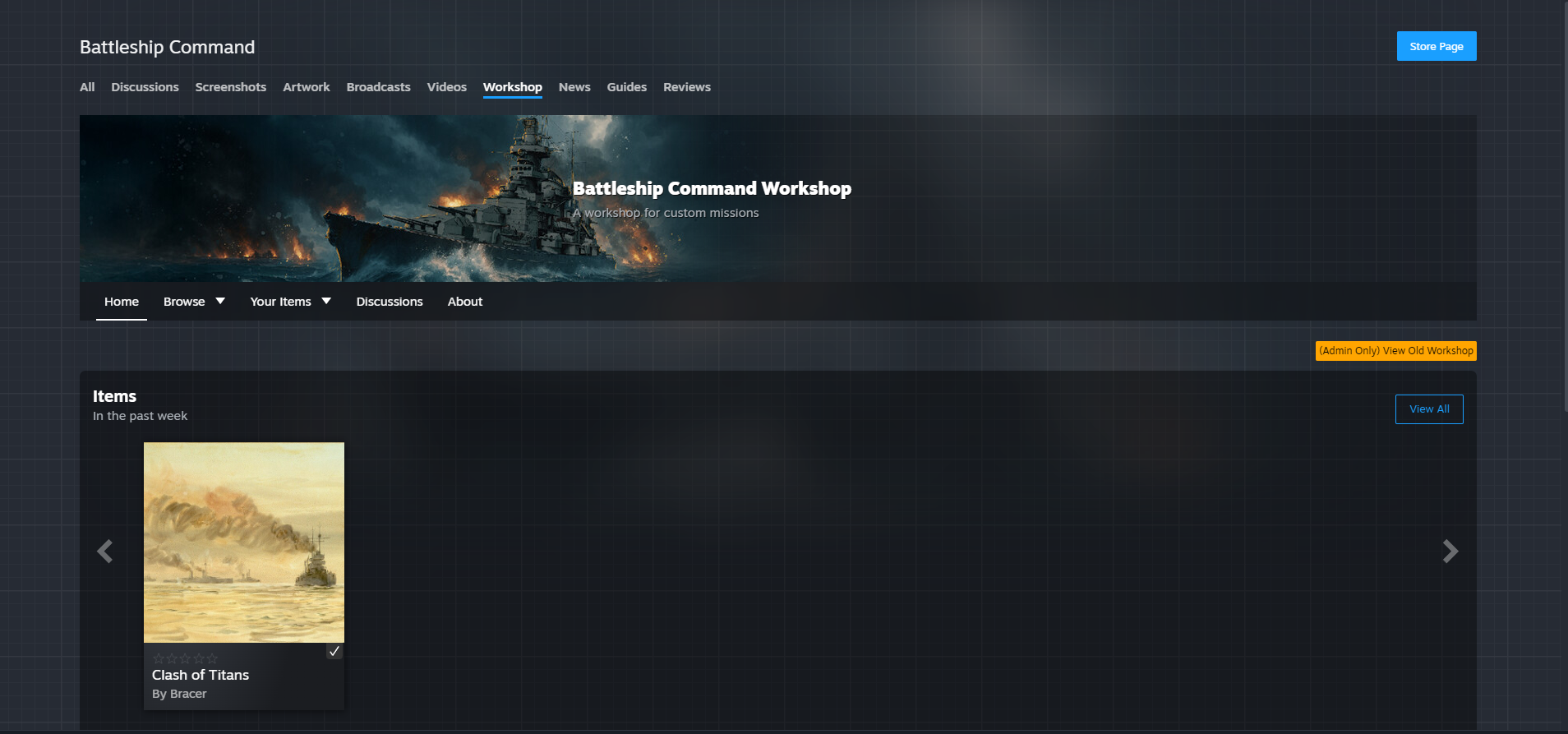
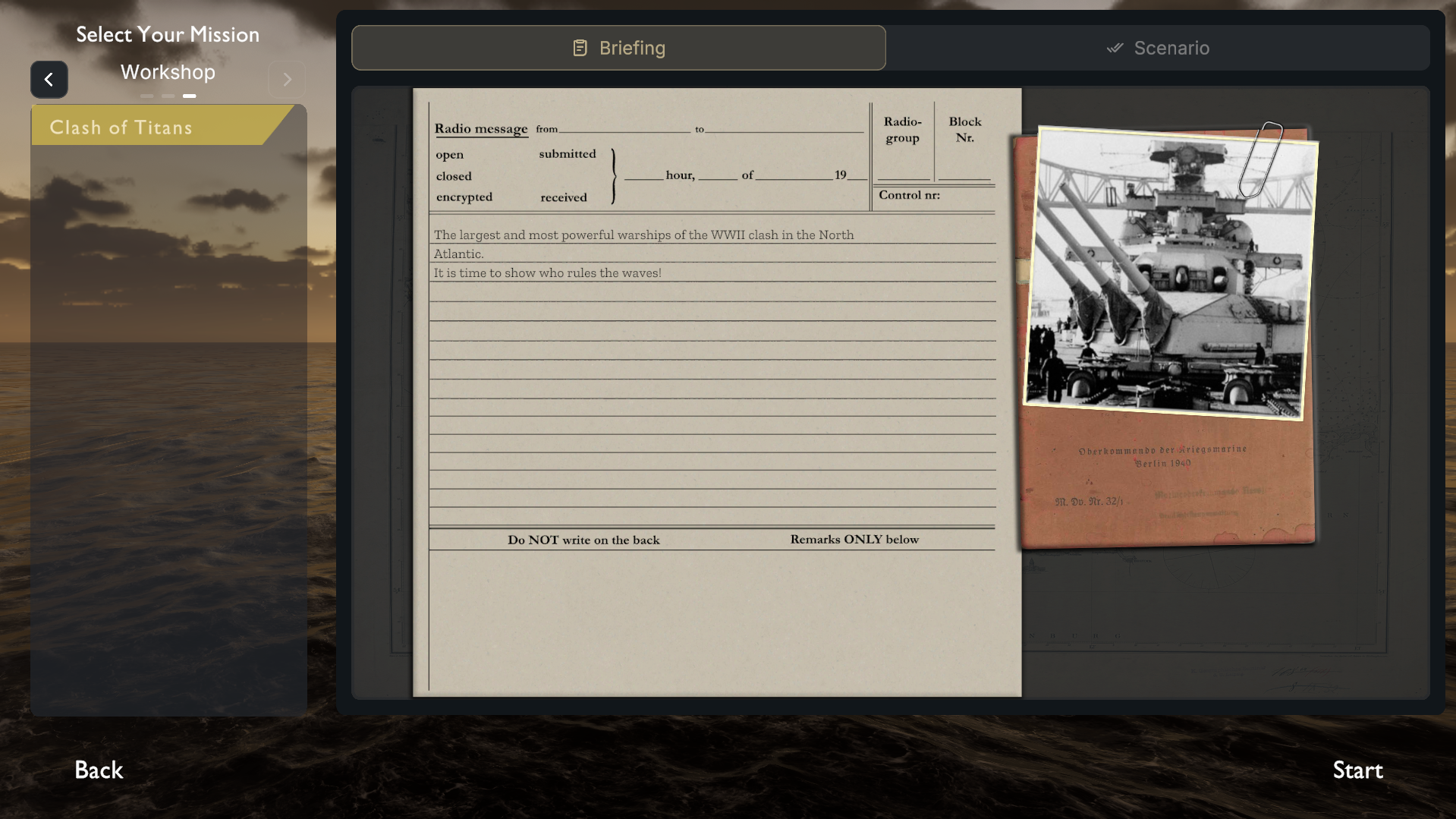
In the Workshop you can subscribe to custom missions made by other users and they will be available in the mission list in game.
Enjoy!
Tue, June 9, 2026
...Must be the buffet of missions that the creative people of the community are cooking!
The game now has basic support for the Steam Workshop!
You will be able to upload your custom missions as items to Battleship Command's Workshop directly from the game.
In the Workshop you can subscribe to custom missions made by other users and they will be available in the mission list in game.
Enjoy!
#65
Games Discussion / Re: Rise of Piracy : Action, A...
Last post by Asid - July 10, 2026, 05:51:45 PMRise of Piracy Tutorials
Playlist:
https://youtube.com/playlist?list=PLjKXw9mwfkGciNaLsgjr1Y3F5ZDjmWcue&si=ArHXlsH-N6fHvGzq
Playlist:
https://youtube.com/playlist?list=PLjKXw9mwfkGciNaLsgjr1Y3F5ZDjmWcue&si=ArHXlsH-N6fHvGzq
#66
Games Discussion / Re: Rise of Piracy : Action, A...
Last post by Asid - July 10, 2026, 05:40:47 PM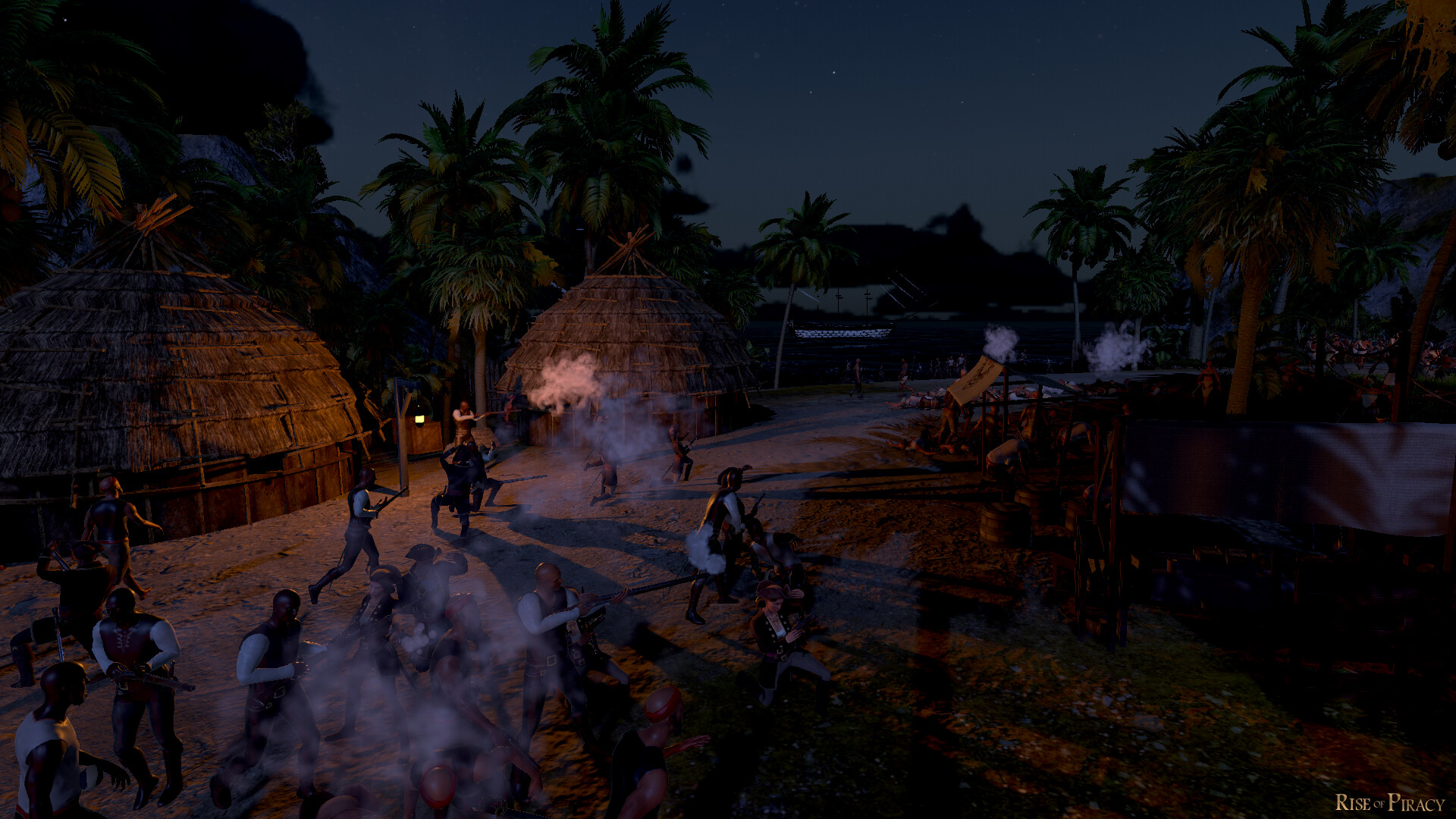
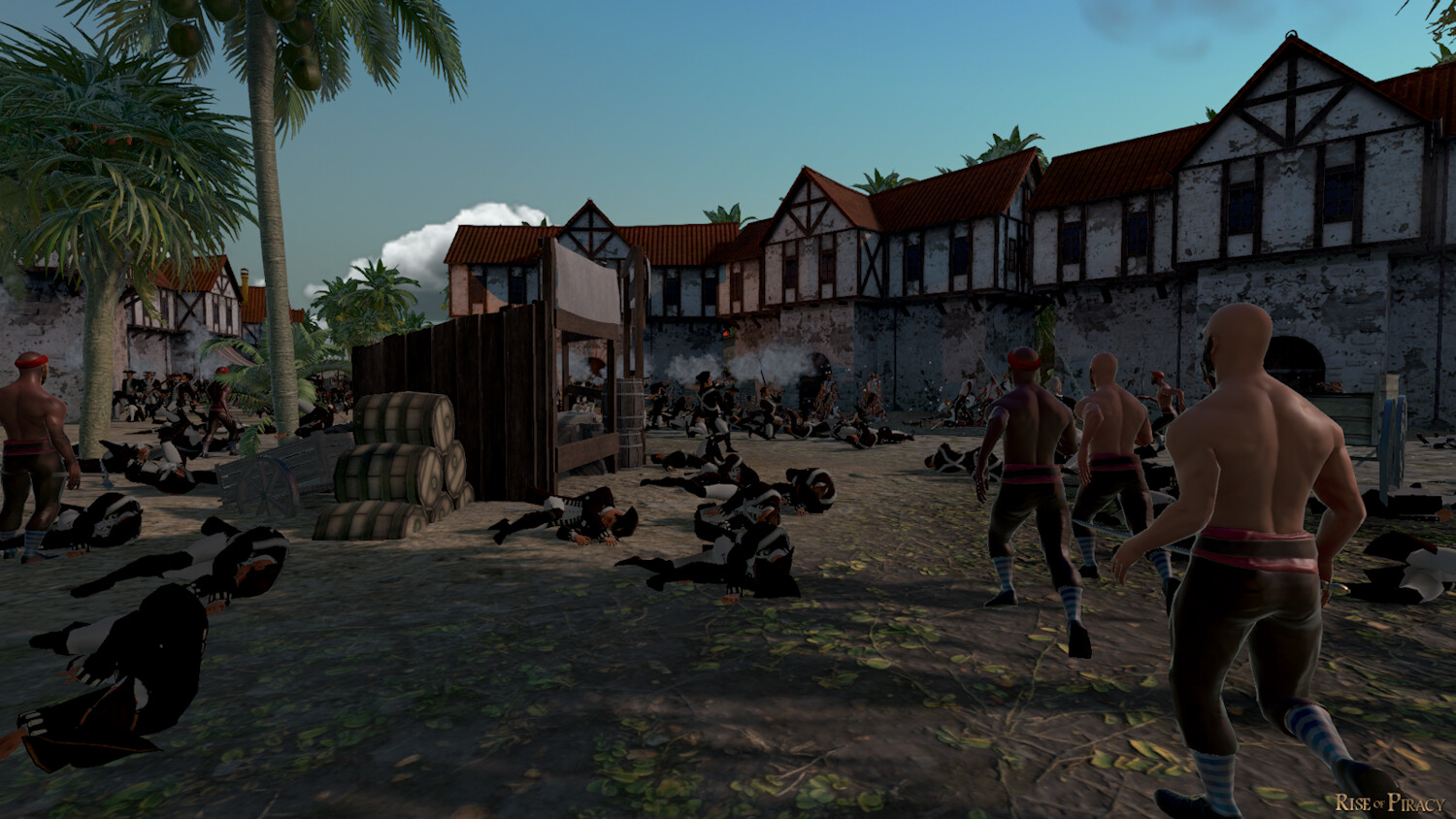
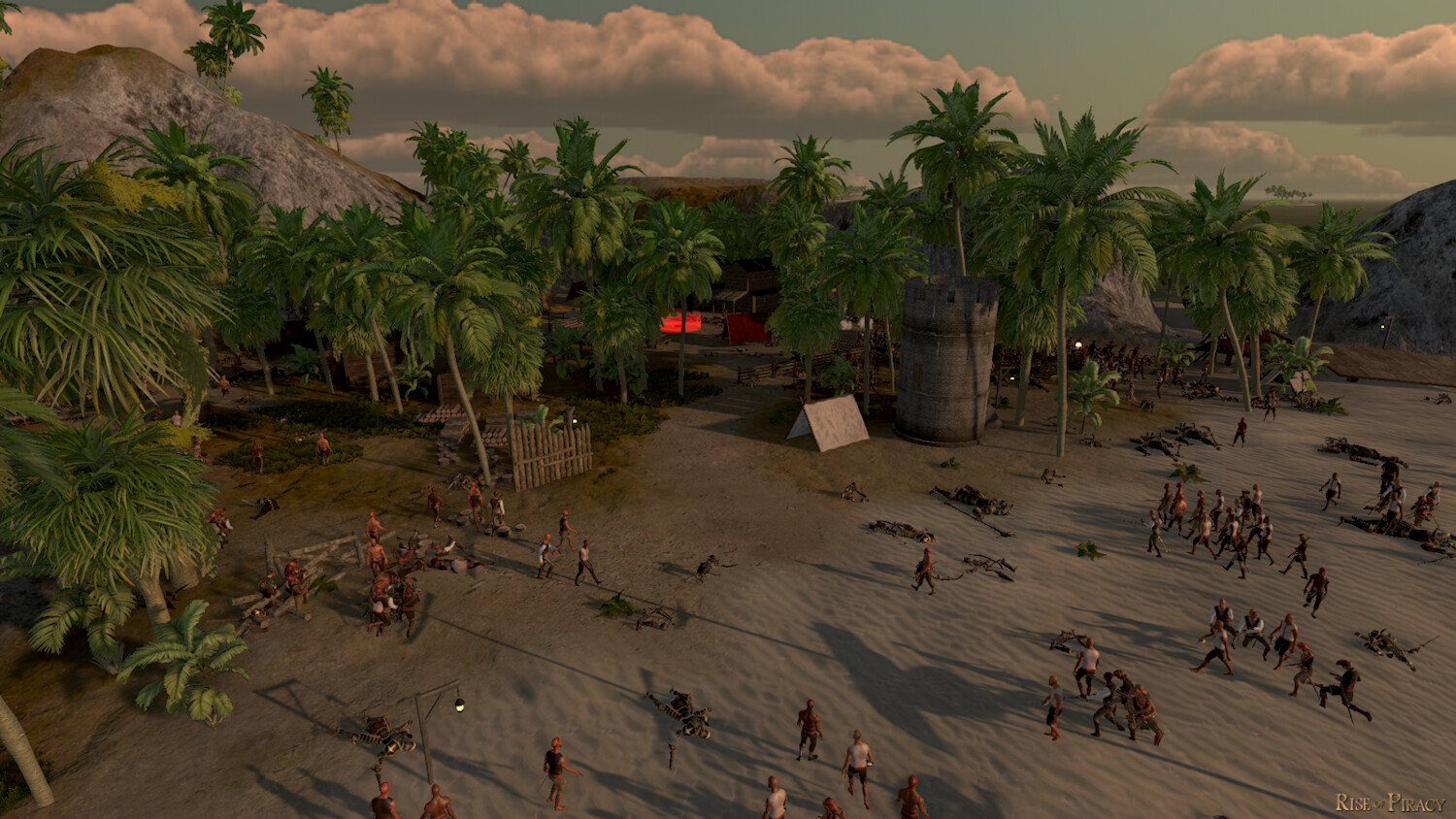
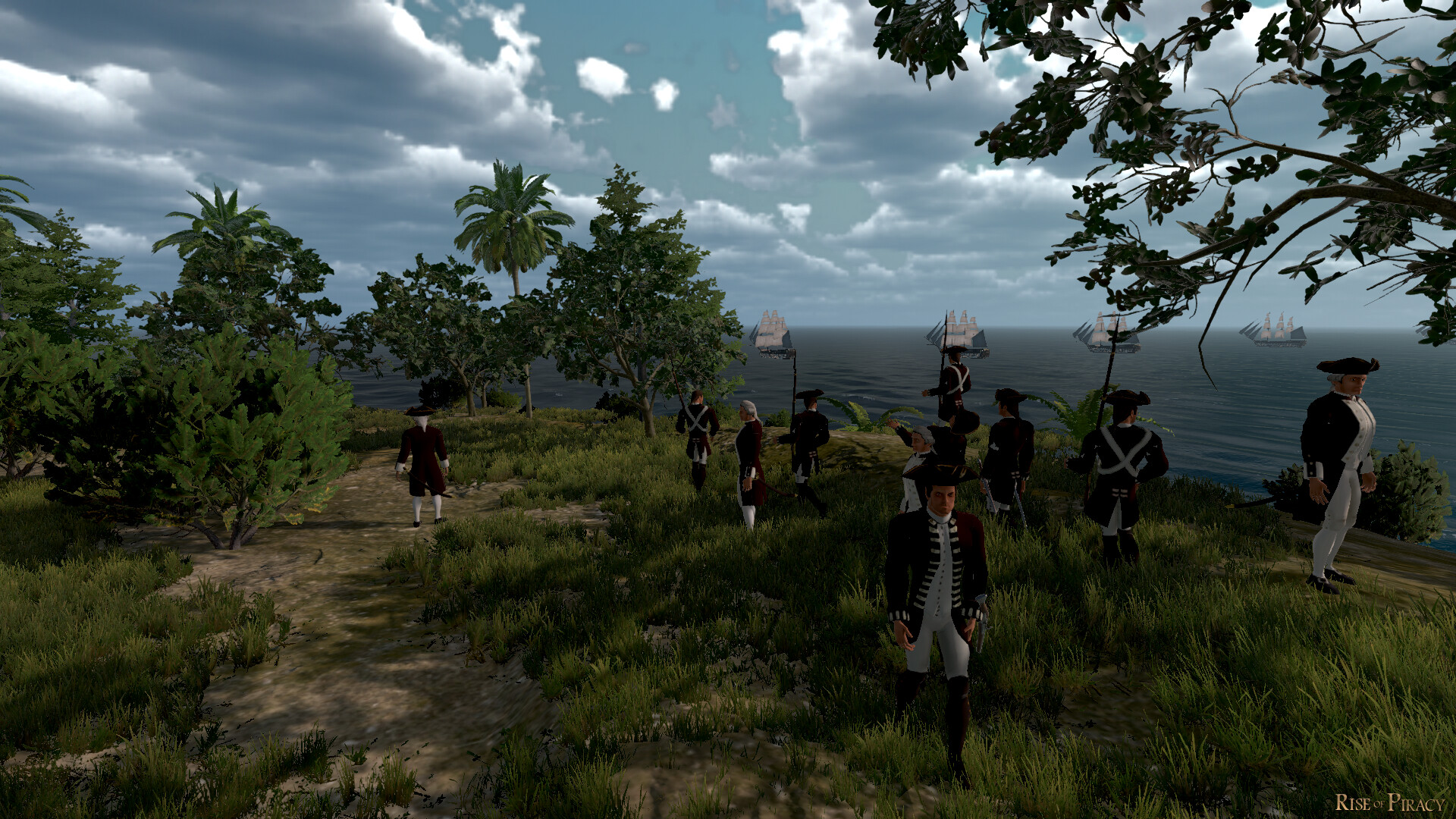
#67
Games Discussion / Re: Rise of Piracy : Action, A...
Last post by Asid - July 10, 2026, 05:40:29 PM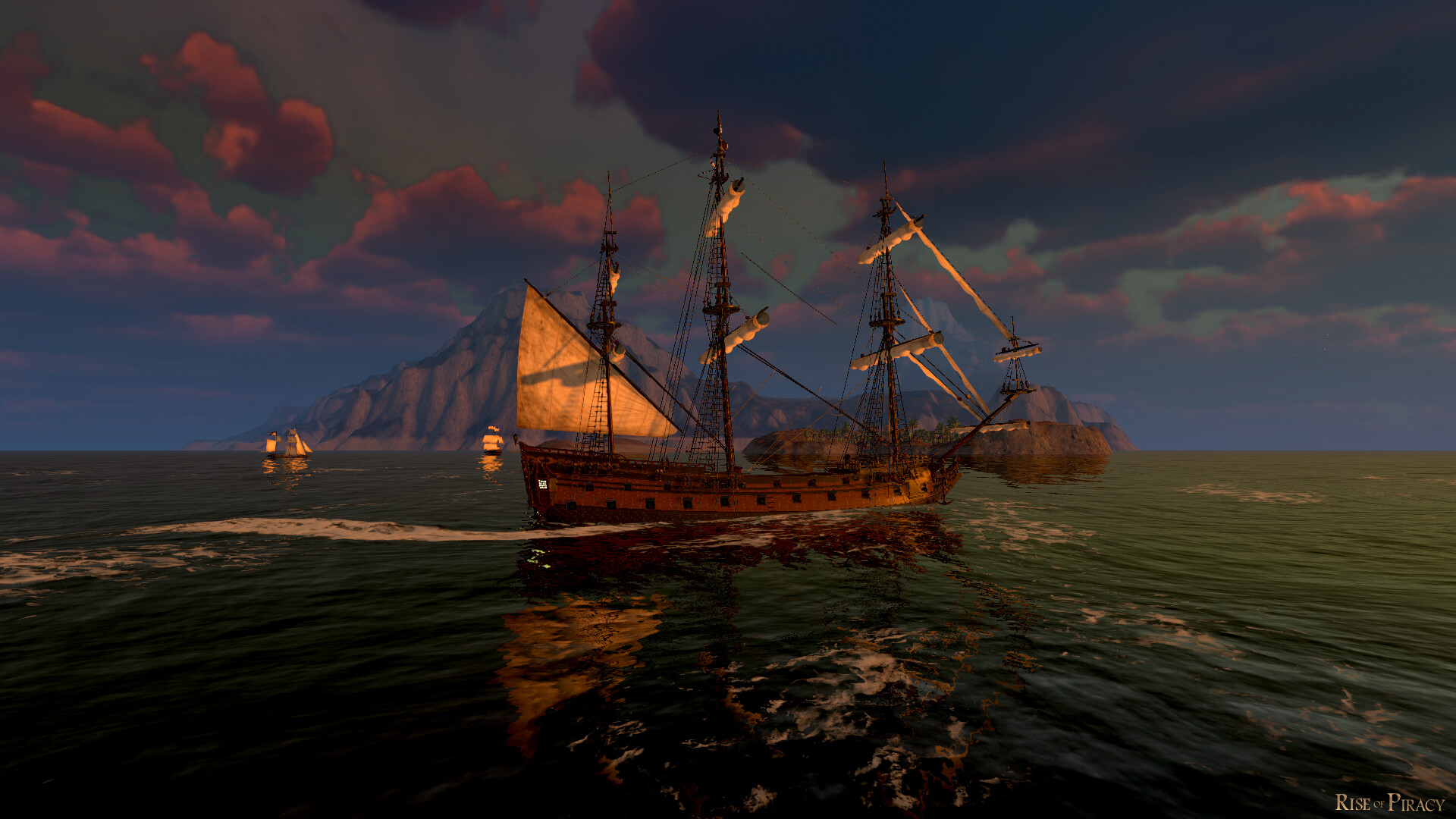
#68
Games Discussion / Rise of Piracy : Action, Adven...
Last post by Asid - July 10, 2026, 05:36:54 PMRise of Piracy
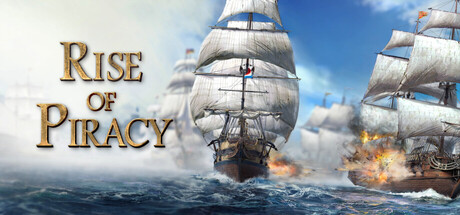
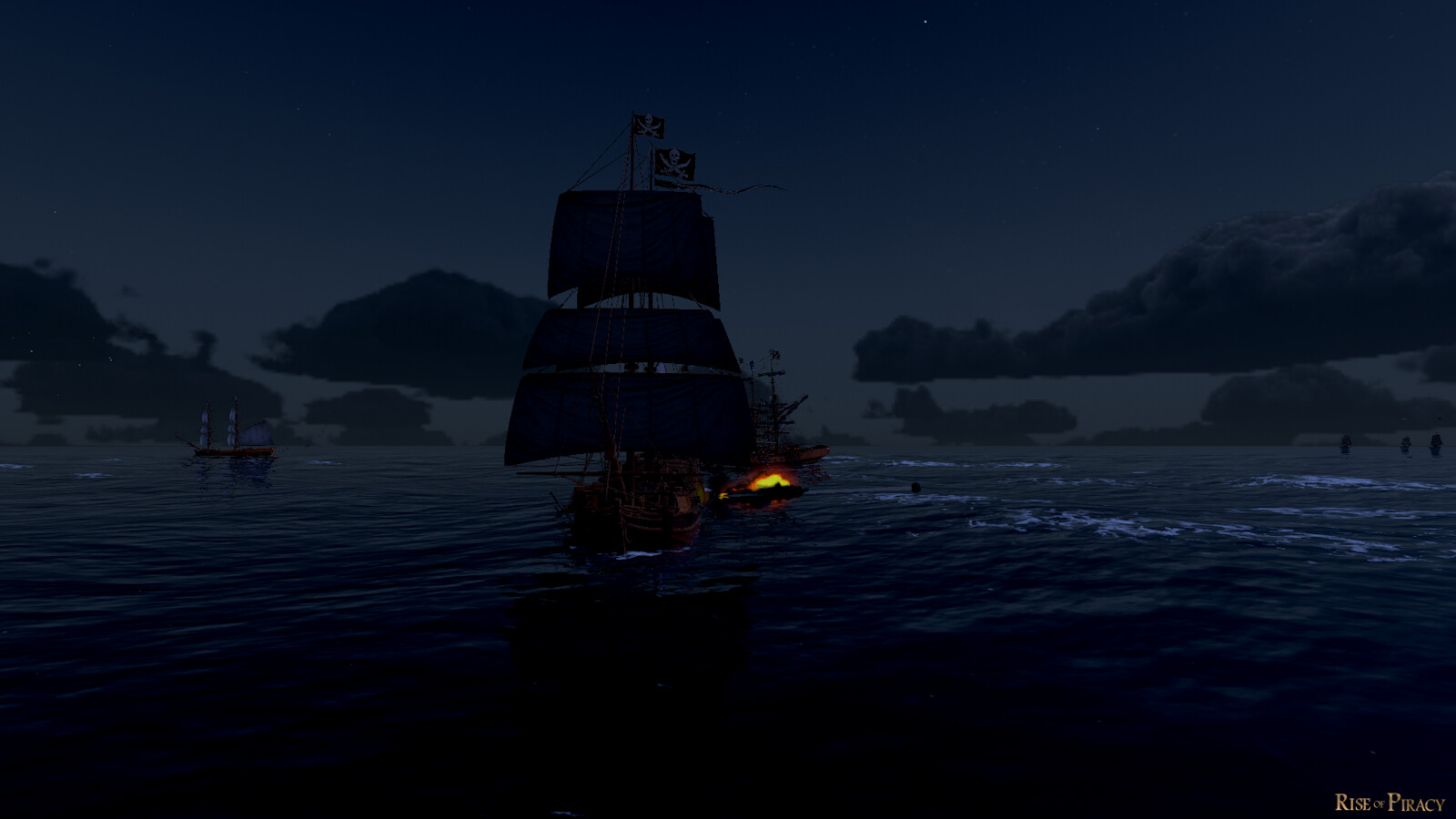
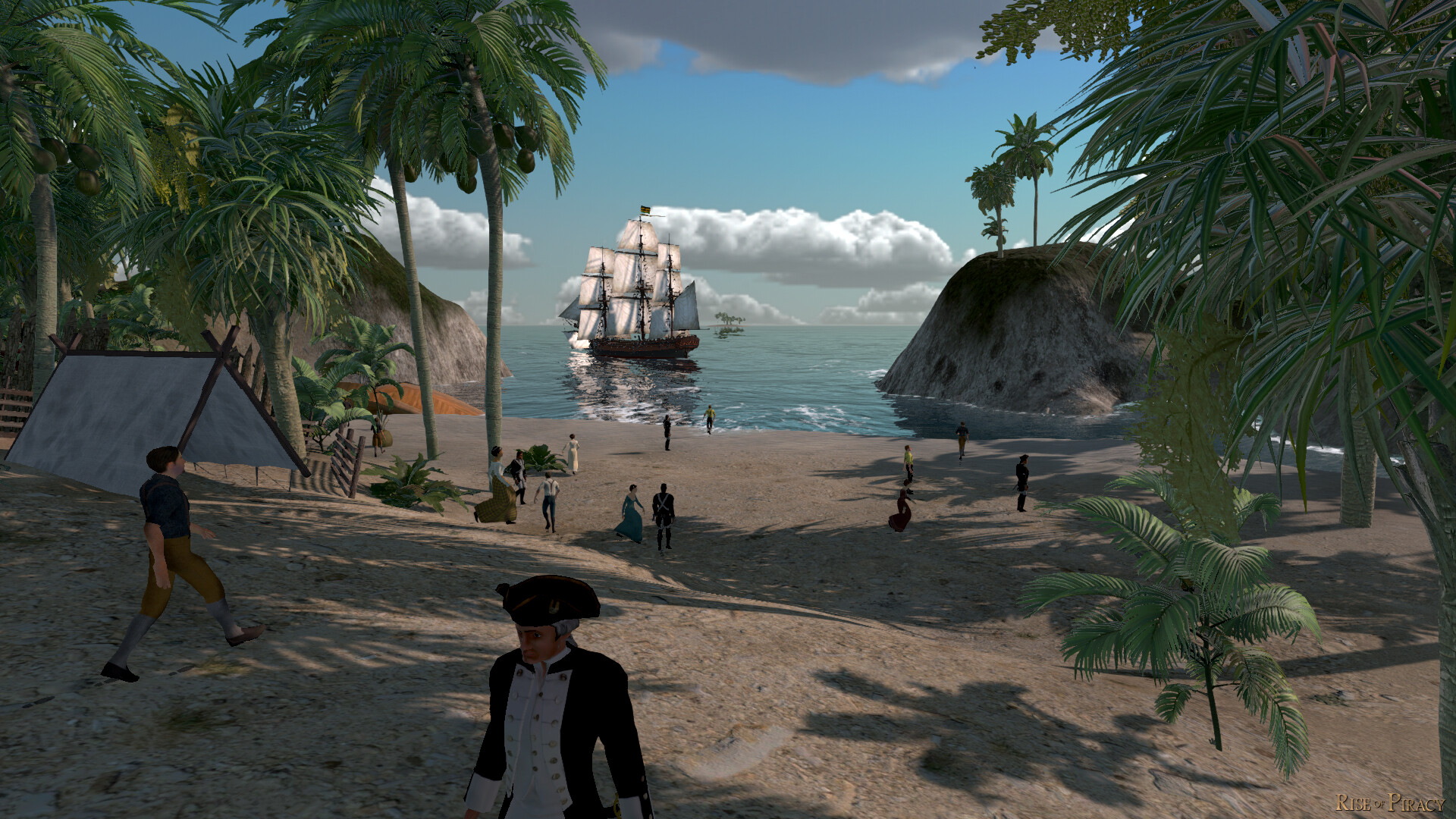
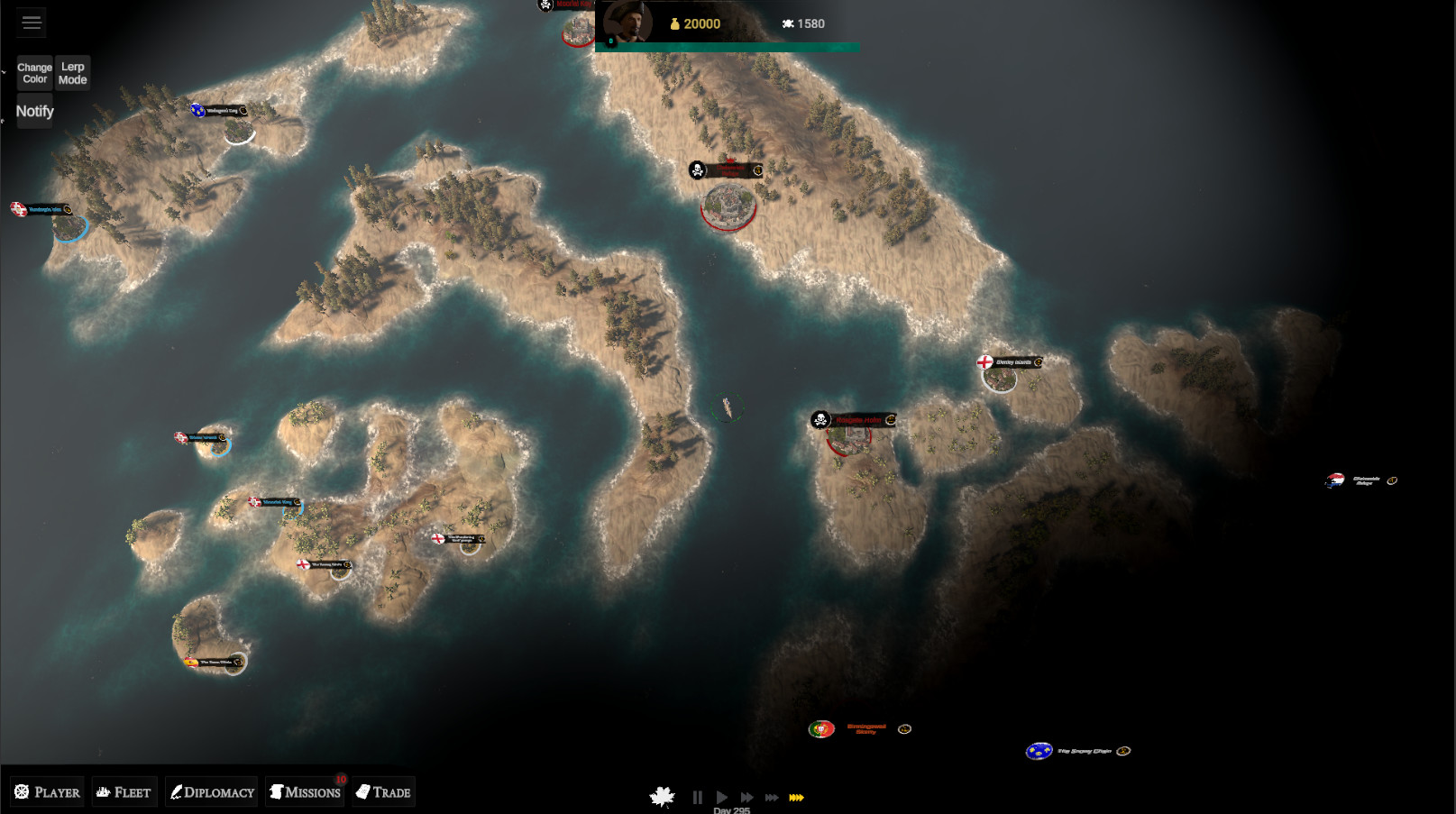
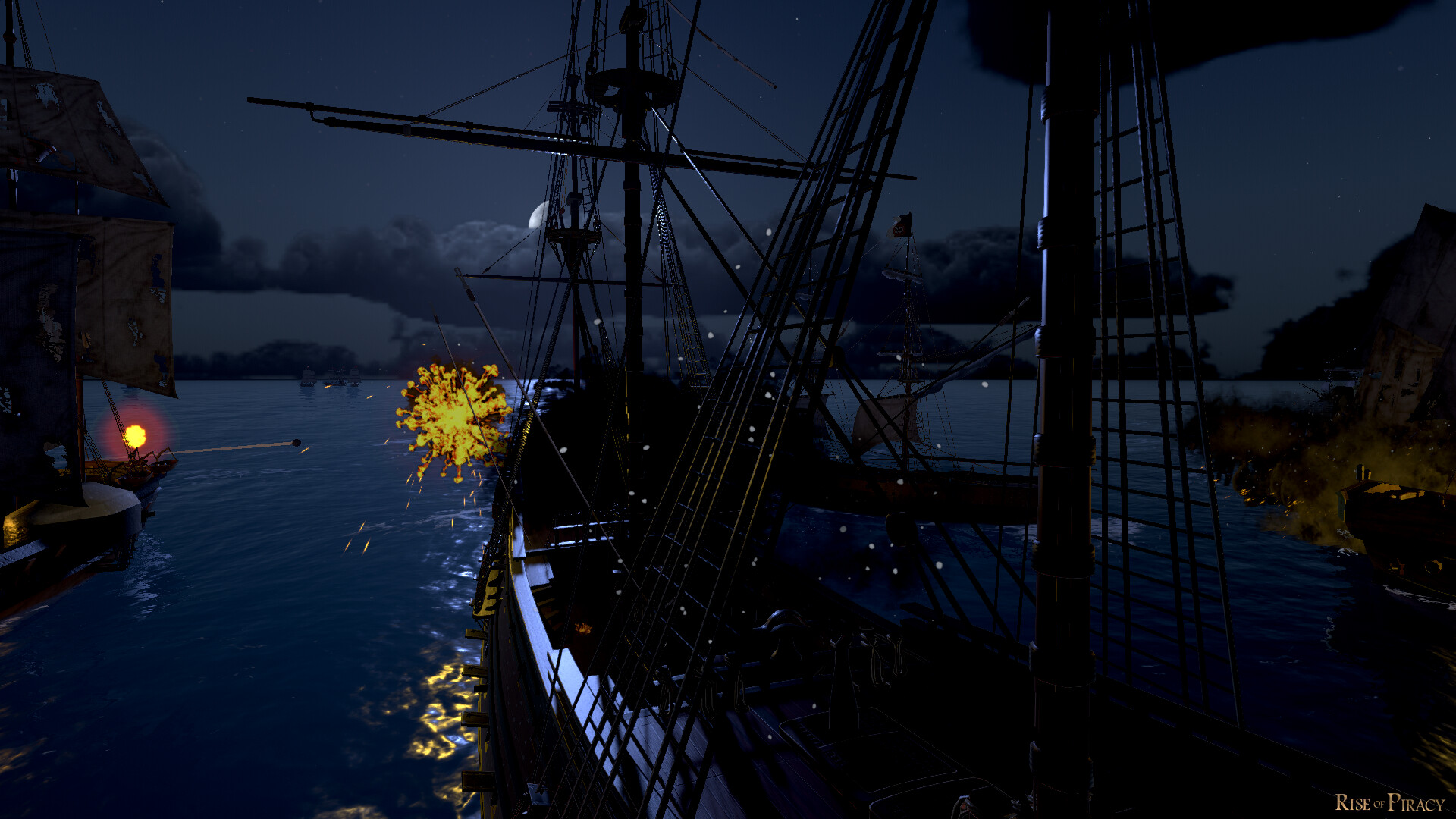
The perfect blend of Action, Adventure and RTS. Begin your journey as the lowly captain of a small vessel. End as the commander of a threatening fleet. Rise to glory how you see fit. Trade, fight, recruit, grow, pillage, ally, destroy & conquer.
Home page
Steam
Single-player
Rise of Piracy LAUNCH TRAILER 2026
About This Game
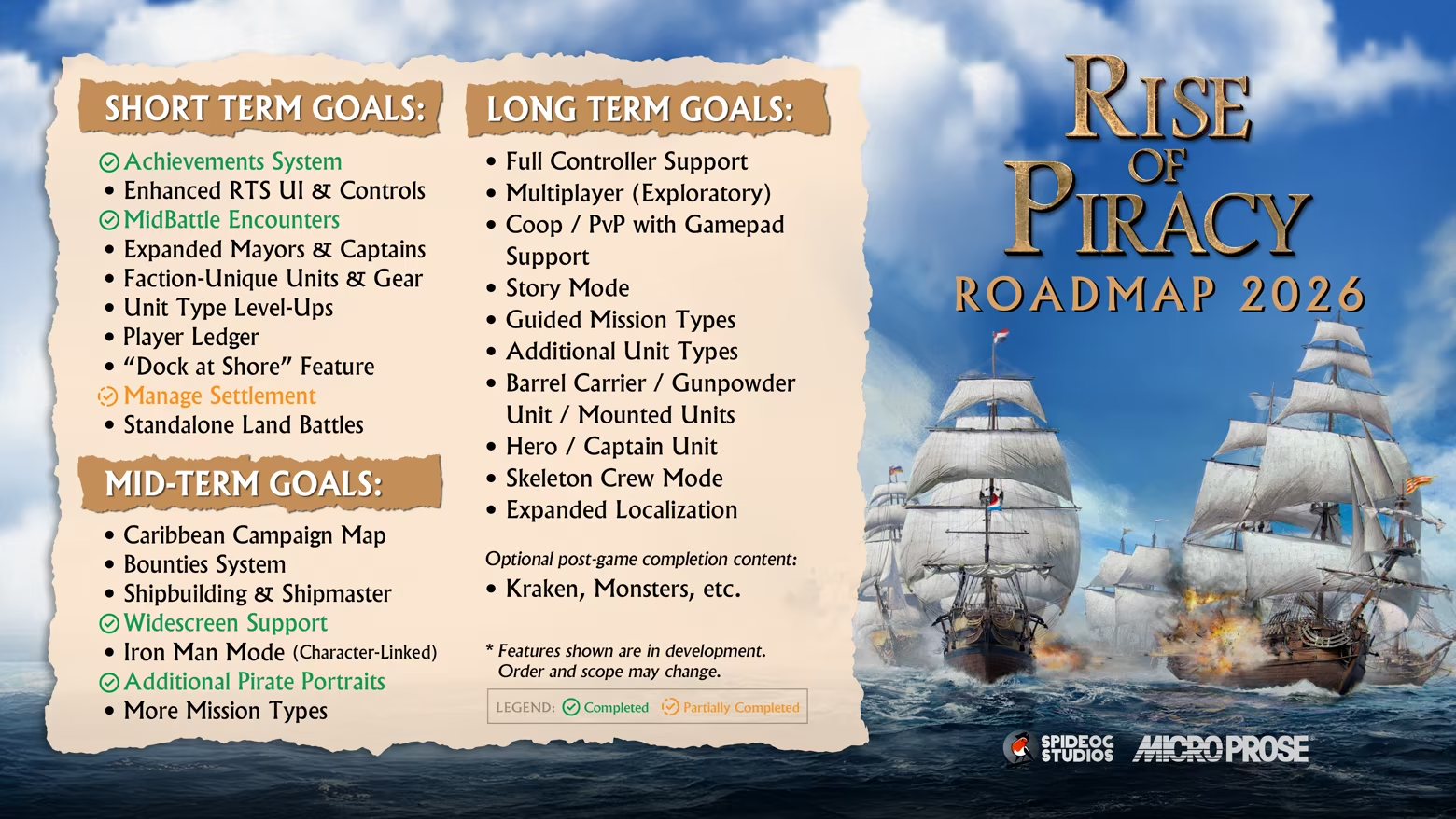
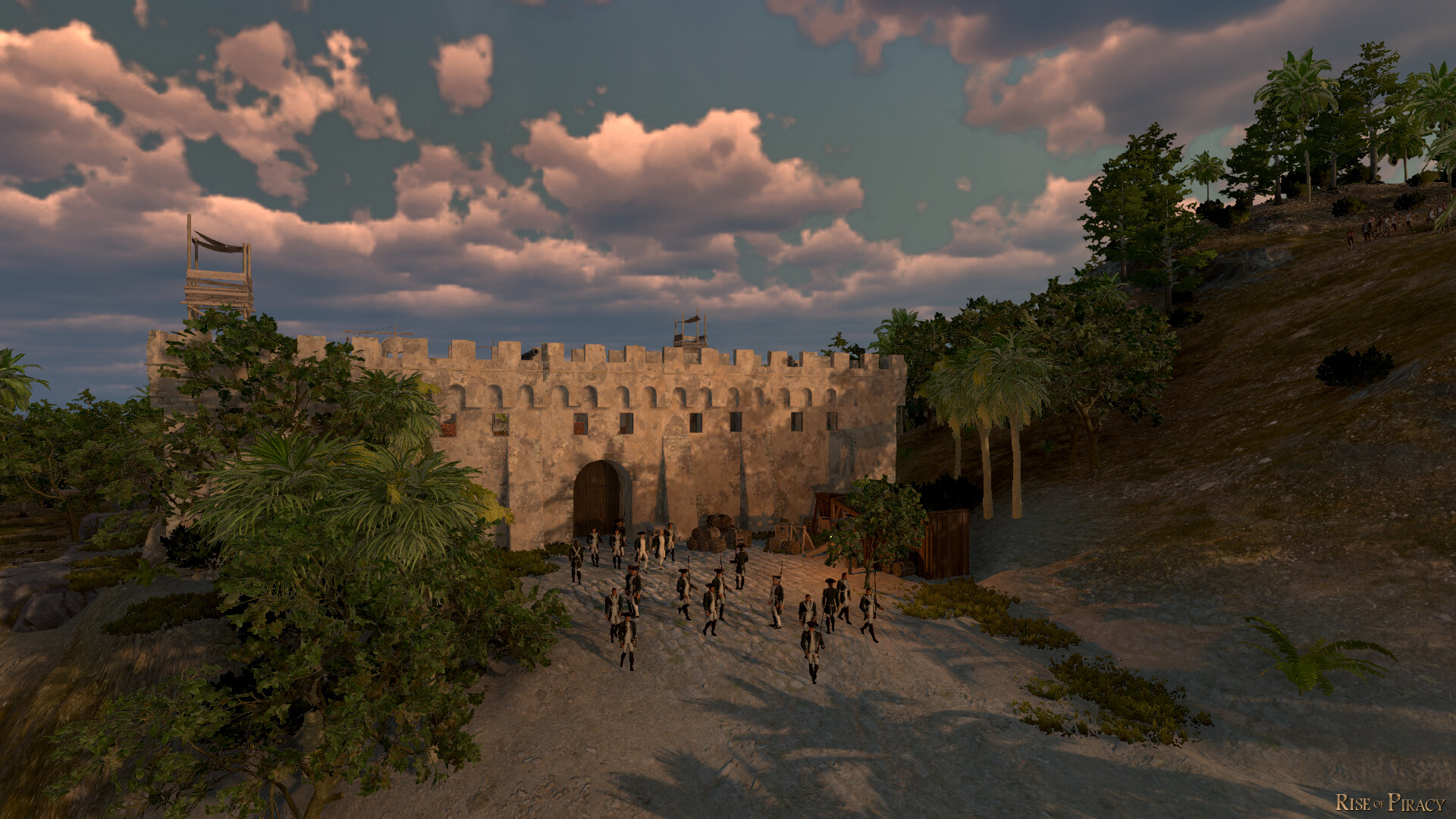
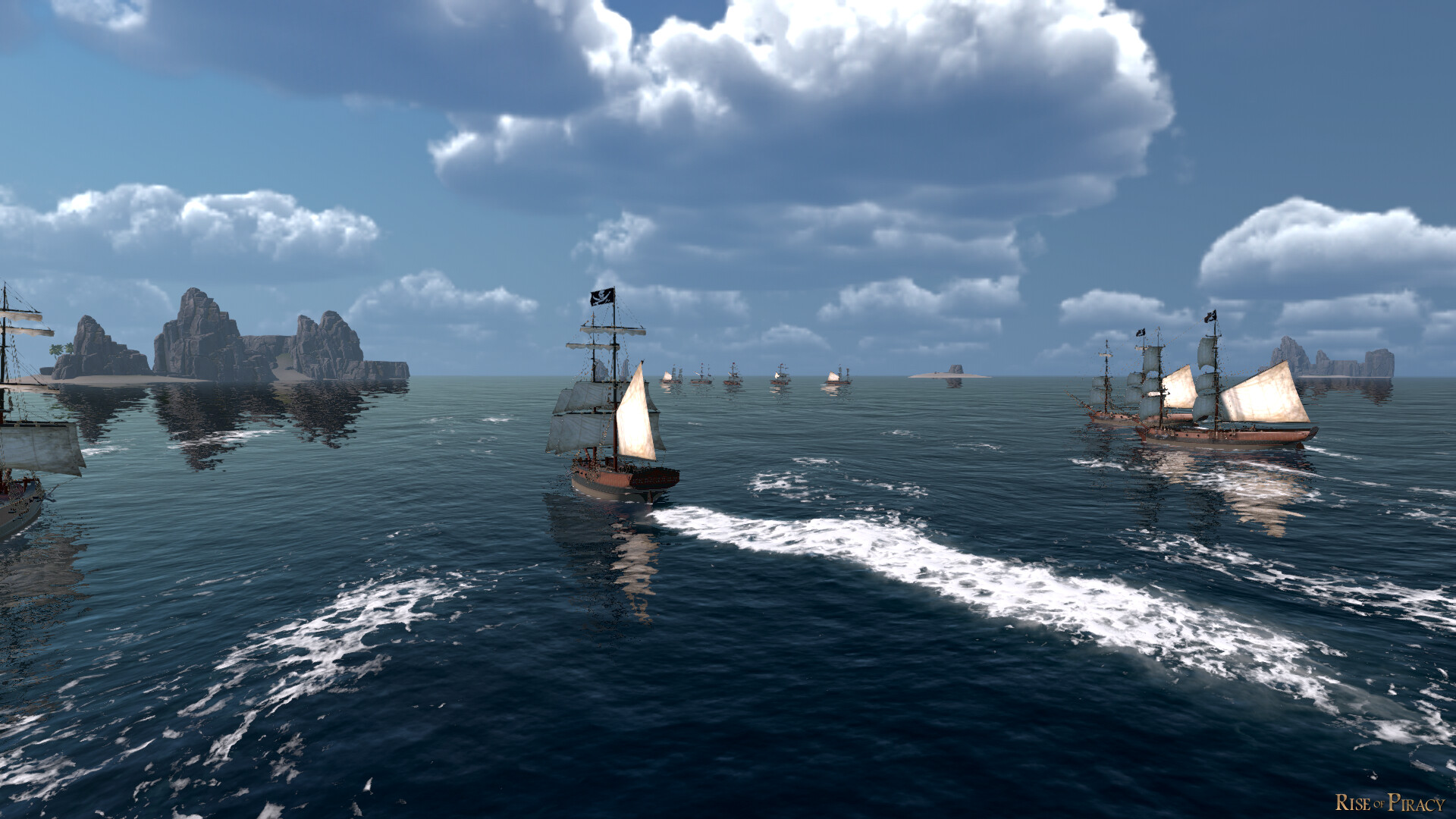
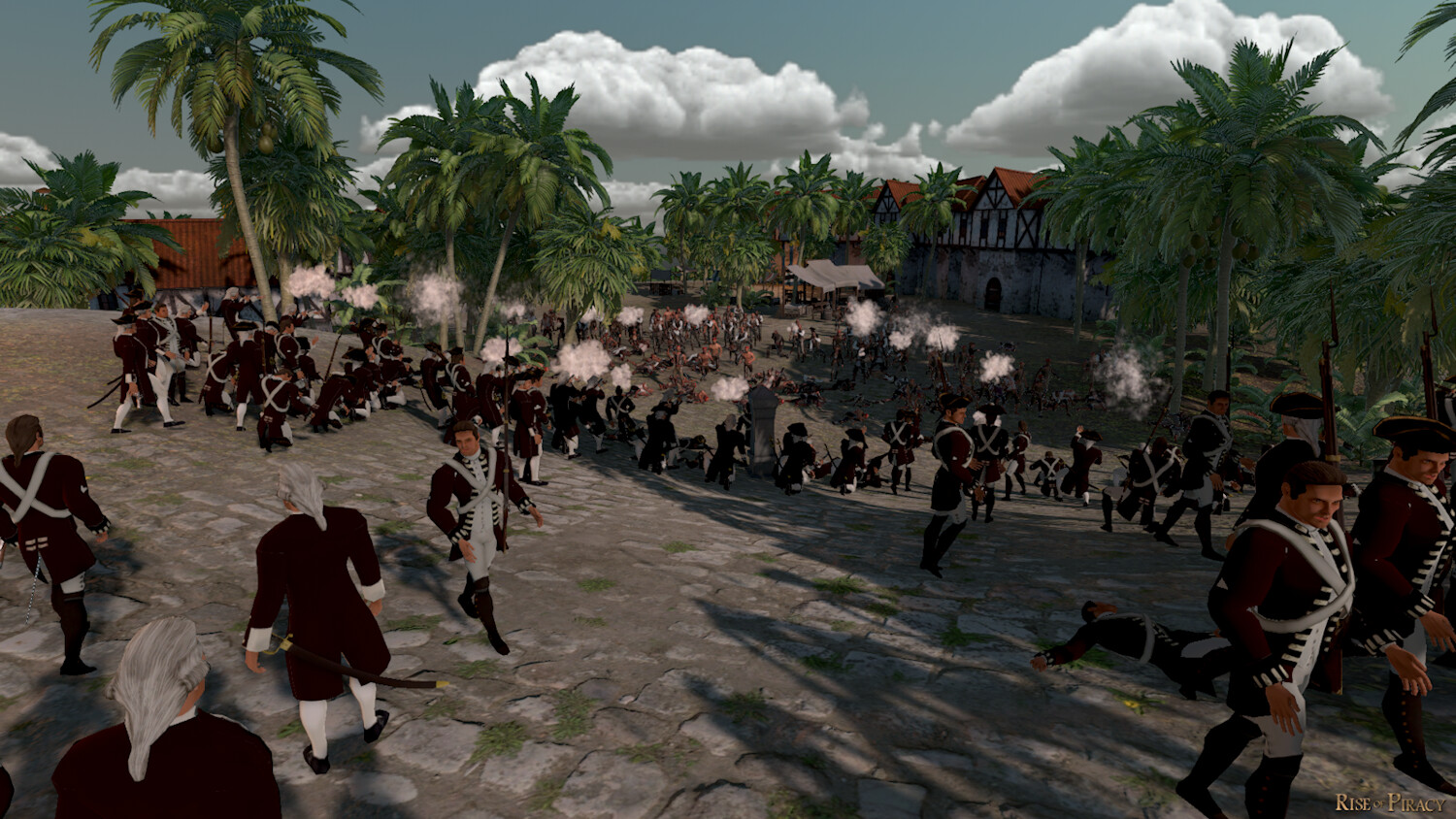
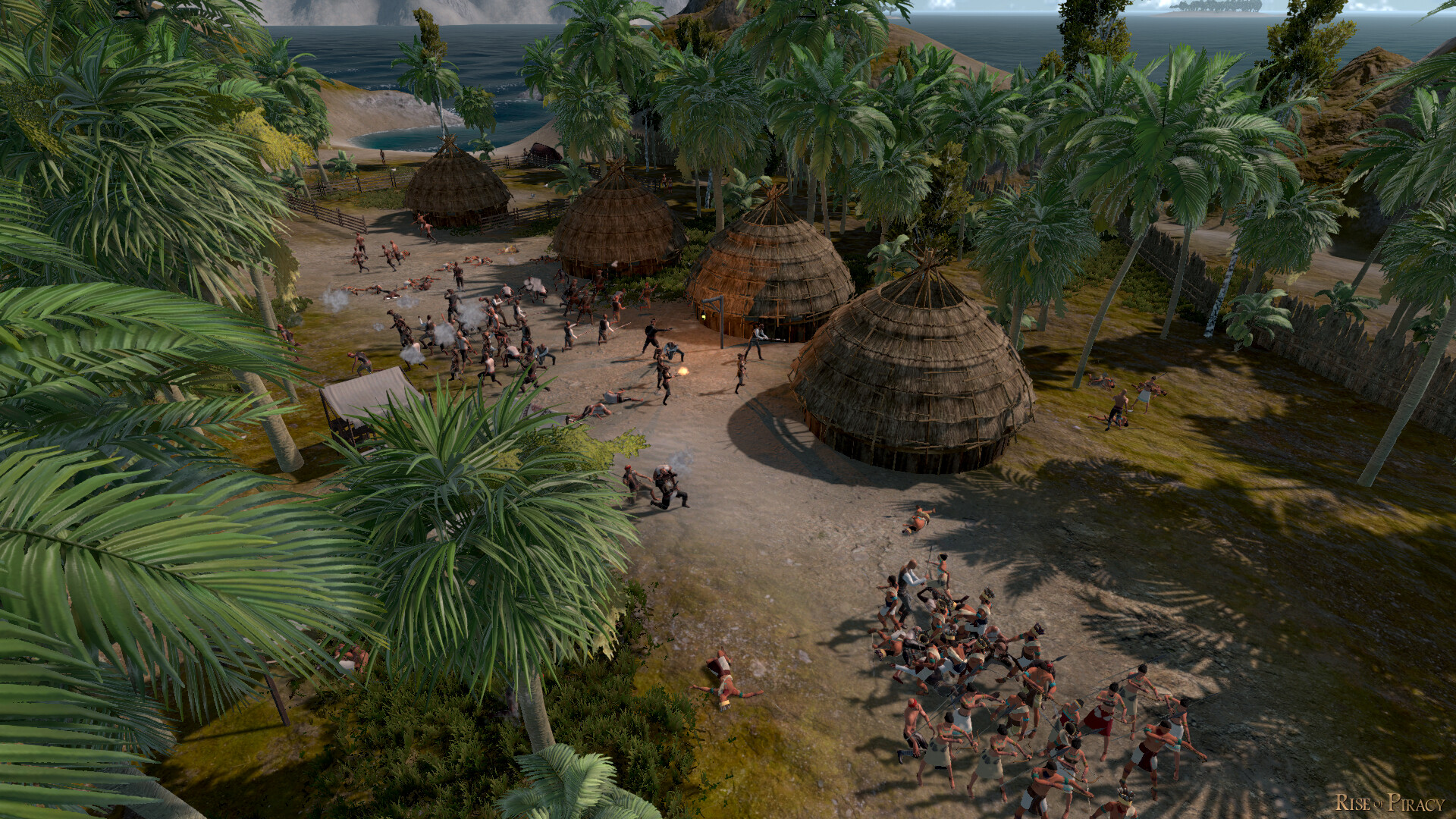
Rise of Piracy focuses heavily on progression and growth. In your campaign, you will first be given a small ship and a handful of coin. Complete missions and find treasure to build your economic strength and relations with the other factions. You can also choose to fight, boarding or sinking other vessels for loot. Build up your fleet of ships and their crews to take on the most challenging tasks such as capture islands of various strength and composition. Defeating large colonial fleets in grand scale naval warfare. Hunt pirates or long lost treasures. Uncovering mysterious lands filled with dangers as you go.
Campaign Sandbox
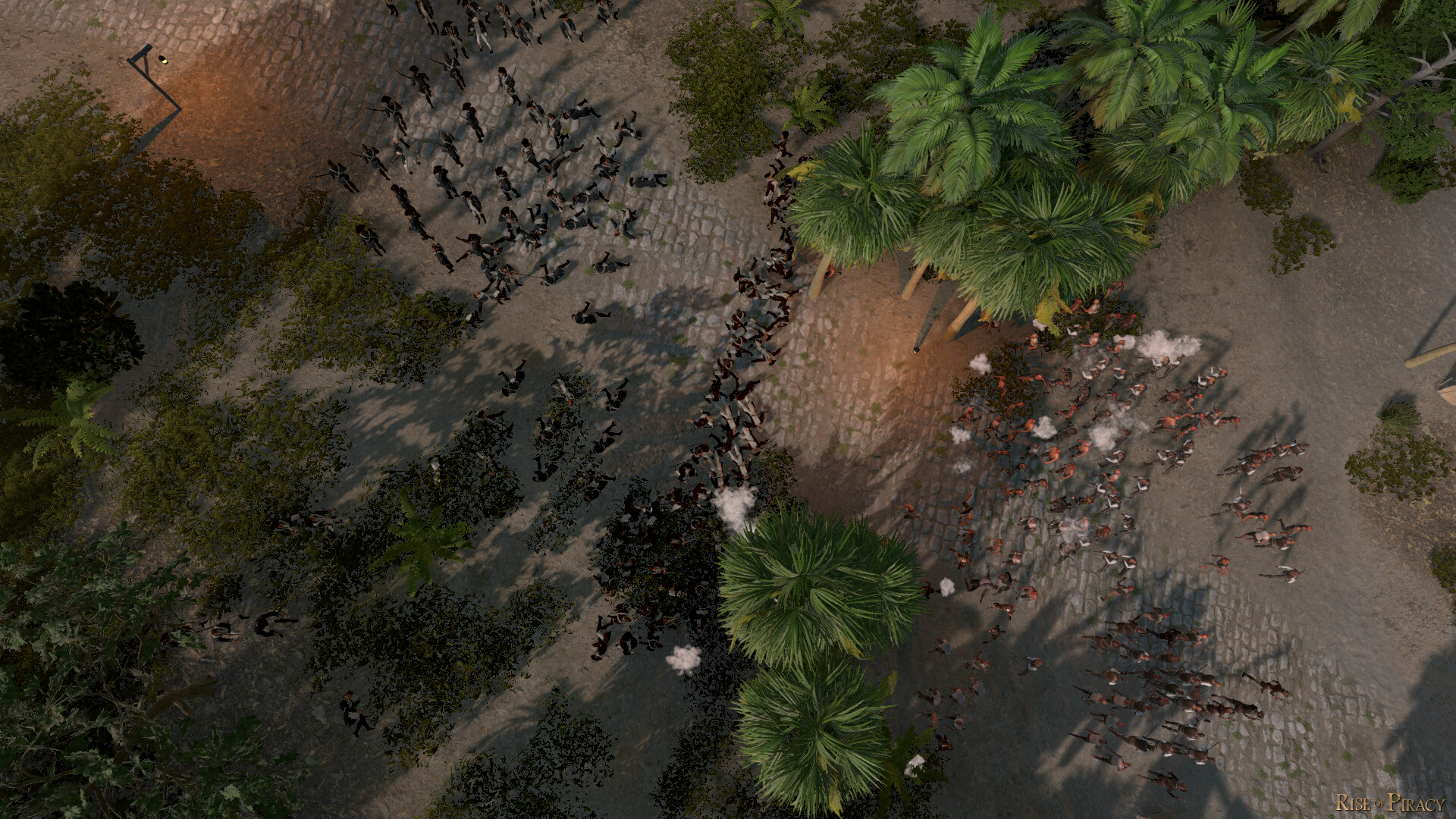
Everything in Rise of Piracy is carefully hand-crafted to be a new experience and challenge, no procedural generation. Every building in is destructible, allowing you to level an island from afar via bombardment from your fleet before sending your crews as landing parties to conquer them. Talk to mayors of settlements and captains of fleets to uncover hidden lands, or find them yourself through exploration and investigation.
Create your Own Story
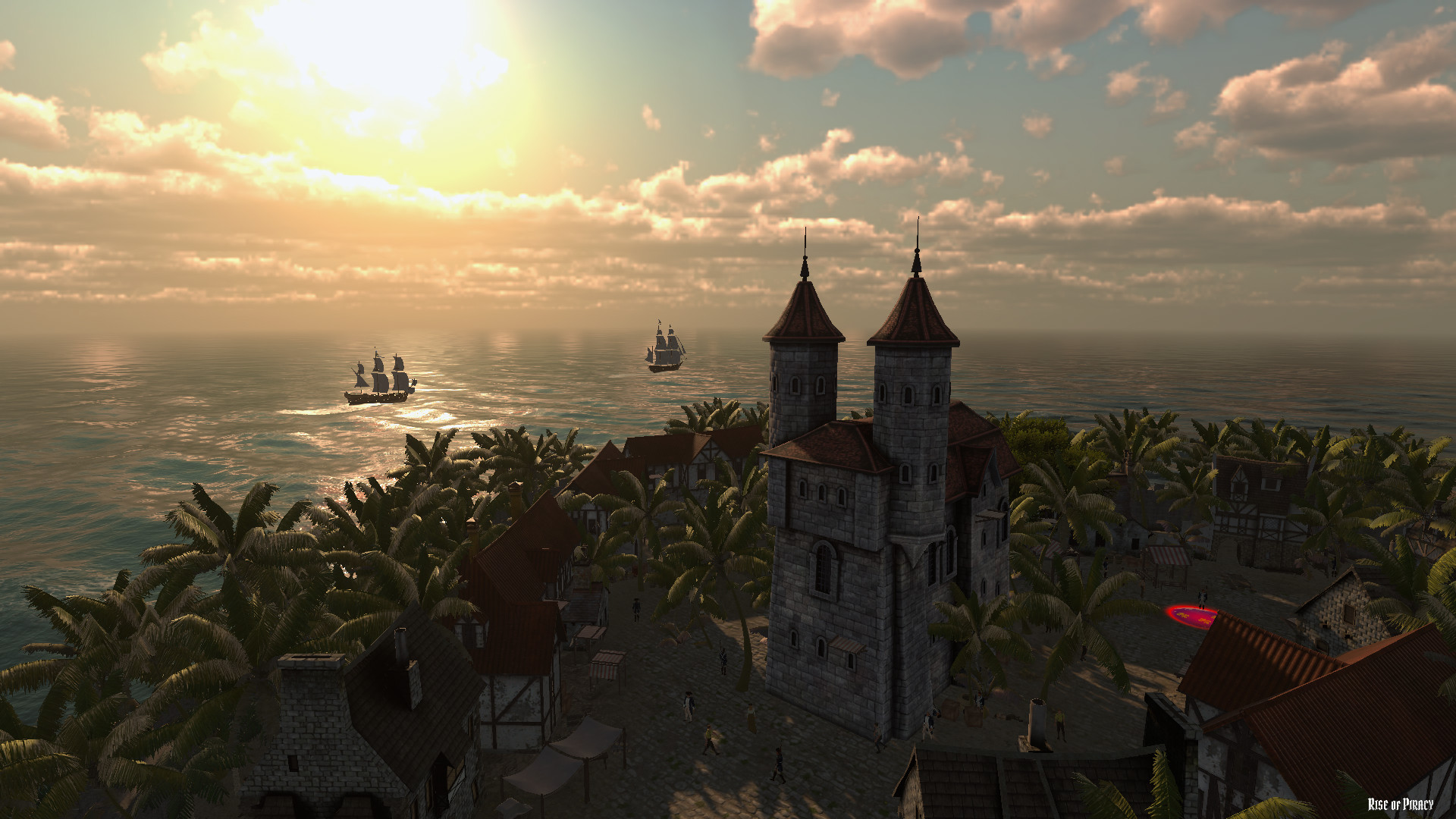
Piracy is optional. Choose to trade with over 200 commodities that can be found scattered around the world. Ports with specialized trading routes and dedicated merchants to trade with. Add trading ships to your fleet to maximize your transportation potential. Build relations with other factions to increase your trading effectiveness. Engaging in war, hunting bounties, or seeking hidden treasures are also viable means of building your bank.
Forge Alliances
A deep diplomacy system allows relationships to grow between all factions. Engage in diplomacy with every faction you meet. NPC factions will go to war with one another and their assets will change hands. Changing the balance of powers can impact your play-style, increasing warship activity, and blocking trade routes.
Become the Threat
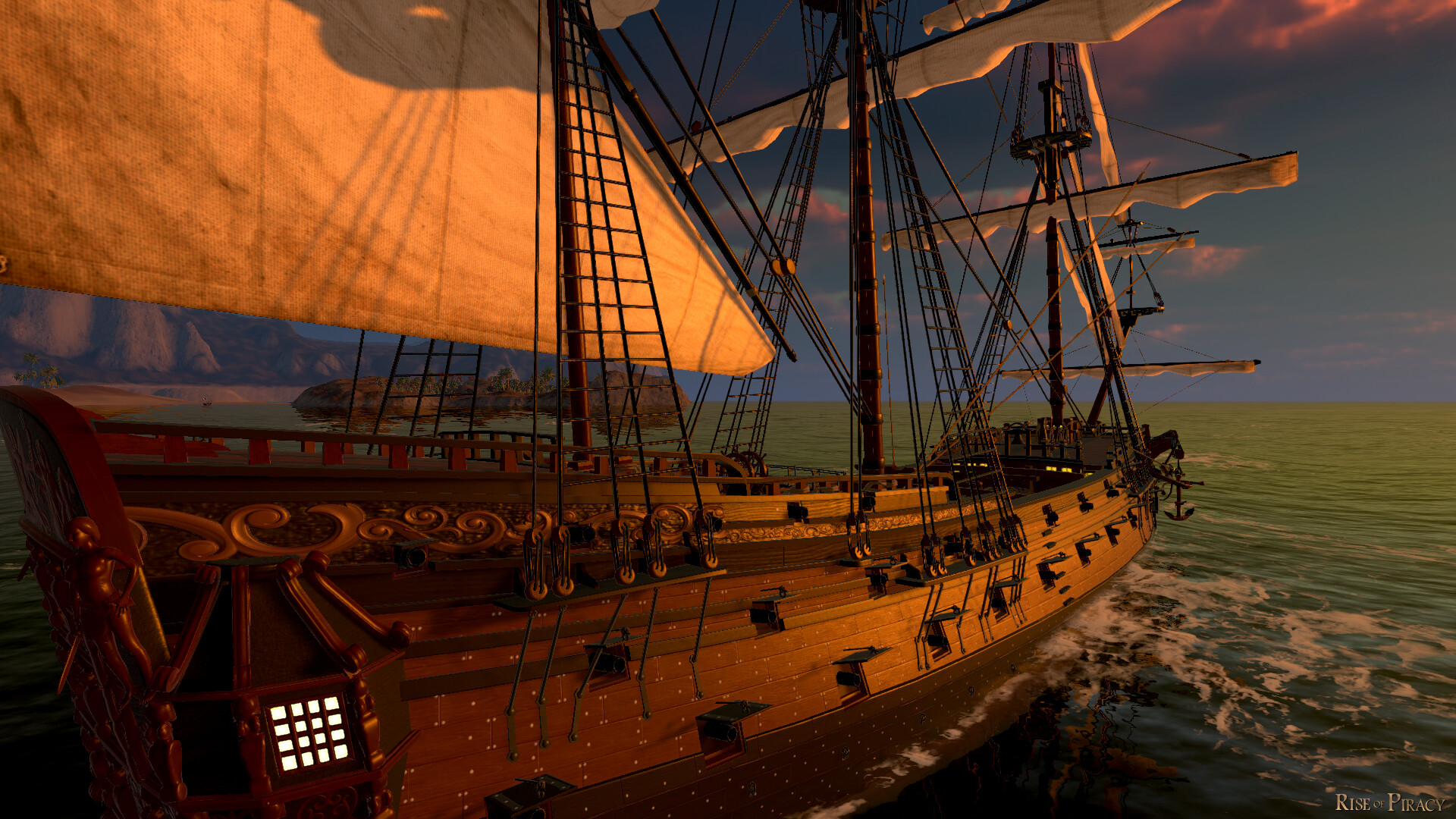
Fill your fleet with a large variety of playable ships from the 1600s - 1900s, from the light and fast Sloop to the tremendous firepower but limited maneuverability that comes with the 120 Gun ship of the Line. Taverns provide a great place to hire crewmen for your fleet. Fill your ships with specialized crew. Use them to board hostile ships, or invading and capturing islands to secure passive income. Hostile actions will have consequences amongst the factions - fleets of pirate hunters are constantly seeking bounties. Campaign difficulty will grow dynamically and remain challenging no matter how strong players get.
The perfect blend of Action, Adventure and RTS. Begin your journey as the lowly captain of a small vessel. End as the commander of a threatening fleet. Rise to glory how you see fit. Trade, fight, recruit, grow, pillage, ally, destroy & conquer.
Home page
Steam
Single-player
Rise of Piracy LAUNCH TRAILER 2026
About This Game
Rise of Piracy focuses heavily on progression and growth. In your campaign, you will first be given a small ship and a handful of coin. Complete missions and find treasure to build your economic strength and relations with the other factions. You can also choose to fight, boarding or sinking other vessels for loot. Build up your fleet of ships and their crews to take on the most challenging tasks such as capture islands of various strength and composition. Defeating large colonial fleets in grand scale naval warfare. Hunt pirates or long lost treasures. Uncovering mysterious lands filled with dangers as you go.
Campaign Sandbox
Everything in Rise of Piracy is carefully hand-crafted to be a new experience and challenge, no procedural generation. Every building in is destructible, allowing you to level an island from afar via bombardment from your fleet before sending your crews as landing parties to conquer them. Talk to mayors of settlements and captains of fleets to uncover hidden lands, or find them yourself through exploration and investigation.
Create your Own Story
Piracy is optional. Choose to trade with over 200 commodities that can be found scattered around the world. Ports with specialized trading routes and dedicated merchants to trade with. Add trading ships to your fleet to maximize your transportation potential. Build relations with other factions to increase your trading effectiveness. Engaging in war, hunting bounties, or seeking hidden treasures are also viable means of building your bank.
Forge Alliances
A deep diplomacy system allows relationships to grow between all factions. Engage in diplomacy with every faction you meet. NPC factions will go to war with one another and their assets will change hands. Changing the balance of powers can impact your play-style, increasing warship activity, and blocking trade routes.
Become the Threat
Fill your fleet with a large variety of playable ships from the 1600s - 1900s, from the light and fast Sloop to the tremendous firepower but limited maneuverability that comes with the 120 Gun ship of the Line. Taverns provide a great place to hire crewmen for your fleet. Fill your ships with specialized crew. Use them to board hostile ships, or invading and capturing islands to secure passive income. Hostile actions will have consequences amongst the factions - fleets of pirate hunters are constantly seeking bounties. Campaign difficulty will grow dynamically and remain challenging no matter how strong players get.
#69
Games Discussion / Re: Grand Tactician: Napoleoni...
Last post by Asid - July 10, 2026, 05:23:36 PMJanuary DevBlog - Unit Preview #1
Wed, January 21, 2026
Line Infantry during the Italian Campaign (1796-97)
Mon Général!
Napoleonic combat and tactics emphasize battalions, squadrons and batteries as the main tactical units. In Grand Tactician: Napoleonic Wars (1792-1815) they are the playable units - a bit like brigades are in GT:CW (GT1). During the timeline there are big changes in both tactical and operational levels. Battles in 1810- look different from those in the 1790s.
This first unit type preview will focus on Line Infantry, the main tool of the Napoleonic battlefield. As mentioned in the previous dev blog, the first campaign we are developing is Italy 1796-97, so we'll focus on the main belligerents and tactics of that theater. In later blogs, we will look at the other unit types in similar fashion, while we are developing the campaign layer in the background.
Tactical Development and Firepower
During this era we see Line Infantry battalions march and fight in tightly packed formations, soldiers forming shoulder-to-shoulder to maximize the density of muskets firing per meter of frontline. The main enabler of this was the development of flintlock muskets. A quick recap of how we got here:
During the rise of the musket, which can be observed taking place during the Thirty Years War (1618-1648), matchlock muskets were used. Matchlocks were slow to reload (when compared to flintlocks) and required spacing in formation, as soldiers maneuvered holding burning matches, which could ignite a neighbour's weapon by accident. Early muskets were so heavy, that a musketeer needed a rest to be able to fire the weapon.
At the beginning of the 17th Century, infantry formations still heavily relied on the pike, a ~5 meter long spear, that could be used to defend against enemy cavalry. Musketeers (or arquebusiers/calivermen – "shot") were mixed into blocks of pikemen to form pike and shot infantry units, commonly called battles, cuadros, squadrons, battalions... To maximize the shock effect of the "push of pike", the formations were deep (a Spanish Tercio of 3000 men with pike and shot ratio of 1:1, formed into a tactical "square of terrain", would have its 1500 pikemen in ~27 ranks deep square). The shot were usually deployed around the pike block to provide firepower. In case of cavalry attack, the shot would seek shelter under the lowered pikes, inside or behind the pike square.
With development of tactical firing systems, reformers started to maximize/optimize firepower. A drill called "countermarch" had musketeer sleeves perform a rotation of ranks, where the front rank fired, and then retired to the rear of the sleeve to reload, while the next rank moved up and fired in turn, etc. Initially with 10 ranks deep formations, this enabled continuous volley fire. During the 30YW, these firing systems developed further, with up to three ranks firing simultaneously to maximize the shock of the volley, or "salvo", as it became known: the first rank kneeled, second stooped, and third fired standing.
With this development, along with the introduction of rapid-firing and mobile small caliber regimental guns (and later battlefield mobility for larger caliber artillery), firepower became the dominant factor in infantry tactics. Checkerboards of deep squares/oblongs were replaced with wider linear formations, use of armour diminished and all but disappeared. Bit by bit, we saw the ratio of shot to pikemen increase, with 3:1 or even higher, and lower number of ranks, usually six, being the norm at the end of the 30YW. With the invention of the bayonet, effectively turning each musket also into a "pike" (in a tactical sense), we see pikes disappearing (again) from the battlefield during the Great Northern War (1700-1721)...
Contemporary Line Tactics
Fast forward to the mid-18th Century, and we find infantry armed with flintlock muskets and bayonets. Infantry battalions are formed into thin lines, shoulder to shoulder. Firepower is maximized with controlled volley firing, with the three-rank volley being dominant. Reloading a flintlock is still a complex drill, but much easier and faster than reloading a matchlock: the average rate of fire during combat is already up to one volley a minute, with best drilled troops being able to fire multiple rounds a minute. With the tightly packed ranks, countermarch or other kind of rotation of ranks during combat is no longer used. The peak of this purely linear combat and well drilled professional soldiers sees the Seven Years War and the rise of Prussia.
While "war never changes", tactics do. Entering the starting point of GT: Napoleonic Wars, the main tactical unit, Line Infantry battalion, is fighting in three ranks. (The rather conservative Austrians are some of the last ones to remove the fourth rank.) This maximizes firepower, with all guns potentially firing, none held behind as a reserve. The Line battalion is a multi-purpose unit: firepower is the main thing, but the bayonet provides offensive shock action against a fragmented enemy line or a tightly packed wall of pointy steel, that charging cavalry will not dare to brave.
Cohesion and form are important. Maneuvers and evolutions are rigorously drilled, as a broken formation is fragile. Movement is slow, as maintaining the line requires constant dressing, a uniform cadence, and standardized movements of individual soldiers.
While small-arms have developed since the bulky arquebuses and matchlock muskets, some rules remain: the weapons are inaccurate (and aiming poor or non-existent when the closely packed mass of men releases a coordinated volley) and produce a thick milky smoke that hinders visibility during battle. Firing beyond 300 paces is not recommended. Real effect is seen when the target is within 150 paces and the men well disciplined. But still, even hundreds of muskets firing may result in a rather limited number of casualties (as can be seen in the video's Firepower Demonstrations.) Some nations, like Russia, still preferred shock action over musketry.
While the drill manuals contained a wide variety of formations, not nearly all of them were seen commonly used in the actual field of battle. To generalize, the main formations are the line, square and column. Line brings all the weapons to the fight, to fire, or when charging, to break the enemy line. In square the battalion is virtually immune to cavalry charges (if cohesion and morale are maintained!), but vulnerable to artillery fire, and the column provides fastest movement with limited firepower. To screen the battalion's main formation or to scout the way ahead, part of the men can be detached to act as skirmishers. In this role, the men use open order and loose formation, usually in pairs or threes, using terrain as cover and harassing the enemy with fire. The aim is to disrupt the enemy formation or to intimidate the enemy to open fire before the battalion is within range. Infantry battalions are still commonly reinforced with regimental cannons to bolster their firepower, following the practice from the latter half of the 30YW.
Organization and National Flavour
In the game, the units of different nationalities are not identical and contain different organizational and tactical flavours. The French and Austrian Line Infantry may appear quite similar, but they also have differences – and the commanders tend to use them differently, depending on tactical school. Let's take a closer look:
France
Entering the Revolution, the French military was in the middle of a tactical debate: which one is superior in contemporary battle, the line or the column? Using battalions in columnar formations provide weight and pressure in a narrow front, while making maneuvering much faster. Line provides superior firepower. In 1791 the main drill manual (which was to serve through the Napoleonic Wars with minor adjustments) described a line oriented, but hybrid approach. But the tactics would evolve not thanks to a manual, but out of necessity, when the quickly formed and ill-trained revolutionary battalions adapted their tactics to overcome their professional but rigid opponents.
To spread experience among all of the army, the French conducted a series of amalgamations, where old regiments were disbanded and new "demi-brigades" (to avoid using the word that resembled the cursed old regime) were formed from one battalion of regulars and two of volunteers, later the mixing taking place on the lowest levels as well. The resulting organization is what we see in Italy: a demi-brigade with three battalions, each (in full strength) slightly over 1000 men strong.
While professional training is back in the picture in 1796, experience from the early revolutionary wars has formed the French battalion tactics into something quite flexible. While line is still the main fighting formation, battalions can also deploy in open order to skirmish en masse, or use different column formations for fast mobility or even shock action with cold steel. The rigid three rank firing drill has made way to a more flexible two rank fire, where kneeling of the first rank is no longer practiced – it is commonly known, that once the rank knelt it usually tended to remain down, unwilling to stand up again to move. Also, the third rank firing can result in casualties among the other ranks, or at least a major distraction for those few trying to actually aim their fire. The third rank continues to fire if the battalion is firing by rank.
The French line battalion is organized into nine companies, eight of fusiliers and one of grenadiers. The grenadiers are the tallest, the most experienced and capable fighters of the battalion, many units already sporting the later much more common tall bearskin hat. When preparing for battle, the companies, which are administrative units and can have uneven strength between them, are formed into Platoons (Pelotons) - one per company. The platoons are to have equal strength, as they form the building blocks of the formations and firing systems. The grenadier company may remain with the battalion, or detach to form composite, elite grenadier battalions with companies from other battalions – a practice that became common during the Italian campaign.
A line battalion, if the soldiers are sufficiently trained, can detach one of the platoons to form a line of skirmishers. The skirmishing tactics are not yet formalized, so the formation is usually a loose line of men working in pairs, with a small group of leaders and drummers for signals slightly behind, to maintain communication between the skirmish line and the battalion main body. It's only later, the voltigeur company will be added to the infantry battalion organization.
Austria
The Austrians have been slower to adapt – probably because there has been no need to, at least not yet. Their tactical guidelines come from the 1760s manuals. They follow the strict Prussian ordre mince, "thin order", ie. deploying into long lines for battle. The French "clouds of skirmishers" and columnar tactics have already caused some disruption, but no change yet.
The Austrian Line Infantry is divided into "German" and "Hungarian", depending on the region where the regiment comes from. While Hungarian battalions are slightly larger, tactically there are no major differences. A fusilier (line) battalion has six companies. The regiment's two grenadier companies will always form separate grenadier battalions with companies of other regiments. While a battalion's strength is on paper well over a 1000 men, normal campaign strength is, like with the French, usually around 500 men.
While the Austrian Line Infantry is drilled to use many different formations, tactically in battle they use the line as the main formation. Columns are used for long distance movement only. This makes the Austrian Line Infantry seem less flexible than their French opponents.
The six companies each form four platoons (Züge), that are the main building blocks of the different formations. In wars against the Ottomans, the Austrians have adapted a blocky square formation that is quick and simple to form from the platoons. Adapting attack column formations, or masses as they will become known, will happen later, with the need for larger reforms forced on the Austrians after painful defeats in the hands of Napoleon. The main firing method is the three-rank volley, fired either as a battalion, or in a sequence of sub-units.
But, there is some flexibility in the Austrian tactics. The third rank soldiers are the best trained and most capable ones, and the third rank may form 12 additional ad-hoc platoons. These platoons can be used to extend the line, if strength is low, or they can be detached to skirmish. Unlike the French, the Austrian skirmishing tactics are already formalized, with the skirmish line fighting in open order in pairs or threes, supports deployed behind the skirmish line to rotate men, and reserve behind the supports. This means 1/3 of the battalion's men form the skirmishing element (as opposed to 1/9 in case of the French), which provides further resilience in prolonged engagements, even if the number of actual skirmishing soldiers is similar.
See the different formations and firing systems in the accompanying video:
Cheers,
Grand Engineer Corps
Wed, January 21, 2026
Line Infantry during the Italian Campaign (1796-97)
Mon Général!
Napoleonic combat and tactics emphasize battalions, squadrons and batteries as the main tactical units. In Grand Tactician: Napoleonic Wars (1792-1815) they are the playable units - a bit like brigades are in GT:CW (GT1). During the timeline there are big changes in both tactical and operational levels. Battles in 1810- look different from those in the 1790s.
This first unit type preview will focus on Line Infantry, the main tool of the Napoleonic battlefield. As mentioned in the previous dev blog, the first campaign we are developing is Italy 1796-97, so we'll focus on the main belligerents and tactics of that theater. In later blogs, we will look at the other unit types in similar fashion, while we are developing the campaign layer in the background.
Tactical Development and Firepower
During this era we see Line Infantry battalions march and fight in tightly packed formations, soldiers forming shoulder-to-shoulder to maximize the density of muskets firing per meter of frontline. The main enabler of this was the development of flintlock muskets. A quick recap of how we got here:
During the rise of the musket, which can be observed taking place during the Thirty Years War (1618-1648), matchlock muskets were used. Matchlocks were slow to reload (when compared to flintlocks) and required spacing in formation, as soldiers maneuvered holding burning matches, which could ignite a neighbour's weapon by accident. Early muskets were so heavy, that a musketeer needed a rest to be able to fire the weapon.
At the beginning of the 17th Century, infantry formations still heavily relied on the pike, a ~5 meter long spear, that could be used to defend against enemy cavalry. Musketeers (or arquebusiers/calivermen – "shot") were mixed into blocks of pikemen to form pike and shot infantry units, commonly called battles, cuadros, squadrons, battalions... To maximize the shock effect of the "push of pike", the formations were deep (a Spanish Tercio of 3000 men with pike and shot ratio of 1:1, formed into a tactical "square of terrain", would have its 1500 pikemen in ~27 ranks deep square). The shot were usually deployed around the pike block to provide firepower. In case of cavalry attack, the shot would seek shelter under the lowered pikes, inside or behind the pike square.
With development of tactical firing systems, reformers started to maximize/optimize firepower. A drill called "countermarch" had musketeer sleeves perform a rotation of ranks, where the front rank fired, and then retired to the rear of the sleeve to reload, while the next rank moved up and fired in turn, etc. Initially with 10 ranks deep formations, this enabled continuous volley fire. During the 30YW, these firing systems developed further, with up to three ranks firing simultaneously to maximize the shock of the volley, or "salvo", as it became known: the first rank kneeled, second stooped, and third fired standing.
With this development, along with the introduction of rapid-firing and mobile small caliber regimental guns (and later battlefield mobility for larger caliber artillery), firepower became the dominant factor in infantry tactics. Checkerboards of deep squares/oblongs were replaced with wider linear formations, use of armour diminished and all but disappeared. Bit by bit, we saw the ratio of shot to pikemen increase, with 3:1 or even higher, and lower number of ranks, usually six, being the norm at the end of the 30YW. With the invention of the bayonet, effectively turning each musket also into a "pike" (in a tactical sense), we see pikes disappearing (again) from the battlefield during the Great Northern War (1700-1721)...
Contemporary Line Tactics
Fast forward to the mid-18th Century, and we find infantry armed with flintlock muskets and bayonets. Infantry battalions are formed into thin lines, shoulder to shoulder. Firepower is maximized with controlled volley firing, with the three-rank volley being dominant. Reloading a flintlock is still a complex drill, but much easier and faster than reloading a matchlock: the average rate of fire during combat is already up to one volley a minute, with best drilled troops being able to fire multiple rounds a minute. With the tightly packed ranks, countermarch or other kind of rotation of ranks during combat is no longer used. The peak of this purely linear combat and well drilled professional soldiers sees the Seven Years War and the rise of Prussia.
While "war never changes", tactics do. Entering the starting point of GT: Napoleonic Wars, the main tactical unit, Line Infantry battalion, is fighting in three ranks. (The rather conservative Austrians are some of the last ones to remove the fourth rank.) This maximizes firepower, with all guns potentially firing, none held behind as a reserve. The Line battalion is a multi-purpose unit: firepower is the main thing, but the bayonet provides offensive shock action against a fragmented enemy line or a tightly packed wall of pointy steel, that charging cavalry will not dare to brave.
Cohesion and form are important. Maneuvers and evolutions are rigorously drilled, as a broken formation is fragile. Movement is slow, as maintaining the line requires constant dressing, a uniform cadence, and standardized movements of individual soldiers.
While small-arms have developed since the bulky arquebuses and matchlock muskets, some rules remain: the weapons are inaccurate (and aiming poor or non-existent when the closely packed mass of men releases a coordinated volley) and produce a thick milky smoke that hinders visibility during battle. Firing beyond 300 paces is not recommended. Real effect is seen when the target is within 150 paces and the men well disciplined. But still, even hundreds of muskets firing may result in a rather limited number of casualties (as can be seen in the video's Firepower Demonstrations.) Some nations, like Russia, still preferred shock action over musketry.
While the drill manuals contained a wide variety of formations, not nearly all of them were seen commonly used in the actual field of battle. To generalize, the main formations are the line, square and column. Line brings all the weapons to the fight, to fire, or when charging, to break the enemy line. In square the battalion is virtually immune to cavalry charges (if cohesion and morale are maintained!), but vulnerable to artillery fire, and the column provides fastest movement with limited firepower. To screen the battalion's main formation or to scout the way ahead, part of the men can be detached to act as skirmishers. In this role, the men use open order and loose formation, usually in pairs or threes, using terrain as cover and harassing the enemy with fire. The aim is to disrupt the enemy formation or to intimidate the enemy to open fire before the battalion is within range. Infantry battalions are still commonly reinforced with regimental cannons to bolster their firepower, following the practice from the latter half of the 30YW.
Organization and National Flavour
In the game, the units of different nationalities are not identical and contain different organizational and tactical flavours. The French and Austrian Line Infantry may appear quite similar, but they also have differences – and the commanders tend to use them differently, depending on tactical school. Let's take a closer look:
France
Entering the Revolution, the French military was in the middle of a tactical debate: which one is superior in contemporary battle, the line or the column? Using battalions in columnar formations provide weight and pressure in a narrow front, while making maneuvering much faster. Line provides superior firepower. In 1791 the main drill manual (which was to serve through the Napoleonic Wars with minor adjustments) described a line oriented, but hybrid approach. But the tactics would evolve not thanks to a manual, but out of necessity, when the quickly formed and ill-trained revolutionary battalions adapted their tactics to overcome their professional but rigid opponents.
To spread experience among all of the army, the French conducted a series of amalgamations, where old regiments were disbanded and new "demi-brigades" (to avoid using the word that resembled the cursed old regime) were formed from one battalion of regulars and two of volunteers, later the mixing taking place on the lowest levels as well. The resulting organization is what we see in Italy: a demi-brigade with three battalions, each (in full strength) slightly over 1000 men strong.
While professional training is back in the picture in 1796, experience from the early revolutionary wars has formed the French battalion tactics into something quite flexible. While line is still the main fighting formation, battalions can also deploy in open order to skirmish en masse, or use different column formations for fast mobility or even shock action with cold steel. The rigid three rank firing drill has made way to a more flexible two rank fire, where kneeling of the first rank is no longer practiced – it is commonly known, that once the rank knelt it usually tended to remain down, unwilling to stand up again to move. Also, the third rank firing can result in casualties among the other ranks, or at least a major distraction for those few trying to actually aim their fire. The third rank continues to fire if the battalion is firing by rank.
The French line battalion is organized into nine companies, eight of fusiliers and one of grenadiers. The grenadiers are the tallest, the most experienced and capable fighters of the battalion, many units already sporting the later much more common tall bearskin hat. When preparing for battle, the companies, which are administrative units and can have uneven strength between them, are formed into Platoons (Pelotons) - one per company. The platoons are to have equal strength, as they form the building blocks of the formations and firing systems. The grenadier company may remain with the battalion, or detach to form composite, elite grenadier battalions with companies from other battalions – a practice that became common during the Italian campaign.
A line battalion, if the soldiers are sufficiently trained, can detach one of the platoons to form a line of skirmishers. The skirmishing tactics are not yet formalized, so the formation is usually a loose line of men working in pairs, with a small group of leaders and drummers for signals slightly behind, to maintain communication between the skirmish line and the battalion main body. It's only later, the voltigeur company will be added to the infantry battalion organization.
Austria
The Austrians have been slower to adapt – probably because there has been no need to, at least not yet. Their tactical guidelines come from the 1760s manuals. They follow the strict Prussian ordre mince, "thin order", ie. deploying into long lines for battle. The French "clouds of skirmishers" and columnar tactics have already caused some disruption, but no change yet.
The Austrian Line Infantry is divided into "German" and "Hungarian", depending on the region where the regiment comes from. While Hungarian battalions are slightly larger, tactically there are no major differences. A fusilier (line) battalion has six companies. The regiment's two grenadier companies will always form separate grenadier battalions with companies of other regiments. While a battalion's strength is on paper well over a 1000 men, normal campaign strength is, like with the French, usually around 500 men.
While the Austrian Line Infantry is drilled to use many different formations, tactically in battle they use the line as the main formation. Columns are used for long distance movement only. This makes the Austrian Line Infantry seem less flexible than their French opponents.
The six companies each form four platoons (Züge), that are the main building blocks of the different formations. In wars against the Ottomans, the Austrians have adapted a blocky square formation that is quick and simple to form from the platoons. Adapting attack column formations, or masses as they will become known, will happen later, with the need for larger reforms forced on the Austrians after painful defeats in the hands of Napoleon. The main firing method is the three-rank volley, fired either as a battalion, or in a sequence of sub-units.
But, there is some flexibility in the Austrian tactics. The third rank soldiers are the best trained and most capable ones, and the third rank may form 12 additional ad-hoc platoons. These platoons can be used to extend the line, if strength is low, or they can be detached to skirmish. Unlike the French, the Austrian skirmishing tactics are already formalized, with the skirmish line fighting in open order in pairs or threes, supports deployed behind the skirmish line to rotate men, and reserve behind the supports. This means 1/3 of the battalion's men form the skirmishing element (as opposed to 1/9 in case of the French), which provides further resilience in prolonged engagements, even if the number of actual skirmishing soldiers is similar.
See the different formations and firing systems in the accompanying video:
Cheers,
Grand Engineer Corps
#70
Games Discussion / Re: Modern Naval Warfare
Last post by Asid - July 10, 2026, 05:15:29 PMClearing the Depths: The Official Early Access Roadmap
Fri, July 10, 2026
Submariners,
Since our Launch into Early Access, we have been closely following your reviews, streams, bug reports, and discussions. We want to start by saying something very simple, yet incredibly important: We hear you.
We know the launch had its rough edges. We've seen your feedback regarding game stability, performance drops, and the steep learning curve for the submarine's complex systems. Our community's trust is our highest priority, and we are fully committed to making Modern Naval Warfare the definitive naval simulation experience.
Actions Before Words
We believe that promises mean nothing without action. That's why our team has been working around the clock to deliver our latest major update, focusing heavily on what you criticized the most: transitioning to Unity 6.3 LTS, enabling native DirectX 12 support, adding DLSS/FSR upscalers, and fixing the severe VRAM memory leaks that were causing mid-game crashes.
But this is just the beginning.
The Road Ahead: July 2026 Roadmap
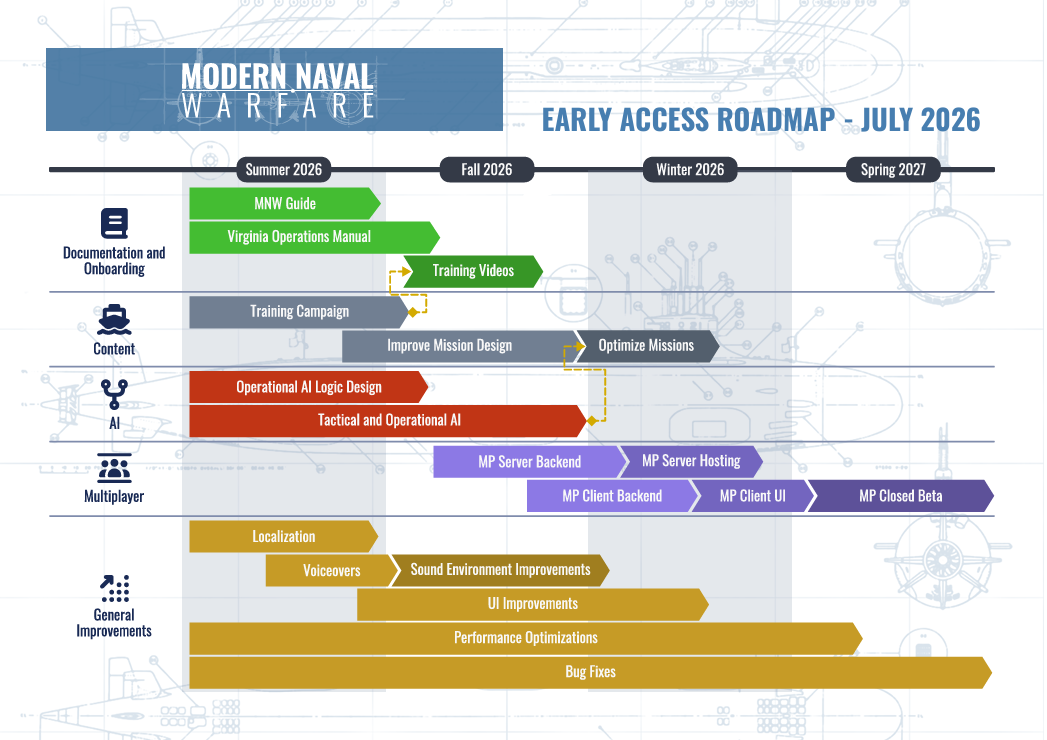
To give you full visibility into the future of the game, we are incredibly proud to share our official Early Access Roadmap. This chart outlines our development milestones from this Summer leading into Spring 2027:
Our Continuous Commitment
Moving forward, our focus is on maintaining a steady development momentum. We will continue to deliver regular updates and improvements as features become locked in, keeping you informed of our progress along the way.
Thank you for your patience, your harsh but fair critiques, and your incredible passion for this project. We are in this for the long haul, and we are honored to build this game alongside you.
Good hunting,
The Modern Naval Warfare Team
Fri, July 10, 2026
Submariners,
Since our Launch into Early Access, we have been closely following your reviews, streams, bug reports, and discussions. We want to start by saying something very simple, yet incredibly important: We hear you.
We know the launch had its rough edges. We've seen your feedback regarding game stability, performance drops, and the steep learning curve for the submarine's complex systems. Our community's trust is our highest priority, and we are fully committed to making Modern Naval Warfare the definitive naval simulation experience.
Actions Before Words
We believe that promises mean nothing without action. That's why our team has been working around the clock to deliver our latest major update, focusing heavily on what you criticized the most: transitioning to Unity 6.3 LTS, enabling native DirectX 12 support, adding DLSS/FSR upscalers, and fixing the severe VRAM memory leaks that were causing mid-game crashes.
But this is just the beginning.
The Road Ahead: July 2026 Roadmap
To give you full visibility into the future of the game, we are incredibly proud to share our official Early Access Roadmap. This chart outlines our development milestones from this Summer leading into Spring 2027:
- Documentation & Onboarding (Summer - Fall 2026): We are introducing the MNW Guide, the Virginia Operations Manual, and a series of detailed Training Videos to help new players master the sonar, stations, and torpedo controls without feeling overwhelmed.
- AI & Content Enhancements (Summer - Fall 2026): Development will focus heavily on Operational AI Logic Design, leading into a massive overhaul of both Tactical and Operational AI to ensure that engagements feel dynamic, unpredictable, and challenging.
- Multiplayer Structure (Fall 2026 - Spring 2027): We are laying out a transparent, multi-stage plan for our multiplayer infrastructure (Backend, Hosting, Client UI) leading up to an official Multiplayer Closed Beta in Spring 2027.
- General Improvements: Quality of life features, UI improvements, localization, voiceovers, and audio overhauls will remain active pillars of development throughout the entire timeline.
Our Continuous Commitment
Moving forward, our focus is on maintaining a steady development momentum. We will continue to deliver regular updates and improvements as features become locked in, keeping you informed of our progress along the way.
Thank you for your patience, your harsh but fair critiques, and your incredible passion for this project. We are in this for the long haul, and we are honored to build this game alongside you.
Good hunting,
The Modern Naval Warfare Team