- Welcome to Dogs Of War Vu.

Cry Havoc! And let slip the dogs of war!

Recent posts
#1
Mission Discussion/AAR's / Re: D.O.W. Steel Beasts Wednes...
Last post by Rinix - Today at 12:47:44 AMWe had a technical problem, as Oleg was unable to hear me on Teamspeak. Here's my screenshots: https://imgur.com/a/Sss50FK
The plan

Neither of us are playing at our best, and we are gradually picked apart


We admit defeat. We will play this mission again next week.

The plan
Neither of us are playing at our best, and we are gradually picked apart
We admit defeat. We will play this mission again next week.
#2
Graviteam Sims/Wargames / Mius Front Beta Update 2026/1...
Last post by Asid - Yesterday at 05:23:30 PMBeta Update 2026/10
2 Nov 2026
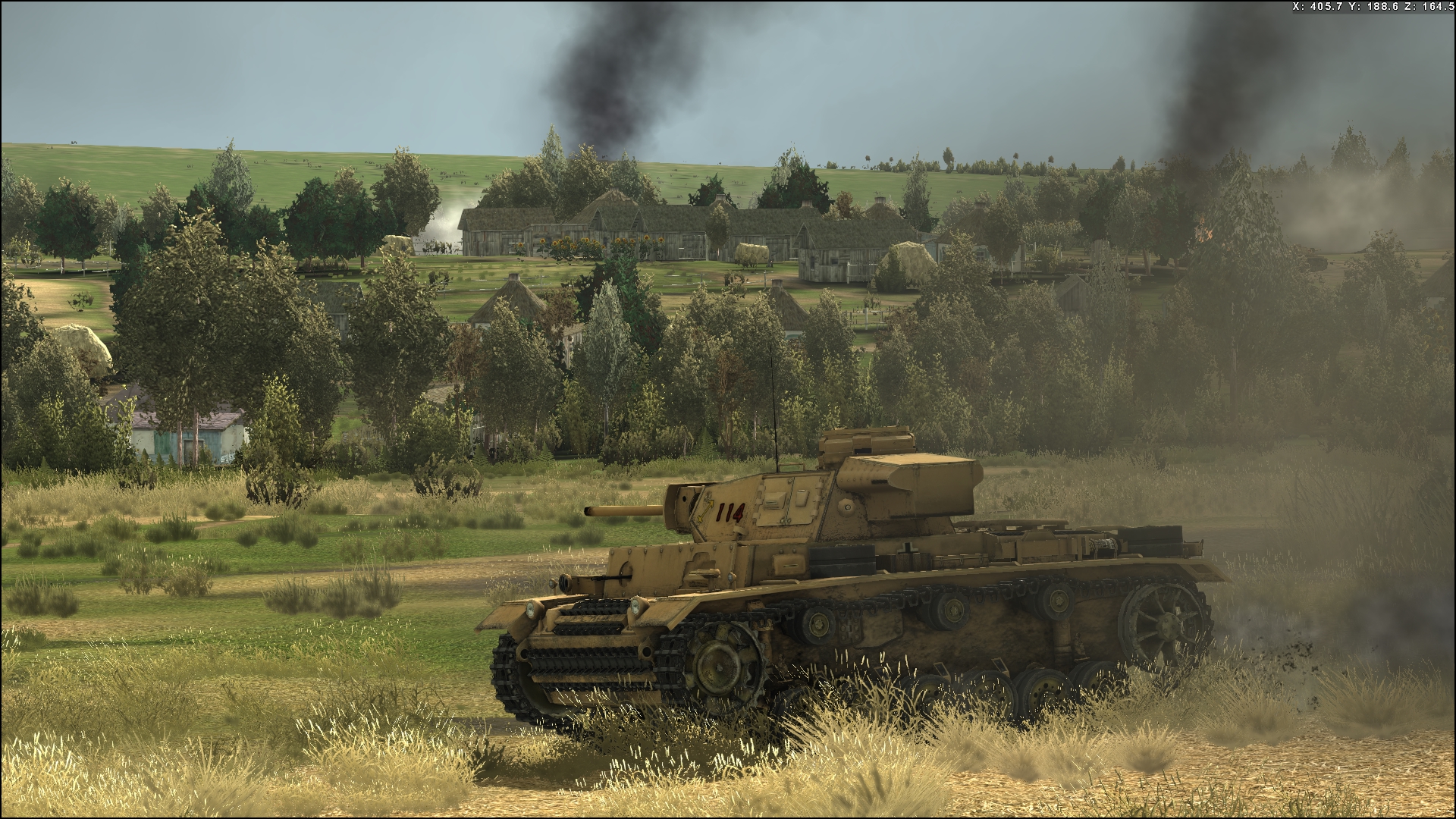
Image is pre beta.
Graviteam Tactics: Summary of Changes October 2026.
Graphics: lighting, shadows and reflections
• Modern engine. The engine was moved to a DirectX 11 renderer alongside DirectX 9.
• New shadows system. Near objects get sharp shadows and distant ones still cast them.
• Screen-space reflections. Wet surfaces and water reflect the scene, including far hills and the sky.
• Hill shadows and sky light. Terrain now shades itself from the sun and moon and blocks sky light behind hills.
• Tone mapping and HDR. Eye adaptation is smooth and time-based, with a colour grading.
• Night vision of the eye. A model of human night vision (rods and cones) makes dusk and night look natural while bright lights keep their colour.
• Upscaling. A new upscaler replaces the old checkerboard stretch for reduced render resolutions, with calm results on grass and foliage.
Graphics: sky, weather and atmosphere
• Procedural sky. The sky is now computed from a physical atmosphere model, with correct colours at every time of day and for any mission date and location.
• Clouds. New cloud layers with shadows on the ground, light shafts and cumulonimbus with anvils.
• Aerial perspective. Distant terrain and the horizon take on the colour of the air, giving a natural sense of depth.
• Unified fog. One fog model now covers the ground, particles, glass and glows, thinning with altitude and blending into the sky without seams. Fog collects in valleys and hollows, is shaded by hills and clouds, and is also taken into account by the AI's visibility.
• Sun, moon and stars. Real astronomy places the Sun, Moon and planets, the Moon shows its phases and seas, and the night sky has stars and the Milky Way.
• Constellations. An optional mode draws constellation lines and faint planet names on the night sky.
Graphics: terrain, objects and effects
• Smooth LOD switching. Trees, bushes and other landscape objects fade smoothly between detail levels instead of popping.
• Trenches and craters. Dug trenches no longer disappear or render flat, and the ground shading updates over new trenches and craters.
• Distance fades. Exhaust, dirt, splashes and other vehicle effects fade out smoothly with distance.
• Bushes and trees. Vehicles press bushes down smoothly instead of passing through them, bushes no longer sink into the ground, and tree physics is stable.
• Water effects. Soldiers and vehicles leave rings and splashes on water, including in puddles and shallow fords.
• Vehicle viewer. Vehicles get soft shadows and ambient occlusion, the camera turns smoothly and the ground texture displays correctly.
Tactical battle
• Driving physics. Rolling resistance, grip, and the gearbox and engine power were reworked so vehicles reach more realistic speeds.
• Path following. Vehicles no longer circle around waypoints, slow down properly for turns and follow roads and passages more cleanly.
• Ditches and drops. Vehicles probe the ground ahead, avoid unmarked drops and anti-tank ditches, back away from edges and cross bridges correctly.
• Amphibious vehicles. Floating vehicles enter and leave water smoothly, climb out onto banks, and plan routes over water.
• Formations. Lines and wedges hold together, wait for laggards and leave trenches along their axis.
• Defence order. A new defence order places soldiers at prepared positions, and they dig foxholes where none exist.
• Positions in trenches. Soldiers stay in their trench places, lie along the trench and turn without spinning or drifting away.
• Grenade throws. Soldiers no longer make an empty throwing swing without a grenade.
• Wire obstacles. Soldiers slow down in barbed wire, stop to flatten intact sections and lie down only under enemy fire.
• Target visibility. Line-of-sight checks are faster and steadier, and smoke screens thin out over their lifetime.
• Enemy contact indication. Enemy icons now go through clear stages (contact, recognition, identification) and no longer blink in and out.
• Fuel. Vehicles consume fuel realistically based on mass, running gear and engine.
Operational phase
• Smooth map animation. Platoons slide smoothly along their paths, and supplies, recruits and repairs are shown as markers moving along supply lines.
• Operational AI. The operational AI plans its moves better, keeps rear units behind the combat groups and handles logistics, supply and repairs more sensibly.
• Battle group movement. Groups march more reliably, stop at the enemy instead of attacking by mistake and keep to their sectors.
• Auto-battles. Automatically resolved battles were fixed and use a better model.
• Fuel on the map. Fuel is used by path length and refuelling waits for supply; a map note lists platoons left without fuel.
Interface and controls
• Gamepad support. Full XInput gamepad support in menus, tables and battle, with an on-screen cursor and a quick order menu.
• Handheld PCs. Steam Deck, ROG Ally, Legion Go, MSI Claw and similar devices are detected, with touch-friendly buttons and the Steam on-screen keyboard.
• Fewer battle messages. Repeated battle messages are merged into one line with a counter, and the game pauses less often.
• Tactical saves. Changing options no longer deletes tactical saves, saves are smaller, and single missions have their own slot.
• Graphics settings. New menu options for sky, shadows and render scale; choosing 'Ultra' sets every video option to maximum; DirectX 9/11 is chosen in the settings.
• Automatic quality detection. The game benchmarks the GPU on first start and picks settings for 30 FPS instead of always choosing Low.
• Smooth camera. Camera movement is smooth at a steady frame rate, also on pause, with raw mouse input.
• Penetration charts. Penetration charts use the same model as the battle, with historical reference values shown as dashed lines.
Sound
• 3D sound. Sound positioning, Doppler and bullet fly-bys were fixed, and looped sounds no longer drop out.
• Voice management. Louder and nearer sounds take priority over quiet ones, and a gentle limiter prevents clipping.
• Sound environment. Battles have reverberation, echoes and sound screening that change smoothly with the terrain.
Performance
• Faster loading. The main menu and tactical battles load faster, and textures and sounds stream in the background, reducing stutter on HDDs.
• Fewer CPU spikes. Terrain is built in parallel, and grass and visibility updates fit a frame budget, removing spikes during fast camera moves.
• Faster path search. Path search is faster and no longer scans the whole map when no route exists.
• GPU optimization. SSAO, fog and parts of the sky can render at half resolution, and 'Ultra' became cheaper on mid-range GPUs.
2 Nov 2026
Image is pre beta.
Graviteam Tactics: Summary of Changes October 2026.
Graphics: lighting, shadows and reflections
• Modern engine. The engine was moved to a DirectX 11 renderer alongside DirectX 9.
• New shadows system. Near objects get sharp shadows and distant ones still cast them.
• Screen-space reflections. Wet surfaces and water reflect the scene, including far hills and the sky.
• Hill shadows and sky light. Terrain now shades itself from the sun and moon and blocks sky light behind hills.
• Tone mapping and HDR. Eye adaptation is smooth and time-based, with a colour grading.
• Night vision of the eye. A model of human night vision (rods and cones) makes dusk and night look natural while bright lights keep their colour.
• Upscaling. A new upscaler replaces the old checkerboard stretch for reduced render resolutions, with calm results on grass and foliage.
Graphics: sky, weather and atmosphere
• Procedural sky. The sky is now computed from a physical atmosphere model, with correct colours at every time of day and for any mission date and location.
• Clouds. New cloud layers with shadows on the ground, light shafts and cumulonimbus with anvils.
• Aerial perspective. Distant terrain and the horizon take on the colour of the air, giving a natural sense of depth.
• Unified fog. One fog model now covers the ground, particles, glass and glows, thinning with altitude and blending into the sky without seams. Fog collects in valleys and hollows, is shaded by hills and clouds, and is also taken into account by the AI's visibility.
• Sun, moon and stars. Real astronomy places the Sun, Moon and planets, the Moon shows its phases and seas, and the night sky has stars and the Milky Way.
• Constellations. An optional mode draws constellation lines and faint planet names on the night sky.
Graphics: terrain, objects and effects
• Smooth LOD switching. Trees, bushes and other landscape objects fade smoothly between detail levels instead of popping.
• Trenches and craters. Dug trenches no longer disappear or render flat, and the ground shading updates over new trenches and craters.
• Distance fades. Exhaust, dirt, splashes and other vehicle effects fade out smoothly with distance.
• Bushes and trees. Vehicles press bushes down smoothly instead of passing through them, bushes no longer sink into the ground, and tree physics is stable.
• Water effects. Soldiers and vehicles leave rings and splashes on water, including in puddles and shallow fords.
• Vehicle viewer. Vehicles get soft shadows and ambient occlusion, the camera turns smoothly and the ground texture displays correctly.
Tactical battle
• Driving physics. Rolling resistance, grip, and the gearbox and engine power were reworked so vehicles reach more realistic speeds.
• Path following. Vehicles no longer circle around waypoints, slow down properly for turns and follow roads and passages more cleanly.
• Ditches and drops. Vehicles probe the ground ahead, avoid unmarked drops and anti-tank ditches, back away from edges and cross bridges correctly.
• Amphibious vehicles. Floating vehicles enter and leave water smoothly, climb out onto banks, and plan routes over water.
• Formations. Lines and wedges hold together, wait for laggards and leave trenches along their axis.
• Defence order. A new defence order places soldiers at prepared positions, and they dig foxholes where none exist.
• Positions in trenches. Soldiers stay in their trench places, lie along the trench and turn without spinning or drifting away.
• Grenade throws. Soldiers no longer make an empty throwing swing without a grenade.
• Wire obstacles. Soldiers slow down in barbed wire, stop to flatten intact sections and lie down only under enemy fire.
• Target visibility. Line-of-sight checks are faster and steadier, and smoke screens thin out over their lifetime.
• Enemy contact indication. Enemy icons now go through clear stages (contact, recognition, identification) and no longer blink in and out.
• Fuel. Vehicles consume fuel realistically based on mass, running gear and engine.
Operational phase
• Smooth map animation. Platoons slide smoothly along their paths, and supplies, recruits and repairs are shown as markers moving along supply lines.
• Operational AI. The operational AI plans its moves better, keeps rear units behind the combat groups and handles logistics, supply and repairs more sensibly.
• Battle group movement. Groups march more reliably, stop at the enemy instead of attacking by mistake and keep to their sectors.
• Auto-battles. Automatically resolved battles were fixed and use a better model.
• Fuel on the map. Fuel is used by path length and refuelling waits for supply; a map note lists platoons left without fuel.
Interface and controls
• Gamepad support. Full XInput gamepad support in menus, tables and battle, with an on-screen cursor and a quick order menu.
• Handheld PCs. Steam Deck, ROG Ally, Legion Go, MSI Claw and similar devices are detected, with touch-friendly buttons and the Steam on-screen keyboard.
• Fewer battle messages. Repeated battle messages are merged into one line with a counter, and the game pauses less often.
• Tactical saves. Changing options no longer deletes tactical saves, saves are smaller, and single missions have their own slot.
• Graphics settings. New menu options for sky, shadows and render scale; choosing 'Ultra' sets every video option to maximum; DirectX 9/11 is chosen in the settings.
• Automatic quality detection. The game benchmarks the GPU on first start and picks settings for 30 FPS instead of always choosing Low.
• Smooth camera. Camera movement is smooth at a steady frame rate, also on pause, with raw mouse input.
• Penetration charts. Penetration charts use the same model as the battle, with historical reference values shown as dashed lines.
Sound
• 3D sound. Sound positioning, Doppler and bullet fly-bys were fixed, and looped sounds no longer drop out.
• Voice management. Louder and nearer sounds take priority over quiet ones, and a gentle limiter prevents clipping.
• Sound environment. Battles have reverberation, echoes and sound screening that change smoothly with the terrain.
Performance
• Faster loading. The main menu and tactical battles load faster, and textures and sounds stream in the background, reducing stutter on HDDs.
• Fewer CPU spikes. Terrain is built in parallel, and grass and visibility updates fit a frame budget, removing spikes during fast camera moves.
• Faster path search. Path search is faster and no longer scans the whole map when no route exists.
• GPU optimization. SSAO, fog and parts of the sky can render at half resolution, and 'Ultra' became cheaper on mid-range GPUs.
#3
Mius Front / Re: Mius Front: Patches/Update...
Last post by Asid - Yesterday at 05:07:05 PMBeta Update 2026/10
2 Nov 2026
Image is pre beta.
Graviteam Tactics: Summary of Changes October 2026.
Graphics: lighting, shadows and reflections
• Modern engine. The engine was moved to a DirectX 11 renderer alongside DirectX 9.
• New shadows system. Near objects get sharp shadows and distant ones still cast them.
• Screen-space reflections. Wet surfaces and water reflect the scene, including far hills and the sky.
• Hill shadows and sky light. Terrain now shades itself from the sun and moon and blocks sky light behind hills.
• Tone mapping and HDR. Eye adaptation is smooth and time-based, with a colour grading.
• Night vision of the eye. A model of human night vision (rods and cones) makes dusk and night look natural while bright lights keep their colour.
• Upscaling. A new upscaler replaces the old checkerboard stretch for reduced render resolutions, with calm results on grass and foliage.
Graphics: sky, weather and atmosphere
• Procedural sky. The sky is now computed from a physical atmosphere model, with correct colours at every time of day and for any mission date and location.
• Clouds. New cloud layers with shadows on the ground, light shafts and cumulonimbus with anvils.
• Aerial perspective. Distant terrain and the horizon take on the colour of the air, giving a natural sense of depth.
• Unified fog. One fog model now covers the ground, particles, glass and glows, thinning with altitude and blending into the sky without seams. Fog collects in valleys and hollows, is shaded by hills and clouds, and is also taken into account by the AI's visibility.
• Sun, moon and stars. Real astronomy places the Sun, Moon and planets, the Moon shows its phases and seas, and the night sky has stars and the Milky Way.
• Constellations. An optional mode draws constellation lines and faint planet names on the night sky.
Graphics: terrain, objects and effects
• Smooth LOD switching. Trees, bushes and other landscape objects fade smoothly between detail levels instead of popping.
• Trenches and craters. Dug trenches no longer disappear or render flat, and the ground shading updates over new trenches and craters.
• Distance fades. Exhaust, dirt, splashes and other vehicle effects fade out smoothly with distance.
• Bushes and trees. Vehicles press bushes down smoothly instead of passing through them, bushes no longer sink into the ground, and tree physics is stable.
• Water effects. Soldiers and vehicles leave rings and splashes on water, including in puddles and shallow fords.
• Vehicle viewer. Vehicles get soft shadows and ambient occlusion, the camera turns smoothly and the ground texture displays correctly.
Tactical battle
• Driving physics. Rolling resistance, grip, and the gearbox and engine power were reworked so vehicles reach more realistic speeds.
• Path following. Vehicles no longer circle around waypoints, slow down properly for turns and follow roads and passages more cleanly.
• Ditches and drops. Vehicles probe the ground ahead, avoid unmarked drops and anti-tank ditches, back away from edges and cross bridges correctly.
• Amphibious vehicles. Floating vehicles enter and leave water smoothly, climb out onto banks, and plan routes over water.
• Formations. Lines and wedges hold together, wait for laggards and leave trenches along their axis.
• Defence order. A new defence order places soldiers at prepared positions, and they dig foxholes where none exist.
• Positions in trenches. Soldiers stay in their trench places, lie along the trench and turn without spinning or drifting away.
• Grenade throws. Soldiers no longer make an empty throwing swing without a grenade.
• Wire obstacles. Soldiers slow down in barbed wire, stop to flatten intact sections and lie down only under enemy fire.
• Target visibility. Line-of-sight checks are faster and steadier, and smoke screens thin out over their lifetime.
• Enemy contact indication. Enemy icons now go through clear stages (contact, recognition, identification) and no longer blink in and out.
• Fuel. Vehicles consume fuel realistically based on mass, running gear and engine.
Operational phase
• Smooth map animation. Platoons slide smoothly along their paths, and supplies, recruits and repairs are shown as markers moving along supply lines.
• Operational AI. The operational AI plans its moves better, keeps rear units behind the combat groups and handles logistics, supply and repairs more sensibly.
• Battle group movement. Groups march more reliably, stop at the enemy instead of attacking by mistake and keep to their sectors.
• Auto-battles. Automatically resolved battles were fixed and use a better model.
• Fuel on the map. Fuel is used by path length and refuelling waits for supply; a map note lists platoons left without fuel.
Interface and controls
• Gamepad support. Full XInput gamepad support in menus, tables and battle, with an on-screen cursor and a quick order menu.
• Handheld PCs. Steam Deck, ROG Ally, Legion Go, MSI Claw and similar devices are detected, with touch-friendly buttons and the Steam on-screen keyboard.
• Fewer battle messages. Repeated battle messages are merged into one line with a counter, and the game pauses less often.
• Tactical saves. Changing options no longer deletes tactical saves, saves are smaller, and single missions have their own slot.
• Graphics settings. New menu options for sky, shadows and render scale; choosing 'Ultra' sets every video option to maximum; DirectX 9/11 is chosen in the settings.
• Automatic quality detection. The game benchmarks the GPU on first start and picks settings for 30 FPS instead of always choosing Low.
• Smooth camera. Camera movement is smooth at a steady frame rate, also on pause, with raw mouse input.
• Penetration charts. Penetration charts use the same model as the battle, with historical reference values shown as dashed lines.
Sound
• 3D sound. Sound positioning, Doppler and bullet fly-bys were fixed, and looped sounds no longer drop out.
• Voice management. Louder and nearer sounds take priority over quiet ones, and a gentle limiter prevents clipping.
• Sound environment. Battles have reverberation, echoes and sound screening that change smoothly with the terrain.
Performance
• Faster loading. The main menu and tactical battles load faster, and textures and sounds stream in the background, reducing stutter on HDDs.
• Fewer CPU spikes. Terrain is built in parallel, and grass and visibility updates fit a frame budget, removing spikes during fast camera moves.
• Faster path search. Path search is faster and no longer scans the whole map when no route exists.
• GPU optimization. SSAO, fog and parts of the sky can render at half resolution, and 'Ultra' became cheaper on mid-range GPUs.
2 Nov 2026
Image is pre beta.
Graviteam Tactics: Summary of Changes October 2026.
Graphics: lighting, shadows and reflections
• Modern engine. The engine was moved to a DirectX 11 renderer alongside DirectX 9.
• New shadows system. Near objects get sharp shadows and distant ones still cast them.
• Screen-space reflections. Wet surfaces and water reflect the scene, including far hills and the sky.
• Hill shadows and sky light. Terrain now shades itself from the sun and moon and blocks sky light behind hills.
• Tone mapping and HDR. Eye adaptation is smooth and time-based, with a colour grading.
• Night vision of the eye. A model of human night vision (rods and cones) makes dusk and night look natural while bright lights keep their colour.
• Upscaling. A new upscaler replaces the old checkerboard stretch for reduced render resolutions, with calm results on grass and foliage.
Graphics: sky, weather and atmosphere
• Procedural sky. The sky is now computed from a physical atmosphere model, with correct colours at every time of day and for any mission date and location.
• Clouds. New cloud layers with shadows on the ground, light shafts and cumulonimbus with anvils.
• Aerial perspective. Distant terrain and the horizon take on the colour of the air, giving a natural sense of depth.
• Unified fog. One fog model now covers the ground, particles, glass and glows, thinning with altitude and blending into the sky without seams. Fog collects in valleys and hollows, is shaded by hills and clouds, and is also taken into account by the AI's visibility.
• Sun, moon and stars. Real astronomy places the Sun, Moon and planets, the Moon shows its phases and seas, and the night sky has stars and the Milky Way.
• Constellations. An optional mode draws constellation lines and faint planet names on the night sky.
Graphics: terrain, objects and effects
• Smooth LOD switching. Trees, bushes and other landscape objects fade smoothly between detail levels instead of popping.
• Trenches and craters. Dug trenches no longer disappear or render flat, and the ground shading updates over new trenches and craters.
• Distance fades. Exhaust, dirt, splashes and other vehicle effects fade out smoothly with distance.
• Bushes and trees. Vehicles press bushes down smoothly instead of passing through them, bushes no longer sink into the ground, and tree physics is stable.
• Water effects. Soldiers and vehicles leave rings and splashes on water, including in puddles and shallow fords.
• Vehicle viewer. Vehicles get soft shadows and ambient occlusion, the camera turns smoothly and the ground texture displays correctly.
Tactical battle
• Driving physics. Rolling resistance, grip, and the gearbox and engine power were reworked so vehicles reach more realistic speeds.
• Path following. Vehicles no longer circle around waypoints, slow down properly for turns and follow roads and passages more cleanly.
• Ditches and drops. Vehicles probe the ground ahead, avoid unmarked drops and anti-tank ditches, back away from edges and cross bridges correctly.
• Amphibious vehicles. Floating vehicles enter and leave water smoothly, climb out onto banks, and plan routes over water.
• Formations. Lines and wedges hold together, wait for laggards and leave trenches along their axis.
• Defence order. A new defence order places soldiers at prepared positions, and they dig foxholes where none exist.
• Positions in trenches. Soldiers stay in their trench places, lie along the trench and turn without spinning or drifting away.
• Grenade throws. Soldiers no longer make an empty throwing swing without a grenade.
• Wire obstacles. Soldiers slow down in barbed wire, stop to flatten intact sections and lie down only under enemy fire.
• Target visibility. Line-of-sight checks are faster and steadier, and smoke screens thin out over their lifetime.
• Enemy contact indication. Enemy icons now go through clear stages (contact, recognition, identification) and no longer blink in and out.
• Fuel. Vehicles consume fuel realistically based on mass, running gear and engine.
Operational phase
• Smooth map animation. Platoons slide smoothly along their paths, and supplies, recruits and repairs are shown as markers moving along supply lines.
• Operational AI. The operational AI plans its moves better, keeps rear units behind the combat groups and handles logistics, supply and repairs more sensibly.
• Battle group movement. Groups march more reliably, stop at the enemy instead of attacking by mistake and keep to their sectors.
• Auto-battles. Automatically resolved battles were fixed and use a better model.
• Fuel on the map. Fuel is used by path length and refuelling waits for supply; a map note lists platoons left without fuel.
Interface and controls
• Gamepad support. Full XInput gamepad support in menus, tables and battle, with an on-screen cursor and a quick order menu.
• Handheld PCs. Steam Deck, ROG Ally, Legion Go, MSI Claw and similar devices are detected, with touch-friendly buttons and the Steam on-screen keyboard.
• Fewer battle messages. Repeated battle messages are merged into one line with a counter, and the game pauses less often.
• Tactical saves. Changing options no longer deletes tactical saves, saves are smaller, and single missions have their own slot.
• Graphics settings. New menu options for sky, shadows and render scale; choosing 'Ultra' sets every video option to maximum; DirectX 9/11 is chosen in the settings.
• Automatic quality detection. The game benchmarks the GPU on first start and picks settings for 30 FPS instead of always choosing Low.
• Smooth camera. Camera movement is smooth at a steady frame rate, also on pause, with raw mouse input.
• Penetration charts. Penetration charts use the same model as the battle, with historical reference values shown as dashed lines.
Sound
• 3D sound. Sound positioning, Doppler and bullet fly-bys were fixed, and looped sounds no longer drop out.
• Voice management. Louder and nearer sounds take priority over quiet ones, and a gentle limiter prevents clipping.
• Sound environment. Battles have reverberation, echoes and sound screening that change smoothly with the terrain.
Performance
• Faster loading. The main menu and tactical battles load faster, and textures and sounds stream in the background, reducing stutter on HDDs.
• Fewer CPU spikes. Terrain is built in parallel, and grass and visibility updates fit a frame budget, removing spikes during fast camera moves.
• Faster path search. Path search is faster and no longer scans the whole map when no route exists.
• GPU optimization. SSAO, fog and parts of the sky can render at half resolution, and 'Ultra' became cheaper on mid-range GPUs.
#4
Games Discussion / Re: The Last General | real-ti...
Last post by Asid - Yesterday at 04:45:40 PMOctober progress update! Alpha signup open on Steam! Big stability improvements!
Tue, 3 November 2026

In October I fixed most of the crashes detected by alpha testers. TLG hit 170.000 wishlists! Alpha signup open on Steam!
Hi Generals!
October was a pretty busy month for me because I had to move to a new place, so I couldn't do as much as I would have hoped, but still got some really nice improvements done!
TLG also hit 170.000 wishlists on Steam, and I opened sign ups for testing the alpha.
Joining the Discord is still the fastest way to test the alpha right now, but in about a month I will start letting testers in from that Steam signup list. More than 7000 players have signed up already! Thank you everyone!
Besides some gameplay improvements, half of my time this month went into reducing the number of crashes players were experiencing in the alpha (mostly near the end of matches). I was able to identify the cause of the main type of crash and fix it, and it seems to have dropped the percentage of players affected by crashes from about 20% before 0.1.27 to only around 1.5% in 0.1.27.
Huge thanks to everyone that has sent their crash reports in the Discord helping me find and fix those issues.
Here are the changes that went out in October
Economy, Construction & Factories
Enemy AI & Unit Behavior
Read on...
Tue, 3 November 2026
In October I fixed most of the crashes detected by alpha testers. TLG hit 170.000 wishlists! Alpha signup open on Steam!
Hi Generals!
October was a pretty busy month for me because I had to move to a new place, so I couldn't do as much as I would have hoped, but still got some really nice improvements done!
TLG also hit 170.000 wishlists on Steam, and I opened sign ups for testing the alpha.
Joining the Discord is still the fastest way to test the alpha right now, but in about a month I will start letting testers in from that Steam signup list. More than 7000 players have signed up already! Thank you everyone!
Besides some gameplay improvements, half of my time this month went into reducing the number of crashes players were experiencing in the alpha (mostly near the end of matches). I was able to identify the cause of the main type of crash and fix it, and it seems to have dropped the percentage of players affected by crashes from about 20% before 0.1.27 to only around 1.5% in 0.1.27.
Huge thanks to everyone that has sent their crash reports in the Discord helping me find and fix those issues.
Here are the changes that went out in October
Economy, Construction & Factories
- Changed construction to deduct the entire cost of the buildings upfront to avoid overspending causing the whole economy to crawl to 4% of it's normal speed. Later any destroyed or canceled construction sites will refund part of the initial cost according to the construction time remaining.
- Increased operational costs and make inefficiencies of large armies more pronounced.
- Adjusted initial budgets to be lower on the largest maps, increased resources production costs and operational costs.
- Reduced number of initial units
- Increased construction times for all buildings.
- Now factories can be damaged by impacts and explosions (although no visible demolition yet until I switch them to be the new modular destructible buildings). Productivity decreases accordingly
- Factories repair their damage slowly over time.
- Damage is now displayed in the factory panel
Enemy AI & Unit Behavior
- Now the enemy builds factories, heliports and air defenses.
- Now the enemy will attack your factories (using the same arty/air bomb target areas you have at your disposal)
- Made enemy companies not blindly rush enemy cities all the time, and instead defend their own cities too.
- Made units move between orders/companies when another order needs them more or is closer.
- Made newly produced units also reinforce any initial companies that don't yet have orders if they lost members.
- Units getting stuck trying to find a path to inaccessible places will now try to find a different destination nearby until they find a new valid path.
- Improved groups indicators positions to show them closer to their current destination, which is more stable and gives a better visualization of the company progress.
Read on...
#5
Games Discussion / Re: The Last General | real-ti...
Last post by Asid - Yesterday at 04:40:29 PMSeptember progress update! Optimization, 700+ testers and 165.000 wishlists!
Wed, 7 October 2026

I dedicated September mostly to CPU optimization and some other fixes and the alpha grew to 700+ testers in the Discord
September was a great month, with great performance improvements and multiple TLG videos going viral, making the alpha grow to 715 testers and TLG hitting 165.000 wishlists on Steam. The alpha testers seem to be pretty happy about all the optimization work I put into 0.1.23, and the median time played has been increasing despite the large number of new players trying the alpha every day (which usually would bring the median time down). And as usual here are some videos and screenshots from the alpha testers! (and from myself)

Read on...
Wed, 7 October 2026
I dedicated September mostly to CPU optimization and some other fixes and the alpha grew to 700+ testers in the Discord
September was a great month, with great performance improvements and multiple TLG videos going viral, making the alpha grow to 715 testers and TLG hitting 165.000 wishlists on Steam. The alpha testers seem to be pretty happy about all the optimization work I put into 0.1.23, and the median time played has been increasing despite the large number of new players trying the alpha every day (which usually would bring the median time down). And as usual here are some videos and screenshots from the alpha testers! (and from myself)
Read on...
#6
Multiplayer Missions, Events & Announcements / D.O.W. Steel Beasts Wednesday ...
Last post by Rinix - Yesterday at 04:23:13 PMD.O.W. Steel Beasts Wednesday Mission 4/11/22 @ GMT18:00
This scenario is a simulation and does not have any political message.

Attack on the Rail Junction (4.357) 2.0.1 by ben

This scenario is a simulation and does not have any political message.
Attack on the Rail Junction (4.357) 2.0.1 by ben
Attack on the rail junction v2.0.1
Author: ben
SITUATION:
Enemy:
A Russian Mechanized Infantry company has captured a strategic Rail Junction at grid 4356/8893.
Enemy forces are reported to consist of BMP2 Company supported by approx 2 T72B platoons.
Eny is expected to conduct a hasty defense in vicinity of Phase Line BERRY.
Own:
You command Team TITAN a small US Army force of M1A1 tanks and M2A2 Bradleys.
An aditional dismounted scout platoon is at your disposal.
A reserve Tank Platoon will reinforce on Trigger 1, OR if you get down to a single operational Tank.
MISSION:
- Capture the rail station at OBJECTIVE.
VICTORY CONDITIONS:
- Capture the Objective with at least 6 Troops.
AND
- No Friendly Forces anywhere are under Direct Fire.
EXECUTION:
- At your discretion.
FIRE SUPPORT:
- 3 Tubes 120mm mortar, 48xHE 16xSMK each.
TIME LIMIT:
- 60 minutes.
SCORING:
- 50 points for securing the Objective.
- 40 points for keeping your forces alive. (10% losses = 40 points, 90% losses = 0 points).
- 10 points for Reserve Tanks NOT called.
- Victory 60 points, major Victory 85 points.
NOTES:
- Time of Day 05:30 Local time. sunrise at 05:35.
- Weather is dry with visibility reduced to 1000m by fog, forecast to clear as the sun rises.
- Enemy locations and are Randomised for replayability.
- If you stray too far over boundaries your units risk being killed by other Enemy units.
Dogs Of War Vehicles : (in mission)
M1A1: Click here
M2A2 (ODS): Click here
********************************
** Notes **
********************************
SB Version: 4.363
Mission Name: Attack on the Rail Junction (4.357) 2.0.1
Created by: ben
Available at: https://www.steelbeasts.com/files/file/2958-attack-on-the-rail-junction-4357/
Modified by: N/A
Multi-Crew: Yes
Single Crew: Yes
Largest command: Company
Smallest command:Crew Position
Mission Duration: 60 minutes
Minimum number players: 2
Date: Wednesday Mission 4/11/22
Time: 18:00 GMT
Event time
Teamspeak IP: 104.153.105.2:35200
Room:Steel Beasts Pro
Player Skill/Ability:
• Complete at least 1 tutorial for M1A1 or M2A2.
• Working knowledge of Comms procedure.
• HAVOC designated members and Red Alert.
• Our goal is to have the DOW session more immersive and realistic.
Manning list:
M1A1s
A-11:
A-12:
A-14:
A-13:
M2A2 (ODS)s
A-41:
A-42:
A-44:
A-43:
Infantry:
Any position
Mission discussion Click here
#7
Mission Discussion/AAR's / D.O.W. Steel Beasts Wednesday ...
Last post by Rinix - Yesterday at 04:22:26 PMD.O.W. Steel Beasts Wednesday Mission 4/11/22 @ GMT18:00
This scenario is a simulation and does not have any political message.
Attack on the Rail Junction (4.357) 2.0.1 by ben
This scenario is a simulation and does not have any political message.
Attack on the Rail Junction (4.357) 2.0.1 by ben
Attack on the rail junction v2.0.1
Author: ben
SITUATION:
Enemy:
A Russian Mechanized Infantry company has captured a strategic Rail Junction at grid 4356/8893.
Enemy forces are reported to consist of BMP2 Company supported by approx 2 T72B platoons.
Eny is expected to conduct a hasty defense in vicinity of Phase Line BERRY.
Own:
You command Team TITAN a small US Army force of M1A1 tanks and M2A2 Bradleys.
An aditional dismounted scout platoon is at your disposal.
A reserve Tank Platoon will reinforce on Trigger 1, OR if you get down to a single operational Tank.
MISSION:
- Capture the rail station at OBJECTIVE.
VICTORY CONDITIONS:
- Capture the Objective with at least 6 Troops.
AND
- No Friendly Forces anywhere are under Direct Fire.
EXECUTION:
- At your discretion.
FIRE SUPPORT:
- 3 Tubes 120mm mortar, 48xHE 16xSMK each.
TIME LIMIT:
- 60 minutes.
SCORING:
- 50 points for securing the Objective.
- 40 points for keeping your forces alive. (10% losses = 40 points, 90% losses = 0 points).
- 10 points for Reserve Tanks NOT called.
- Victory 60 points, major Victory 85 points.
NOTES:
- Time of Day 05:30 Local time. sunrise at 05:35.
- Weather is dry with visibility reduced to 1000m by fog, forecast to clear as the sun rises.
- Enemy locations and are Randomised for replayability.
- If you stray too far over boundaries your units risk being killed by other Enemy units.
Dogs Of War Vehicles : (in mission)
M1A1: Click here
M2A2 (ODS): Click here
********************************
** Notes **
********************************
SB Version: 4.363
Mission Name: Attack on the Rail Junction (4.357) 2.0.1
Created by: ben
Available at: https://www.steelbeasts.com/files/file/2958-attack-on-the-rail-junction-4357/
Modified by: N/A
Multi-Crew: Yes
Single Crew: Yes
Largest command: Company
Smallest command:Crew Position
Mission Duration: 60 minutes
Minimum number players: 2
Date: Wednesday Mission 4/11/22
Time: 18:00 GMT
Event time
Teamspeak IP: 104.153.105.2:35200
Room:Steel Beasts Pro
Player Skill/Ability:
• Complete at least 1 tutorial for M1A1 or M2A2.
• Working knowledge of Comms procedure.
• HAVOC designated members and Red Alert.
• Our goal is to have the DOW session more immersive and realistic.
Manning list:
M1A1s
A-11:
A-12:
A-14:
A-13:
M2A2 (ODS)s
A-41:
A-42:
A-44:
A-43:
Infantry:
Any position
#8
Games Discussion / Re: Battleplan historical, WW2...
Last post by Asid - Yesterday at 04:10:44 PMBattleplan - Update v1.2.1
Wed, November 4, 2026

Patch Update v1.2.1 - Changelog
Update v1.2.1 - Changelog
The latest Battleplan update, v1.2.1, is now available, bringing further improvements to gameplay, AI behaviour, performance and overall stability.
Here's what's included in v1.2.1:
Join Us Live on Twitch Today!
We're going live on Twitch today for a special Slitherine Next: Checkpoint livestream dedicated to Battleplan!
We'll jump into a playthrough with the developer and discuss upcoming updates, future plans and what's in store for the game.
Tune in today on Twitch at 5:00 PM CET: https://www.twitch.tv/slitherinetv/schedule
Wed, November 4, 2026
Patch Update v1.2.1 - Changelog
Update v1.2.1 - Changelog
The latest Battleplan update, v1.2.1, is now available, bringing further improvements to gameplay, AI behaviour, performance and overall stability.
Here's what's included in v1.2.1:
- Engineers & anti-tank guns join Seize Ground & Balanced Hold assaults more aggressively
- Lessened stuttering/variable framerate
- Further stability to loading saves
- Fixed veterancy not being applied when loading a save using historical units
- Tweaked some status effects
- Improved friendly AI in Rhineland Offensive
- Planning Phase panel is draggable
- Mission saves correctly store who placed the supply depot
Join Us Live on Twitch Today!
We're going live on Twitch today for a special Slitherine Next: Checkpoint livestream dedicated to Battleplan!
We'll jump into a playthrough with the developer and discuss upcoming updates, future plans and what's in store for the game.
Tune in today on Twitch at 5:00 PM CET: https://www.twitch.tv/slitherinetv/schedule
#9
Games Discussion / Re: Broken Arrow
Last post by Asid - Yesterday at 04:06:40 PMDevblog 3.0 on November 4 - Replays and Saves
Wed, November 4, 2026

All of us enjoying Broken Arrow, developers included, sometimes want to watch a match again: whether to review our own mistakes, put together some highlights, or check if an opponent was playing fair. However, due to limitations in the project's infrastructure, implementing a replay system simply wasn't possible at first.
⠀
The same applied to single-player content. For much the same reasons, one very important feature had long been missing from the campaign and scenarios: the ability to save your progress.
⠀
Over the past year, we've done a huge amount of work to lay the technical groundwork for adding both systems. And now, we're finally ready to walk you through how replays and saves will work.

Previously, we covered community-made resources that allowed players to view statistics from completed matches. Soon, similar functionality will also be available directly in the game, under the Match History tab.
Read on...
Wed, November 4, 2026
All of us enjoying Broken Arrow, developers included, sometimes want to watch a match again: whether to review our own mistakes, put together some highlights, or check if an opponent was playing fair. However, due to limitations in the project's infrastructure, implementing a replay system simply wasn't possible at first.
⠀
The same applied to single-player content. For much the same reasons, one very important feature had long been missing from the campaign and scenarios: the ability to save your progress.
⠀
Over the past year, we've done a huge amount of work to lay the technical groundwork for adding both systems. And now, we're finally ready to walk you through how replays and saves will work.
Previously, we covered community-made resources that allowed players to view statistics from completed matches. Soon, similar functionality will also be available directly in the game, under the Match History tab.
Read on...
#10
Tacview / Tacview 1.9.6 is available Now
Last post by Asid - November 03, 2026, 11:13:31 PM
Tacview 1.9.6 is available Now
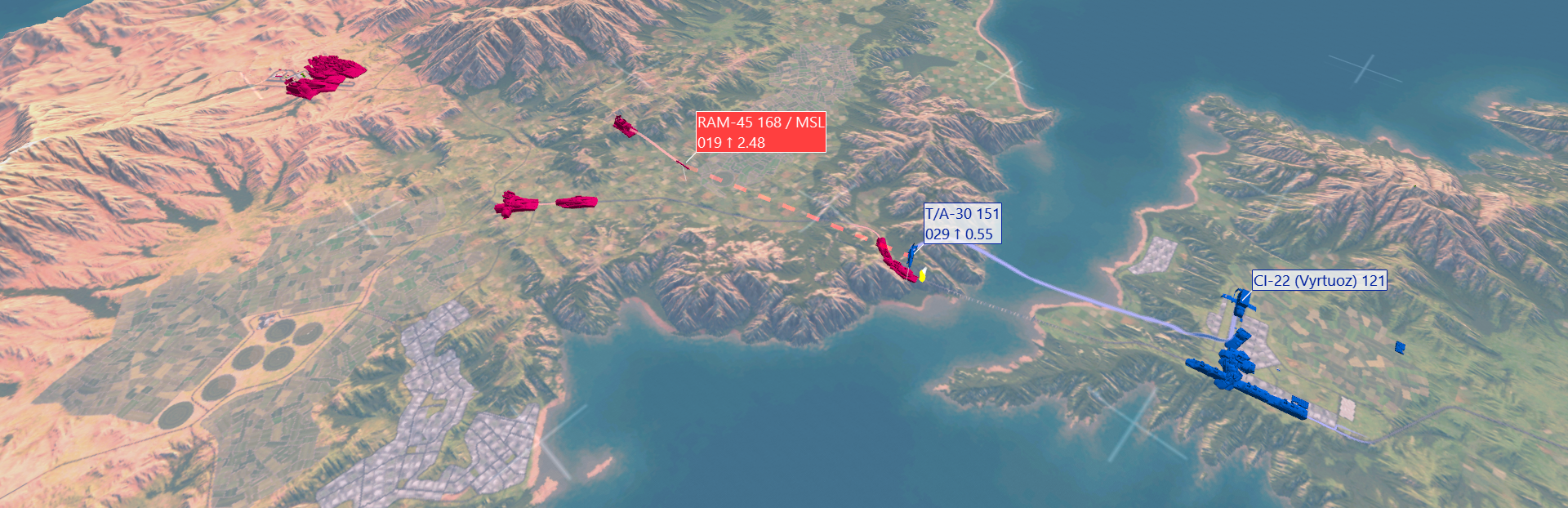
Download: HERE
- Release Date: November 2, 2026
- Operating System: Windows 32-bit / 64-bit
- File Size: 1.2 GB
Release notes
FEATURES & CHANGES
New Features
- ADDED Support for ADS-B reception using the RTL-SDR Blog V4 (R828D).
- ADDED Relative distance, relative bearing, closure rate, and vertical separation charts.
- ADDED Aileron, elevator, and rudder telemetry support for DCS World.
- ADDED Aileron, elevator, and rudder telemetry support for X-Plane.
- ADDED Helicopter mixed units, such as imperial units with distances in kilometers.
- ADDED Option to display walls for all objects.
- ADDED Aircraft Carrier as a separate object type in the Add/Edit Object dialog.
- ADDED Option for wider bullseye ring spacing.
- ADDED Add-on to calculate the distance between two geographic points.
- ADDED Ctrl+Alt+F1 through Ctrl+Alt+F8 shortcuts to mute media windows.
- ADDED Several missing C++ and C# SDK functions, including Telemetry.Save().
- ADDED DCS2ACMI option to export DCS World elevation data for Tacview 2.
- ADDED Latest official 3D model and database for Nuclear Option.
Improvements
- IMPROVED Frame rate when playing back very large unoptimized ACMI files.
- IMPROVED Support for Microsoft Flight Simulator 2024.
- IMPROVED ADS-B database to version 2025-08.
- IMPROVED Pilot names are now displayed only after boarding their aircraft.
- IMPROVED Chart time selection and automatic scrolling behavior.
Bug Fixes
- FIXED BMS 4.38 DTC INI files not being displayed.
- FIXED Joysticks not working anymore with remote controls.
- FIXED Quotes and commas not being properly escaped in CSV telemetry exports.
- FIXED Dogfight camera when tracking aircraft across the International Date Line.
- FIXED DCS World real-time telemetry with password authentication was not working with Tacview 2.