- Welcome to Dogs Of War Vu.

Cry Havoc! And let slip the dogs of war!

Recent posts
#51
Games Discussion / Re: Napoleon's Eagles | Previo...
Last post by Asid - July 14, 2026, 11:37:27 PMCelebrate the French national day
Mon, July 13, 2026
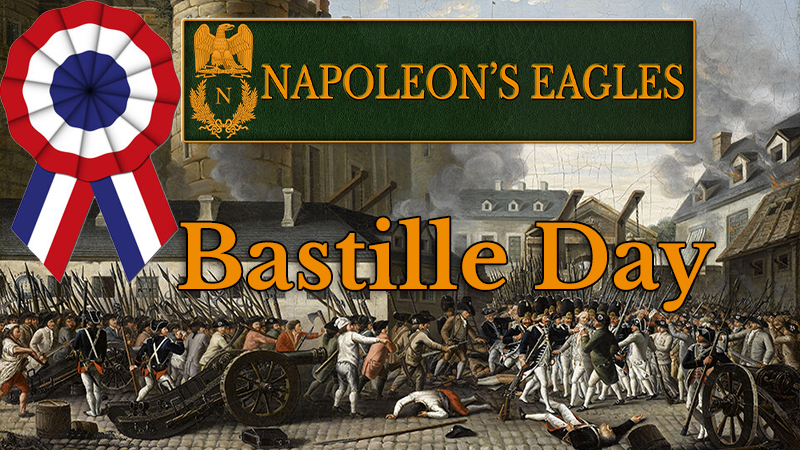
Play with the famous Napoleon's Eagles the new scenario "La Marseillaise", covering the the War of the First Coalition against the French Revolution in 1792. This scenario runs from April till December 1792.
And it comes with a new feature : Fog of War, where information on enemy land and naval strength is partially concealed depending on distance, weather, cavalry, nations, terrains, etc...
No more ratio optimization. Intuition and gut feeling prevail!
Vive la France!
Mon, July 13, 2026
Play with the famous Napoleon's Eagles the new scenario "La Marseillaise", covering the the War of the First Coalition against the French Revolution in 1792. This scenario runs from April till December 1792.
And it comes with a new feature : Fog of War, where information on enemy land and naval strength is partially concealed depending on distance, weather, cavalry, nations, terrains, etc...
No more ratio optimization. Intuition and gut feeling prevail!
Vive la France!
#52
Histwar : Napoleonics by JMM / Re: Tactical Initiative in the...
Last post by Asid - July 13, 2026, 07:25:31 PMTactical initiative in HistWar
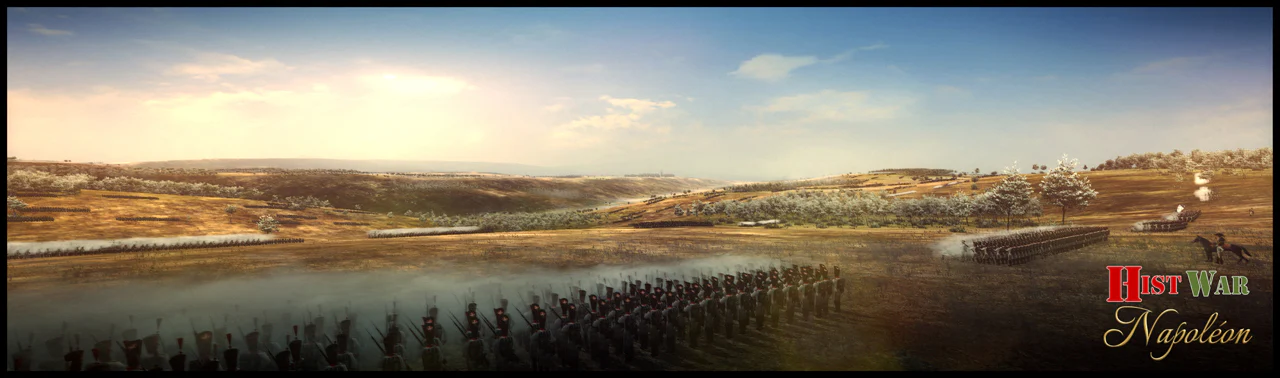
In HistWar, tactical initiative can be understood as the ability of a unit or subordinate commander to adapt their behavior without direct player intervention.
A doctrine editor sets up parameters to manage reaction to an event and choice of formation. Almost all the behaviors mentioned above are taken into account by this editor.
The game offers three levels of initiative:
-1: no initiative;
-2: AI-managed initiative
-3: systematic initiative.
For example, when a cavalry regiment observes a routing adversary, it can pursue that unit or strictly adhere to received orders.
In HistWar, the player can, on the battlefield, set the initiative at the regiment, brigade, division, or entire corps level.
The player gives general orders, but in the field, units sometimes have to react on their own.
1. What initiative can represent in the game
In HistWar, tactical initiative particularly corresponds to the AI's ability to choose:
- an action;
- a reaction;
- a formation;
- a withdrawal or holding position.
It intervenes when the local situation changes: appearance of enemy cavalry, flank threat, high casualties, attack opportunity, enemy disorganization, etc.
2. Examples of tactical reactions in HistWar
Situation: Possible reaction
Enemy cavalry approaches: Form square
Enemy infantry within range: Deploy in line
Enemy in disarray: Attack or charge
Flank threatened: Change front or withdraw
Too heavy losses: Retreat or break off combat
Battery threatened: Withdraw or fire grapeshot
Friendly unit fleeing: Risk of moral contagion
3. Initiative and formation in HistWar
One of the most important aspects is the choice of formation.
A unit with good initiative should react better, for example:
- leave column to deploy in line before exchanging fire;
- avoid remaining in square under artillery fire;
- reform after combat;
- withdraw before being destroyed;
- exploit a breach in the enemy line.
Conversely, a unit or leader with low initiative may:
- react too late;
- remain in a poor formation;
- pursue imprudently;
- hesitate instead of attacking;
- not withdraw in time;
4. Initiative, morale, and discipline
Three related but different concepts must be distinguished.
- Initiative: It determines the ability to choose an appropriate response.
Example: forming a square against cavalry.
- Morale: It determines the ability to withstand danger.
Example: staying in line under fire instead of fleeing.
- Discipline or training: It determines the ability to execute the decision correctly.
Example: forming the square quickly and without disorder.
A unit can therefore have good initiative but fail if it is exhausted, demoralized, or poorly trained.
5. Offensive and defensive initiative
Offensive initiative: It consists of exploiting an opportunity:
- flank attack;
- charge on a disorganized unit;
- pursuit of a fleeing enemy;
Defensive initiative: It consists of preserving the troops:
- forming the square;
- withdrawing;
- changing front;
- refusing combat in an unfavorable situation.
Good initiative is therefore not simply "attacking more." It is above all choosing the right action at the right time.
6. Desired effect on unit behavior
In a Napoleonic simulation logic, strong tactical initiative should produce more autonomous and reactive units.
Level of initiative: Probable behavior
Low initiative: Passivity, delay, poor formation, late reactions
Medium initiative: Correct execution of orders, standard reactions
High initiative: Rapid adaptation, exploitation of opportunities, better withdrawal
High initiative but aggressive leader: Audacious, sometimes risky attacks
High initiative but prudent leader: Good defense, timely withdrawal, low risk-taking
This allows for differentiation between leaders: an energetic commander does not behave like a hesitant commander.
Summary
In this precise sense, tactical initiative is the ability of a unit or leader to decide locally:
- what to do: attack, hold, withdraw, pursue, flee;
- how to do it: in line, in column, in square, with skirmishers, charging, in orderly retreat;
- when to do it: immediately, after preparation, or not at all.
In the Napoleonic Wars, this initiative was essential because orders often arrived too late, and the situation changed very quickly.
In HistWar, it can be seen as a mechanism allowing units and subordinate commanders not to be mere passive executors, but to react to threats and opportunities on the battlefield. Good tactical initiative does not just mean attacking: it means above all adopting the most appropriate reaction and formation for the situation.
Perrine Mathe
In HistWar, tactical initiative can be understood as the ability of a unit or subordinate commander to adapt their behavior without direct player intervention.
A doctrine editor sets up parameters to manage reaction to an event and choice of formation. Almost all the behaviors mentioned above are taken into account by this editor.
The game offers three levels of initiative:
-1: no initiative;
-2: AI-managed initiative
-3: systematic initiative.
For example, when a cavalry regiment observes a routing adversary, it can pursue that unit or strictly adhere to received orders.
In HistWar, the player can, on the battlefield, set the initiative at the regiment, brigade, division, or entire corps level.
The player gives general orders, but in the field, units sometimes have to react on their own.
1. What initiative can represent in the game
In HistWar, tactical initiative particularly corresponds to the AI's ability to choose:
- an action;
- a reaction;
- a formation;
- a withdrawal or holding position.
It intervenes when the local situation changes: appearance of enemy cavalry, flank threat, high casualties, attack opportunity, enemy disorganization, etc.
2. Examples of tactical reactions in HistWar
Situation: Possible reaction
Enemy cavalry approaches: Form square
Enemy infantry within range: Deploy in line
Enemy in disarray: Attack or charge
Flank threatened: Change front or withdraw
Too heavy losses: Retreat or break off combat
Battery threatened: Withdraw or fire grapeshot
Friendly unit fleeing: Risk of moral contagion
3. Initiative and formation in HistWar
One of the most important aspects is the choice of formation.
A unit with good initiative should react better, for example:
- leave column to deploy in line before exchanging fire;
- avoid remaining in square under artillery fire;
- reform after combat;
- withdraw before being destroyed;
- exploit a breach in the enemy line.
Conversely, a unit or leader with low initiative may:
- react too late;
- remain in a poor formation;
- pursue imprudently;
- hesitate instead of attacking;
- not withdraw in time;
4. Initiative, morale, and discipline
Three related but different concepts must be distinguished.
- Initiative: It determines the ability to choose an appropriate response.
Example: forming a square against cavalry.
- Morale: It determines the ability to withstand danger.
Example: staying in line under fire instead of fleeing.
- Discipline or training: It determines the ability to execute the decision correctly.
Example: forming the square quickly and without disorder.
A unit can therefore have good initiative but fail if it is exhausted, demoralized, or poorly trained.
5. Offensive and defensive initiative
Offensive initiative: It consists of exploiting an opportunity:
- flank attack;
- charge on a disorganized unit;
- pursuit of a fleeing enemy;
Defensive initiative: It consists of preserving the troops:
- forming the square;
- withdrawing;
- changing front;
- refusing combat in an unfavorable situation.
Good initiative is therefore not simply "attacking more." It is above all choosing the right action at the right time.
6. Desired effect on unit behavior
In a Napoleonic simulation logic, strong tactical initiative should produce more autonomous and reactive units.
Level of initiative: Probable behavior
Low initiative: Passivity, delay, poor formation, late reactions
Medium initiative: Correct execution of orders, standard reactions
High initiative: Rapid adaptation, exploitation of opportunities, better withdrawal
High initiative but aggressive leader: Audacious, sometimes risky attacks
High initiative but prudent leader: Good defense, timely withdrawal, low risk-taking
This allows for differentiation between leaders: an energetic commander does not behave like a hesitant commander.
Summary
In this precise sense, tactical initiative is the ability of a unit or leader to decide locally:
- what to do: attack, hold, withdraw, pursue, flee;
- how to do it: in line, in column, in square, with skirmishers, charging, in orderly retreat;
- when to do it: immediately, after preparation, or not at all.
In the Napoleonic Wars, this initiative was essential because orders often arrived too late, and the situation changed very quickly.
In HistWar, it can be seen as a mechanism allowing units and subordinate commanders not to be mere passive executors, but to react to threats and opportunities on the battlefield. Good tactical initiative does not just mean attacking: it means above all adopting the most appropriate reaction and formation for the situation.
Perrine Mathe
#53
Histwar : Napoleonics by JMM / Tactical Initiative in the Nap...
Last post by Asid - July 13, 2026, 06:52:57 PMTactical Initiative in the Napoleonic Wars
June 15, 2026
Tactical initiative in the Napoleonic Wars and in HistWar
1. Definition
Tactical initiative refers to the ability of a subordinate commander—division general, brigade commander, colonel, sometimes battalion commander—to react independently to a local situation.
It notably concerns:
- the decision to attack;
- the decision to hold position;
- the decision to withdraw;
- the decision to pursue a disorganized enemy;
- the decision to change formation;
- reaction to an immediate threat, such as a cavalry charge.
2. Tactical initiative in the Napoleonic Wars
On a Napoleonic battlefield, orders circulate slowly. Smoke, noise, distance, and disorder make the situation confusing. A local leader must therefore often make a decision without waiting for new orders.
This initiative is nevertheless constrained by:
- received orders;
- the general mission;
- discipline;
- army doctrine;
- troop quality;
- the commander's personality.
A good tactical leader doesn't act haphazardly: he acts in the spirit of the mission received.
3. Choice of action or reaction
Tactical initiative is primarily manifested by the choice of conduct.
Attack
A unit or leader may decide to attack if the enemy appears vulnerable:
- exposed flank;
- disorganized enemy unit;
- isolated battery;
- infantry surprised in poor formation;
- enemy cavalry in disarray after a charge.
Typical example: cavalry seeing a poorly protected enemy battery may attempt a charge without waiting for detailed orders.
Hold
A commander may choose to maintain his position, even under pressure, if he believes his mission is to fix the enemy or protect an important point.
This often requires:
- composure;
- good discipline;
- strong cohesion;
- high morale.
Withdraw
Withdrawal is an important tactical decision. It can be voluntary and orderly, for example to:
- avoid encirclement;
- reposition to a better position;
- preserve an overexposed unit;
- reform a defensive line.
One must distinguish withdrawal from flight. Withdrawal is a controlled decision.
Flight or rout is rather a consequence of loss of morale and cohesion.
Flee or rout
In the tactical context, flight is generally not a "good initiative." It is rather an automatic reaction of troops that can no longer fight effectively.
It can be caused by:
- heavy losses;
- a flank attack;
- a cavalry charge;
- loss of officers;
- fatigue;
- very low morale;
- the impression of being abandoned.
In a simulation like HistWar, flight is therefore more related to morale and cohesion, even if it appears as a tactical reaction.
Pursue
Pursuit is also an act of initiative. A victorious unit can exploit enemy disorganization.
But it is dangerous:
- cavalry can disperse;
- infantry can break formation;
- a too long pursuit can expose flanks;
- a unit can stumble upon an enemy reserve.
Offensive initiative must therefore be balanced by prudence.
4. Choice of formation
The other essential aspect of tactical initiative is the choice of formation.
In the Napoleonic Wars, formation strongly determined a unit's effectiveness.
Infantry
Line: The line maximizes firepower.
Advantages:
- high firepower;
- effective for defending or exchanging volleys;
- good frontal coverage.
Disadvantages:
- more difficult to maneuver;
- vulnerable to cavalry if disorganized;
- fragile on the flanks.
Infantry with good initiative can deploy in line when within firing range.
Column
The column is mainly used for movement and attack.
Advantages:
- easier to maneuver;
- better cohesion on the march;
- useful for rapid advance;
- effective for moral assault.
Disadvantages:
- fewer muskets can fire;
- vulnerable to artillery and infantry fire;
- can be stopped by a solid line.
A unit can choose or maintain the column if it needs to advance, cross difficult terrain, or attack rapidly.
Square
The square is the defensive formation against cavalry.
Advantages:
- very effective against cavalry charges;
- protects the flanks;
- provides strong moral security against cavalrymen.
Disadvantages:
- low mobility;
- vulnerable to artillery;
- vulnerable to infantry fire;
- defensive formation, poorly suited for attack.
The square formation is one of the clearest examples of tactical initiative: infantry threatened by cavalry must react quickly. If it forms the square too late, it risks being cut down.
Skirmishers
Skirmishers are used to harass, cover, and disorganize.
Advantages:
- useful in difficult terrain;
- protect the main line;
- hinder the enemy;
- sometimes target officers or artillerymen.
Disadvantages:
- vulnerable to cavalry;
- weak in close combat;
- do not replace a battle line.
Initiative may involve sending skirmishers forward, recalling them, or reinforcing the screen.
Cavalry
Cavalry strongly depends on tactical initiative.
It must choose the right moment to:
- charge;
- withdraw;
- pursue;
- cover a retreat;
- threaten a flank;
- exploit a breakthrough.
A charge launched too early can fail.
A charge launched too late can miss the decisive opportunity.
Cavalry must also avoid charging intact infantry formed in a square. However, it can be formidable against:
- disorganized infantry;
- an isolated battery;
- skirmishers;
- a fleeing unit;
- a flanked line.
Artillery
Tactical initiative also concerns artillery.
A battery may have to decide to:
- deploy;
- change target;
- fire grapeshot;
- withdraw before being captured;
- advance to support an attack;
- concentrate its fire on a threatening unit.
The choice to remain in position or to hitch up to withdraw is vital. A battery that delays its withdrawal can be captured by cavalry.
5. Factors influencing tactical initiative
Initiative does not only depend on the commander's will. Several factors come into play.
Factor: Possible effect
Commander's quality: Faster and more appropriate decision
Troop experience: Better reaction to danger
Discipline: More effective formation changes
Morale: Ability to hold or counterattack
Fatigue: Slower reactions, risk of disorder
Losses: Decrease in cohesion and courage
Terrain: Influences choice of formation and movement
Enemy threat: Cavalry, artillery, or infantry impose different reactions
Received orders: The unit remains more or less constrained by its mission
Perrine Mathe
June 15, 2026
Tactical initiative in the Napoleonic Wars and in HistWar
1. Definition
Tactical initiative refers to the ability of a subordinate commander—division general, brigade commander, colonel, sometimes battalion commander—to react independently to a local situation.
It notably concerns:
- the decision to attack;
- the decision to hold position;
- the decision to withdraw;
- the decision to pursue a disorganized enemy;
- the decision to change formation;
- reaction to an immediate threat, such as a cavalry charge.
2. Tactical initiative in the Napoleonic Wars
On a Napoleonic battlefield, orders circulate slowly. Smoke, noise, distance, and disorder make the situation confusing. A local leader must therefore often make a decision without waiting for new orders.
This initiative is nevertheless constrained by:
- received orders;
- the general mission;
- discipline;
- army doctrine;
- troop quality;
- the commander's personality.
A good tactical leader doesn't act haphazardly: he acts in the spirit of the mission received.
3. Choice of action or reaction
Tactical initiative is primarily manifested by the choice of conduct.
Attack
A unit or leader may decide to attack if the enemy appears vulnerable:
- exposed flank;
- disorganized enemy unit;
- isolated battery;
- infantry surprised in poor formation;
- enemy cavalry in disarray after a charge.
Typical example: cavalry seeing a poorly protected enemy battery may attempt a charge without waiting for detailed orders.
Hold
A commander may choose to maintain his position, even under pressure, if he believes his mission is to fix the enemy or protect an important point.
This often requires:
- composure;
- good discipline;
- strong cohesion;
- high morale.
Withdraw
Withdrawal is an important tactical decision. It can be voluntary and orderly, for example to:
- avoid encirclement;
- reposition to a better position;
- preserve an overexposed unit;
- reform a defensive line.
One must distinguish withdrawal from flight. Withdrawal is a controlled decision.
Flight or rout is rather a consequence of loss of morale and cohesion.
Flee or rout
In the tactical context, flight is generally not a "good initiative." It is rather an automatic reaction of troops that can no longer fight effectively.
It can be caused by:
- heavy losses;
- a flank attack;
- a cavalry charge;
- loss of officers;
- fatigue;
- very low morale;
- the impression of being abandoned.
In a simulation like HistWar, flight is therefore more related to morale and cohesion, even if it appears as a tactical reaction.
Pursue
Pursuit is also an act of initiative. A victorious unit can exploit enemy disorganization.
But it is dangerous:
- cavalry can disperse;
- infantry can break formation;
- a too long pursuit can expose flanks;
- a unit can stumble upon an enemy reserve.
Offensive initiative must therefore be balanced by prudence.
4. Choice of formation
The other essential aspect of tactical initiative is the choice of formation.
In the Napoleonic Wars, formation strongly determined a unit's effectiveness.
Infantry
Line: The line maximizes firepower.
Advantages:
- high firepower;
- effective for defending or exchanging volleys;
- good frontal coverage.
Disadvantages:
- more difficult to maneuver;
- vulnerable to cavalry if disorganized;
- fragile on the flanks.
Infantry with good initiative can deploy in line when within firing range.
Column
The column is mainly used for movement and attack.
Advantages:
- easier to maneuver;
- better cohesion on the march;
- useful for rapid advance;
- effective for moral assault.
Disadvantages:
- fewer muskets can fire;
- vulnerable to artillery and infantry fire;
- can be stopped by a solid line.
A unit can choose or maintain the column if it needs to advance, cross difficult terrain, or attack rapidly.
Square
The square is the defensive formation against cavalry.
Advantages:
- very effective against cavalry charges;
- protects the flanks;
- provides strong moral security against cavalrymen.
Disadvantages:
- low mobility;
- vulnerable to artillery;
- vulnerable to infantry fire;
- defensive formation, poorly suited for attack.
The square formation is one of the clearest examples of tactical initiative: infantry threatened by cavalry must react quickly. If it forms the square too late, it risks being cut down.
Skirmishers
Skirmishers are used to harass, cover, and disorganize.
Advantages:
- useful in difficult terrain;
- protect the main line;
- hinder the enemy;
- sometimes target officers or artillerymen.
Disadvantages:
- vulnerable to cavalry;
- weak in close combat;
- do not replace a battle line.
Initiative may involve sending skirmishers forward, recalling them, or reinforcing the screen.
Cavalry
Cavalry strongly depends on tactical initiative.
It must choose the right moment to:
- charge;
- withdraw;
- pursue;
- cover a retreat;
- threaten a flank;
- exploit a breakthrough.
A charge launched too early can fail.
A charge launched too late can miss the decisive opportunity.
Cavalry must also avoid charging intact infantry formed in a square. However, it can be formidable against:
- disorganized infantry;
- an isolated battery;
- skirmishers;
- a fleeing unit;
- a flanked line.
Artillery
Tactical initiative also concerns artillery.
A battery may have to decide to:
- deploy;
- change target;
- fire grapeshot;
- withdraw before being captured;
- advance to support an attack;
- concentrate its fire on a threatening unit.
The choice to remain in position or to hitch up to withdraw is vital. A battery that delays its withdrawal can be captured by cavalry.
5. Factors influencing tactical initiative
Initiative does not only depend on the commander's will. Several factors come into play.
Factor: Possible effect
Commander's quality: Faster and more appropriate decision
Troop experience: Better reaction to danger
Discipline: More effective formation changes
Morale: Ability to hold or counterattack
Fatigue: Slower reactions, risk of disorder
Losses: Decrease in cohesion and courage
Terrain: Influences choice of formation and movement
Enemy threat: Cavalry, artillery, or infantry impose different reactions
Received orders: The unit remains more or less constrained by its mission
Perrine Mathe
#54
Games Discussion / Re: Ostriv
Last post by Asid - July 13, 2026, 06:09:28 PMAlpha 5 patch 9 hotfix 59
Mon, July 13, 2026
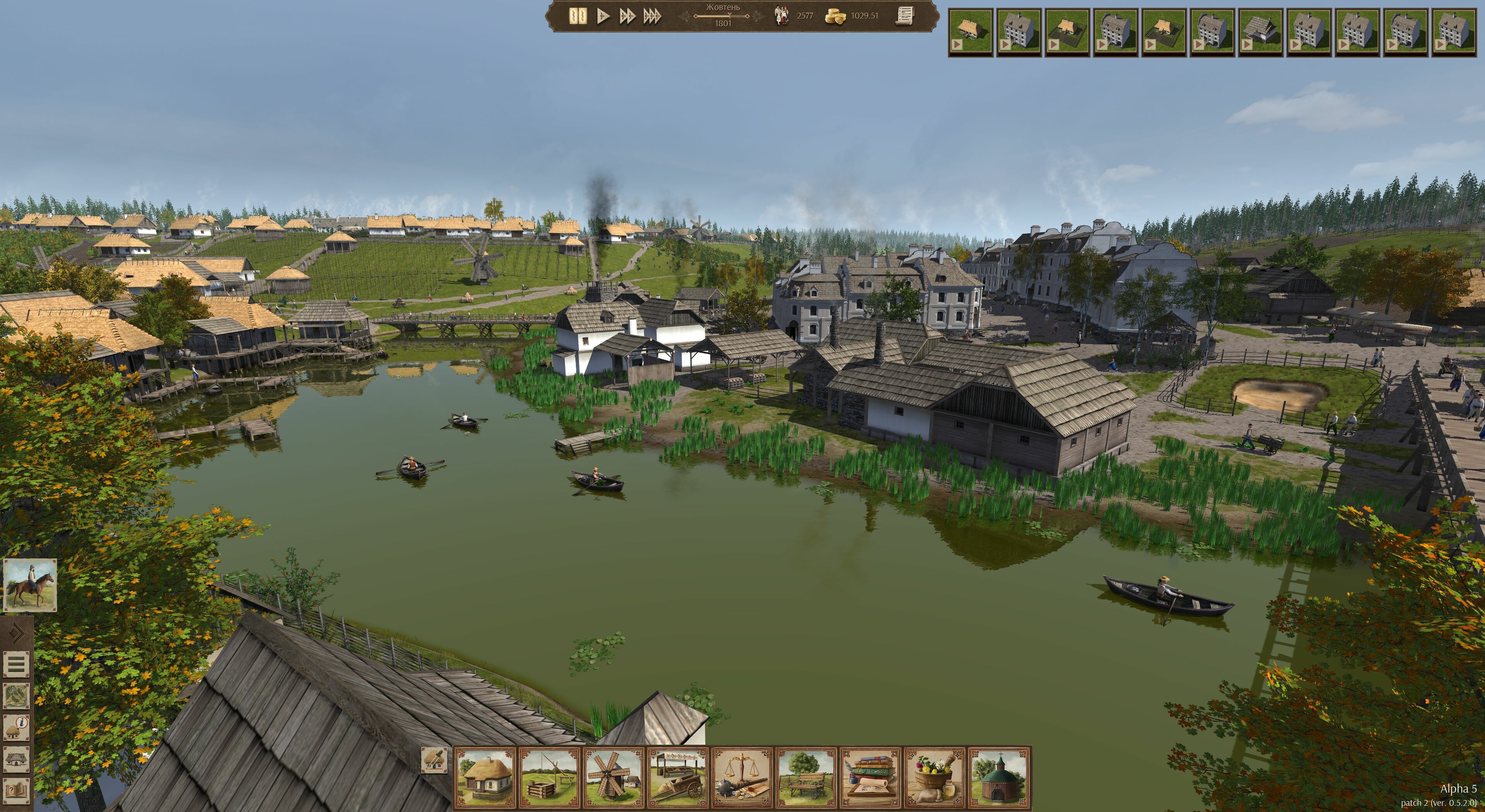
Most of the time was spent on Alpha 6 this time, so this update is not a big one. A couple more buildings have crept into the list of upcoming buildings. Religion is going to be a bit more than just a way to cross a population threshold. Finally you will be a real Ukrainian mayor who can't help but build lots of churches.
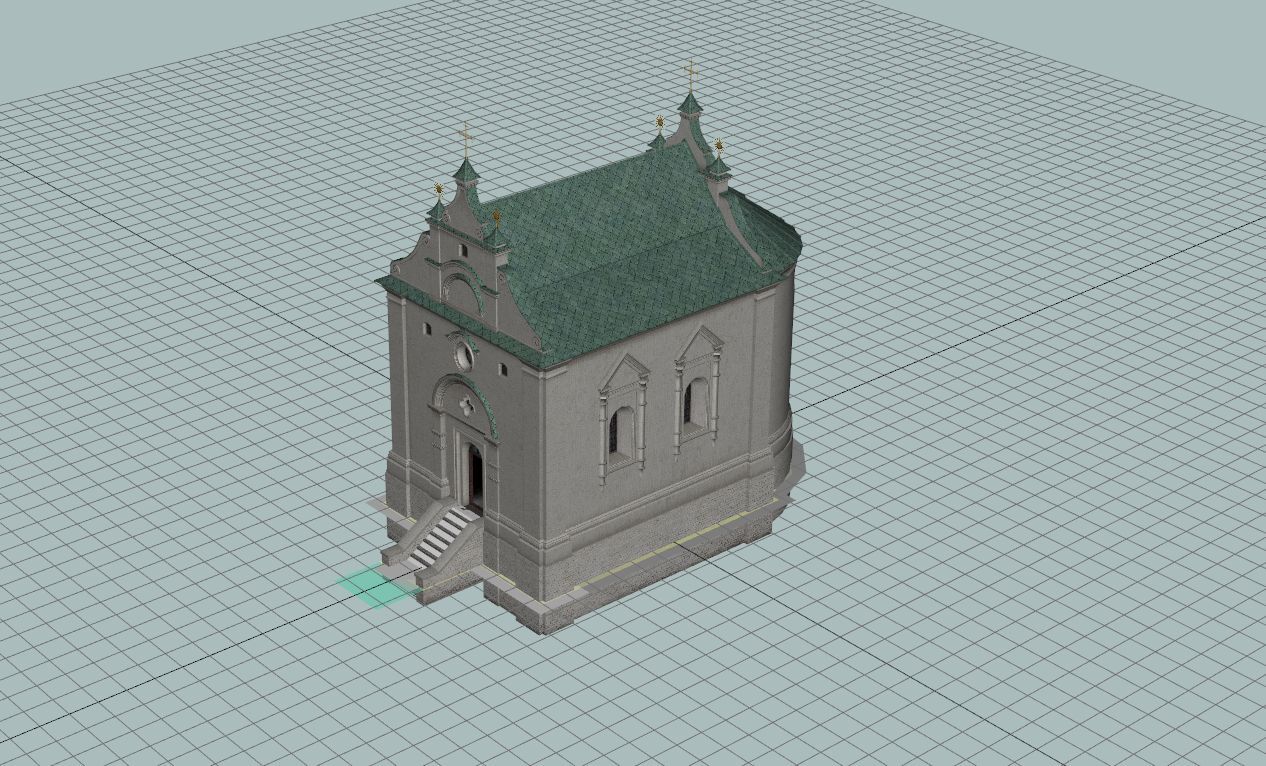
As of now there's 24 new buildings confirmed for Alpha 6 and 4 more being considered. Also 42 new resources planned so far. For comparison, Alpha 2 had 48 resource types overall.
Meanwhile here's the today's update:
Added/changed:
Fixed:
Mon, July 13, 2026
Most of the time was spent on Alpha 6 this time, so this update is not a big one. A couple more buildings have crept into the list of upcoming buildings. Religion is going to be a bit more than just a way to cross a population threshold. Finally you will be a real Ukrainian mayor who can't help but build lots of churches.
As of now there's 24 new buildings confirmed for Alpha 6 and 4 more being considered. Also 42 new resources planned so far. For comparison, Alpha 2 had 48 resource types overall.
Meanwhile here's the today's update:
Added/changed:
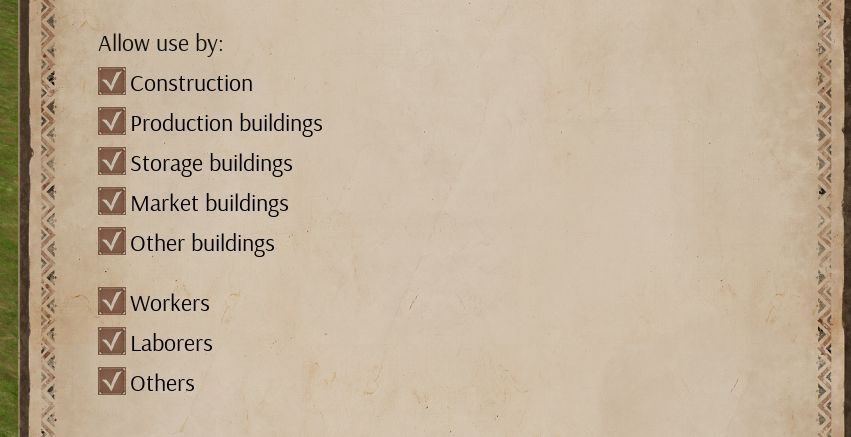
- Added options in cart parkings on who can use them
- Some minor UI improvements
- Productions with 2+ outputs will not prioritize the first one anymore (dairy butter for example)
- Can now bind a hotkey to demolish the selected building
Fixed:
- Field crop selector could get stuck on screen in some cases
- Field could get stuck in sowing state
- "Set resource slots automatically" didn't take firewood stalls into account
- Crash on Enter key
#55
Games Discussion / Re: Grand Tactician: Napoleoni...
Last post by Asid - July 13, 2026, 05:50:22 PMMarch DevBlog - SitRep
Thu, March 26, 2026
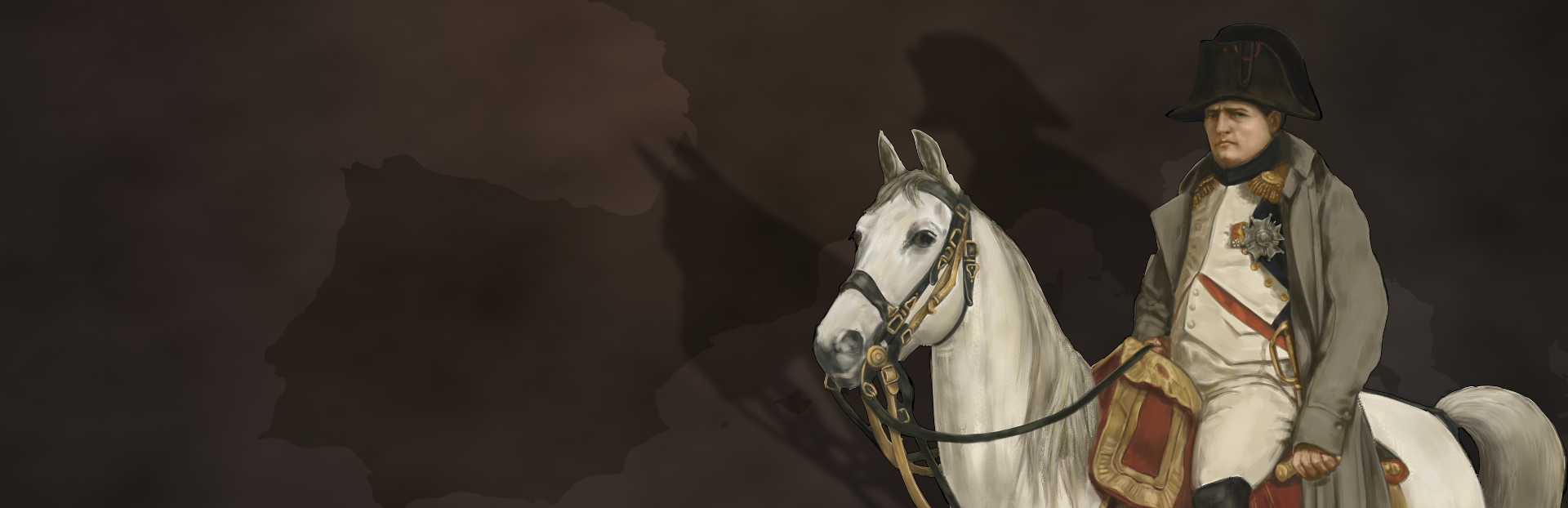
The current development situation of the Napoleonic Wars.
Mon Général!
The French Empire was not built in a day. Neither is Grand Tactician: The Napoleonic Wars (1792-1815). In this DevBlog, we'll briefly discuss the current development situation of the Napoleonic Wars.
The Battlefield
The technical features of the re-built battle layer are mostly finished. The biggest differences to GT1 (The Civil War) are the scale, ie. the number of soldiers shown on the battlefield and handled in the simulation model, and the terrain generator, which creates the battlefields from campaign map topography datasets. What remains to be finalized is the "macro-AI", responsible for maneuvers, and establishing the campaign-to-battle link, which is all about data handling in the background.
Audiovisual elements, that you can see and hear in the released videos and screenshots, are not yet final. Most elements will be further looked into, and variation added. The Italian theater specific 3D models, like houses for towns, and variety in the battlefield visuals, are in the works. We intend to add a similar papermap layer as in GT1, though this time around it's technically a bit trickier. As the map is generated, it cannot be hand-drawn as a complete map like before. Audio elements to be added include touches to improve the atmosphere, such as historical drum and trumpet signals and voice commands that can be heard when the units maneuver and fight.
The full unit roster for the 1796-97 campaign in Italy is to be augmented with Italian units. This includes one of the main belligerents, the Piedmontese (Kingdom of Sardinia), but some of the minor nations also participated in the fighting, most notably the Papal States and Kingdom of Naples. Also other forces, like those of Venice, were present, even if they did not enforce their nations' neutrality militarily - but maybe they could have in certain conditions?
The Campaign Layer
We decided to re-build also the campaign layer from scratch. The required changes were so numerous, that trying to "bend" the old campaign engine would have been more work, and the end result maybe not as good. The campaign technical infra is well underway, with UI elements being added with the remaining mechanics.
First, the campaign map. In GT1, the campaign maps were fully built in the engine's editor, which made them virtually un-moddable. This time around, the approach is more modular. There are two levels of maps: master maps and campaign maps. Master maps are large, and can contain vast areas like the whole of Europe. Campaign maps are created separately from a master map, either using the whole master map, or only a specified part of one. For us, this allows creating the master map for the Europe-wide grand campaign in parts, with each smaller campaign area populating the master map. For modders, this allows creating completely new master maps, like North America, and then "slice" smaller maps out of it for specific campaign scenarios.
The campaign map is created from multiple datasets, containing elevation (heightmap), terrain, infra, and resource data. From this a 3D mesh is created, terrain types are painted, roads, rivers and cities, etc. drawn. To facilitate different scale of campaigns, the different infra elements can be shown on the campaign map depending on their size. So, even if the Italian theater campaign map has much more details in Northern Italy, the same data set can create the same area with larger scale details for the European campaign. When generating battlefields out of the same data, even the smallest scale elements will be on the map.
The Playable Campaign Map and Military Supply System
From a game play perspective, the logic of how the campaign map infra is built is relevant. In GT1 the map is created from Important Infrastructure Points (IIPs) and cities. This creates a mesh, where each node is linked to its neighbours, and contains ownership, condition and economic data. Ownership is changed according to local military control, which can be established by deploying armies or building forts and manning them with garrisons.
In GT2, we have adjusted this model a bit, again to a more modular direction. Instead of two separate types of infrastructure, the map now contains elements we call "cities," but that can be anything from a small rural village to a large city. Each such "city" can contain different kinds of military, economy, or national buildings. These "cities" can grow, shrink, gather wealth, and be garrisoned. They can be occupied, and as part of treaties annexed, de facto changing ownership. The locations and data are drawn from moddable datasets.
The economy model, which also contains the military supply system, has been adjusted as part of this change. We have a similar supply/demand and production chain systems as in GT1, but how it "flows" on the map, and how the military can exploit it, is handled differently. Now, the goods (incl. military supplies) are moved on the map, along the main land routes and sea trade arteries. This means, military units can intercept them even without the need to capture cities.
Military units are supplied from military magazines with supply trains, and carry only limited number of supplies with them. In Italy 1796-97, an army is the "top supply unit," that contains the supply trains, and connects to available magazines. Subordinate units rely on the army level logistics tail to feed them, except if stationed nearby a magazine. This logistical system is quite heavy, vulnerable and has a limited operational reach. Stretching the supply lines too long means diminishing flow, and losing a line of communication to the base of supply can quickly lead to big difficulties.
Relying on the magazine system and long, heavy logistical tails was established during the age of enlightenment. The memory of the Thirty Years War (1618-1648), with armies like swarms of locusts consuming and destroying everything in their way, was still haunting the societies. But the old ways are still a possibility, and war can feed war. Armies may purchase supplies from the civilian population, but also simply take them, or even demand contributions to pay the soldiers' wages and fill the military coffers. Such "CIMIC" activities of course affect the mood of the population.
Progress
On the campaign layer, many other mechanics are already in place, like the fog of war. This has been augmented with deployed reconnaissance units (mainly light cavalry) being able to not only spot enemy units farther away, but also to block their recon screens, masking the movement of the army's main body. But more about them later.
We will take a closer look at the different campaign mechanics as we finalize them and populate the map and the UI with visual elements. In the meanwhile, this month's video shows some of the player controls and how order delays work in battles. Maybe GT1 veterans can spot a few improvements here and there?
Thu, March 26, 2026
The current development situation of the Napoleonic Wars.
Mon Général!
The French Empire was not built in a day. Neither is Grand Tactician: The Napoleonic Wars (1792-1815). In this DevBlog, we'll briefly discuss the current development situation of the Napoleonic Wars.
The Battlefield
The technical features of the re-built battle layer are mostly finished. The biggest differences to GT1 (The Civil War) are the scale, ie. the number of soldiers shown on the battlefield and handled in the simulation model, and the terrain generator, which creates the battlefields from campaign map topography datasets. What remains to be finalized is the "macro-AI", responsible for maneuvers, and establishing the campaign-to-battle link, which is all about data handling in the background.
Audiovisual elements, that you can see and hear in the released videos and screenshots, are not yet final. Most elements will be further looked into, and variation added. The Italian theater specific 3D models, like houses for towns, and variety in the battlefield visuals, are in the works. We intend to add a similar papermap layer as in GT1, though this time around it's technically a bit trickier. As the map is generated, it cannot be hand-drawn as a complete map like before. Audio elements to be added include touches to improve the atmosphere, such as historical drum and trumpet signals and voice commands that can be heard when the units maneuver and fight.
The full unit roster for the 1796-97 campaign in Italy is to be augmented with Italian units. This includes one of the main belligerents, the Piedmontese (Kingdom of Sardinia), but some of the minor nations also participated in the fighting, most notably the Papal States and Kingdom of Naples. Also other forces, like those of Venice, were present, even if they did not enforce their nations' neutrality militarily - but maybe they could have in certain conditions?
The Campaign Layer
We decided to re-build also the campaign layer from scratch. The required changes were so numerous, that trying to "bend" the old campaign engine would have been more work, and the end result maybe not as good. The campaign technical infra is well underway, with UI elements being added with the remaining mechanics.
First, the campaign map. In GT1, the campaign maps were fully built in the engine's editor, which made them virtually un-moddable. This time around, the approach is more modular. There are two levels of maps: master maps and campaign maps. Master maps are large, and can contain vast areas like the whole of Europe. Campaign maps are created separately from a master map, either using the whole master map, or only a specified part of one. For us, this allows creating the master map for the Europe-wide grand campaign in parts, with each smaller campaign area populating the master map. For modders, this allows creating completely new master maps, like North America, and then "slice" smaller maps out of it for specific campaign scenarios.
The campaign map is created from multiple datasets, containing elevation (heightmap), terrain, infra, and resource data. From this a 3D mesh is created, terrain types are painted, roads, rivers and cities, etc. drawn. To facilitate different scale of campaigns, the different infra elements can be shown on the campaign map depending on their size. So, even if the Italian theater campaign map has much more details in Northern Italy, the same data set can create the same area with larger scale details for the European campaign. When generating battlefields out of the same data, even the smallest scale elements will be on the map.
The Playable Campaign Map and Military Supply System
From a game play perspective, the logic of how the campaign map infra is built is relevant. In GT1 the map is created from Important Infrastructure Points (IIPs) and cities. This creates a mesh, where each node is linked to its neighbours, and contains ownership, condition and economic data. Ownership is changed according to local military control, which can be established by deploying armies or building forts and manning them with garrisons.
In GT2, we have adjusted this model a bit, again to a more modular direction. Instead of two separate types of infrastructure, the map now contains elements we call "cities," but that can be anything from a small rural village to a large city. Each such "city" can contain different kinds of military, economy, or national buildings. These "cities" can grow, shrink, gather wealth, and be garrisoned. They can be occupied, and as part of treaties annexed, de facto changing ownership. The locations and data are drawn from moddable datasets.
The economy model, which also contains the military supply system, has been adjusted as part of this change. We have a similar supply/demand and production chain systems as in GT1, but how it "flows" on the map, and how the military can exploit it, is handled differently. Now, the goods (incl. military supplies) are moved on the map, along the main land routes and sea trade arteries. This means, military units can intercept them even without the need to capture cities.
Military units are supplied from military magazines with supply trains, and carry only limited number of supplies with them. In Italy 1796-97, an army is the "top supply unit," that contains the supply trains, and connects to available magazines. Subordinate units rely on the army level logistics tail to feed them, except if stationed nearby a magazine. This logistical system is quite heavy, vulnerable and has a limited operational reach. Stretching the supply lines too long means diminishing flow, and losing a line of communication to the base of supply can quickly lead to big difficulties.
Relying on the magazine system and long, heavy logistical tails was established during the age of enlightenment. The memory of the Thirty Years War (1618-1648), with armies like swarms of locusts consuming and destroying everything in their way, was still haunting the societies. But the old ways are still a possibility, and war can feed war. Armies may purchase supplies from the civilian population, but also simply take them, or even demand contributions to pay the soldiers' wages and fill the military coffers. Such "CIMIC" activities of course affect the mood of the population.
Progress
On the campaign layer, many other mechanics are already in place, like the fog of war. This has been augmented with deployed reconnaissance units (mainly light cavalry) being able to not only spot enemy units farther away, but also to block their recon screens, masking the movement of the army's main body. But more about them later.
We will take a closer look at the different campaign mechanics as we finalize them and populate the map and the UI with visual elements. In the meanwhile, this month's video shows some of the player controls and how order delays work in battles. Maybe GT1 veterans can spot a few improvements here and there?
#56
Games Discussion / Re: Broken Arrow
Last post by Asid - July 13, 2026, 05:46:32 PMThe Current Situation
Mon, July 13, 2026
Following the release of version 1.1.0.3, it became clear that the update did not meet the expectations of the vast majority of the community.
This is primarily because too few of the changes from the testing branch made it into the update, along with several new gameplay features that sparked widespread criticism. In its current state, we consider this update to have fallen short.
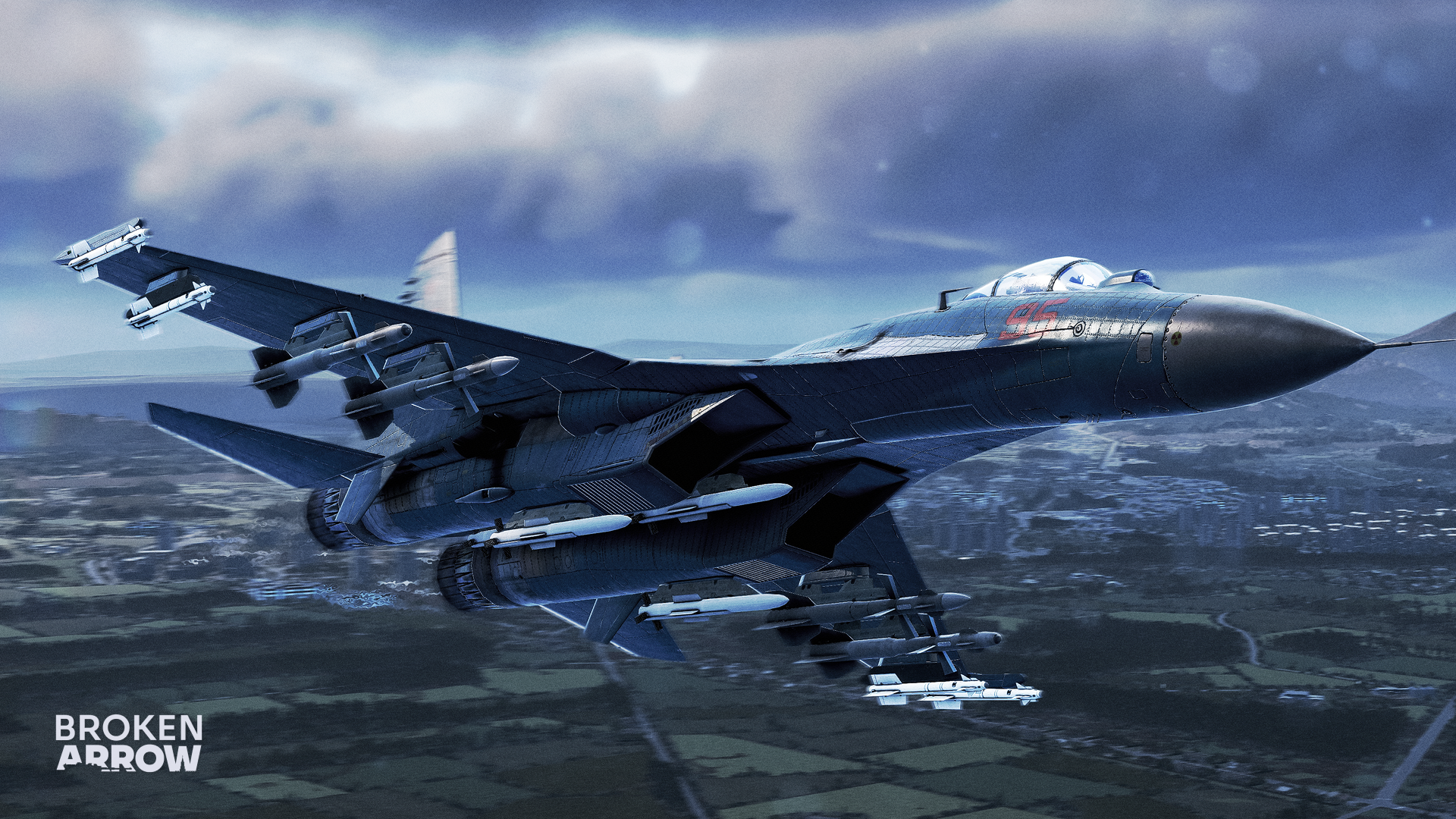
Our dev team has adjusted its plans and begun reviewing what made it into the update and what didn't, focusing on the changes that had already been tested on the PTE while continuing work in that direction. Put simply, we got this one wrong, and we're now working to set things right. We're preparing to release another major update before the end of this month, with more details to follow as they become available through our official channels.
— Steel Balalaika Team
Mon, July 13, 2026
Following the release of version 1.1.0.3, it became clear that the update did not meet the expectations of the vast majority of the community.
This is primarily because too few of the changes from the testing branch made it into the update, along with several new gameplay features that sparked widespread criticism. In its current state, we consider this update to have fallen short.
Our dev team has adjusted its plans and begun reviewing what made it into the update and what didn't, focusing on the changes that had already been tested on the PTE while continuing work in that direction. Put simply, we got this one wrong, and we're now working to set things right. We're preparing to release another major update before the end of this month, with more details to follow as they become available through our official channels.
— Steel Balalaika Team
#57
Games Discussion / Re: Armored Brigade II
Last post by Asid - July 13, 2026, 04:49:01 PMChangelog 1.609
Mon, July 13, 2026
As we teased in last week's Dev Diary, Update 1.609 is now available, bringing the "Comrades in Arms" free campaign, new AI stances, and much more.
v1.609
Mon, July 13, 2026
As we teased in last week's Dev Diary, Update 1.609 is now available, bringing the "Comrades in Arms" free campaign, new AI stances, and much more.
v1.609
- Fix: The vehicle stop animation caused them to slide sideways when turning.
- Fix: The origin point of the Polish AT soldier model was wrong, causing it to sink into the ground.
- Fix: The WP-8's muzzle flash did not work.
- [campaigns] Added the 'Comrades in Arms' linear campaign.
- [database] Added amphibious capability trait to suitable vehicles (i.e, BTR, SKOTs, BMPs etc.).
- [database] Fixed Polish T-55A ammunition.
- [database] Added correct Polish UAZ-469 texture.
- [engine] Aggressive stance + Contact: Only the element that identifies the threat will halt, while the rest of the formation continues operating.
- [engine] Defensive stance + Contact: Units will attempt to break enemy observation by reversing out of sight, similar to Scout behavior.
- [engine] Aggressive stance + Scout: Emphasizes reconnaissance in-force, avoiding smoke deployment and reversing movements.
- [engine] Implement scripting of artillery fire missions and TRPs.
- [sounds] Added Rh 202 sound effect variants (short, long and twin) and adjusted tracer delay accordingly.
- [sounds] Added M47 Dragon sound effect. * [sounds] Improved vehicle sound for propeller aircraft.
- [sounds] Small various improvements and fixes to various audio files.
- [sounds] Improved off-map artillery/rocket fire mission sounds.
- [sounds] Improved infantry grunts and shouting with new recordings.
- [sounds] Locked Infantry volume slider now controls shouting and casualty volume.
- [sounds] Revised UI sounds: Event Reports and WEGO round end.
#58
Histwar : Napoleonics by JMM / Infantry combat formations in ...
Last post by Asid - July 12, 2026, 05:05:20 PMInfantry combat formations in the Napoleonic era.
June 11, 2026
In Histwar, formation management is at the heart of tactics. Each formation radically alters the unit's statistics (firepower, morale, speed, shock resistance, and vulnerability).
Here is a detailed presentation of the different infantry formations and their tactical use.
The Line
This is the classic deployment formation for fire combat.
Characteristics:
* Firepower: Maximum. All muskets can fire.
* Movement: Slow and difficult to maneuver.
* Vulnerability: Very vulnerable to cavalry charges (especially on the flanks) and difficult to move on uneven terrain.
* Tactical Use:
* Defense: Ideal for waiting for the enemy and breaking them with musketry volleys.
* Firefight: Essential against an enemy column or another line.
* Against Artillery: Presents a thinner target than a column (fewer losses per cannonball), but remains vulnerable to shells.
* Historical Note: The British excel in this formation (rank firing).
The Column
The maneuver and assault formation, favored by French doctrine.
Characteristics:
* Firepower: Low. Only the front ranks can fire.
* Movement: Fast and easy to direct.
* Shock (Melee): Significant bonus in hand-to-hand combat due to density and momentum.
* Morale: More resilient when moving.
* Vulnerability: A prime target for artillery (cannonballs pass through several ranks) and vulnerable to flanking fire.
* Tactical Use:
* Approach: To quickly bring troops to the front.
* Assault: To break through an enemy line weakened by artillery or skirmishers.
* Reserve: Allows troops to be kept compact and ready to intervene.
* Tip: Never remain in column under sustained artillery or musketry fire without moving. Change to line to return fire or to square if cavalry approaches.
The Attack Column prioritizes shock but starts with a volley before charging.
The Square
The survival formation against cavalry.
Characteristics:
* Defense: Immunity (or near-immunity) to cavalry charges.
* Firepower: Medium (360° firing), but less effective than a line against infantry.
* Movement: Almost none. The square is static.
* Vulnerability: Perfect target for artillery (compact mass) and infantry in line.
* Tactical Use:
* Emergency: Must be formed immediately when a cavalry charge is imminent and you are unsupported.
* Static Defense: To hold a key point when encircled.
* Risk: If the unit's morale is too low ("Shaken" or "Routed"), it may refuse to form a square and be massacred by cavalry.
The Skirmishers
The dispersed order, used by light infantry or detached elite companies.
Characteristics:
* Protection: Difficult to hit by artillery and musketry (dispersion).
* Terrain: Ignores movement penalties in woods, villages, or uneven terrain.
* Firepower: Constant harassment, but no massive volleys.
* Vulnerability: Extremely weak in hand-to-hand combat and against cavalry.
* Tactical Use:
* Screen:** Place in front of your lines to hinder the enemy and absorb the initial fire.
* Harassment: Weaken the morale and numbers of an enemy column before an assault.
* Difficult Terrain: Fight in forests or urban areas.
HistWar's doctrine editor allows you to define unit reactions and the appropriate formation to adopt during combat depending on the situation.
Advanced Tips for Histwar
Disorder: Changing formations takes time and creates disorder. A disorganized unit fights poorly.
Characteristics:
* Do not change formation under enemy fire* unless absolutely necessary (cavalry).
* Plan your formation changes (Column -> Line) before coming within firing range.
The Mixed Order: This is the quintessential Napoleonic tactic. Place regiments in Line in the center and two regiments in Column on the flanks.
* The line provides firepower.
* The columns protect the flanks against cavalry and provide a shock threat.
Morale and Fatigue:
* A tired unit will take longer to form a square.
* A unit whose morale drops may refuse to obey the order to form a line (it will remain in column to flee or regroup).
Artillery:
* If you see enemy artillery: Line or Skirmishers.
* If you have to cross a field under fire: **Column** (to move quickly) but by zig-zagging or using changes in elevation.
In summary:
March in Column, Fight in Line, Survive in Square.
Perrine Mathe
June 11, 2026
In Histwar, formation management is at the heart of tactics. Each formation radically alters the unit's statistics (firepower, morale, speed, shock resistance, and vulnerability).
Here is a detailed presentation of the different infantry formations and their tactical use.
The Line
This is the classic deployment formation for fire combat.
Characteristics:
* Firepower: Maximum. All muskets can fire.
* Movement: Slow and difficult to maneuver.
* Vulnerability: Very vulnerable to cavalry charges (especially on the flanks) and difficult to move on uneven terrain.
* Tactical Use:
* Defense: Ideal for waiting for the enemy and breaking them with musketry volleys.
* Firefight: Essential against an enemy column or another line.
* Against Artillery: Presents a thinner target than a column (fewer losses per cannonball), but remains vulnerable to shells.
* Historical Note: The British excel in this formation (rank firing).
The Column
The maneuver and assault formation, favored by French doctrine.
Characteristics:
* Firepower: Low. Only the front ranks can fire.
* Movement: Fast and easy to direct.
* Shock (Melee): Significant bonus in hand-to-hand combat due to density and momentum.
* Morale: More resilient when moving.
* Vulnerability: A prime target for artillery (cannonballs pass through several ranks) and vulnerable to flanking fire.
* Tactical Use:
* Approach: To quickly bring troops to the front.
* Assault: To break through an enemy line weakened by artillery or skirmishers.
* Reserve: Allows troops to be kept compact and ready to intervene.
* Tip: Never remain in column under sustained artillery or musketry fire without moving. Change to line to return fire or to square if cavalry approaches.
The Attack Column prioritizes shock but starts with a volley before charging.
The Square
The survival formation against cavalry.
Characteristics:
* Defense: Immunity (or near-immunity) to cavalry charges.
* Firepower: Medium (360° firing), but less effective than a line against infantry.
* Movement: Almost none. The square is static.
* Vulnerability: Perfect target for artillery (compact mass) and infantry in line.
* Tactical Use:
* Emergency: Must be formed immediately when a cavalry charge is imminent and you are unsupported.
* Static Defense: To hold a key point when encircled.
* Risk: If the unit's morale is too low ("Shaken" or "Routed"), it may refuse to form a square and be massacred by cavalry.
The Skirmishers
The dispersed order, used by light infantry or detached elite companies.
Characteristics:
* Protection: Difficult to hit by artillery and musketry (dispersion).
* Terrain: Ignores movement penalties in woods, villages, or uneven terrain.
* Firepower: Constant harassment, but no massive volleys.
* Vulnerability: Extremely weak in hand-to-hand combat and against cavalry.
* Tactical Use:
* Screen:** Place in front of your lines to hinder the enemy and absorb the initial fire.
* Harassment: Weaken the morale and numbers of an enemy column before an assault.
* Difficult Terrain: Fight in forests or urban areas.
HistWar's doctrine editor allows you to define unit reactions and the appropriate formation to adopt during combat depending on the situation.
Advanced Tips for Histwar
Disorder: Changing formations takes time and creates disorder. A disorganized unit fights poorly.
Characteristics:
* Do not change formation under enemy fire* unless absolutely necessary (cavalry).
* Plan your formation changes (Column -> Line) before coming within firing range.
The Mixed Order: This is the quintessential Napoleonic tactic. Place regiments in Line in the center and two regiments in Column on the flanks.
* The line provides firepower.
* The columns protect the flanks against cavalry and provide a shock threat.
Morale and Fatigue:
* A tired unit will take longer to form a square.
* A unit whose morale drops may refuse to obey the order to form a line (it will remain in column to flee or regroup).
Artillery:
* If you see enemy artillery: Line or Skirmishers.
* If you have to cross a field under fire: **Column** (to move quickly) but by zig-zagging or using changes in elevation.
In summary:
March in Column, Fight in Line, Survive in Square.
Perrine Mathe
#59
News & Announcements / Histwar : Napoleonic Update V6...
Last post by Asid - July 12, 2026, 01:59:28 PMNew version Release Candidate V6.0169
9 July 2026
Hi everyone...
New version... maybe the last one if there's no negative feedback
Note: regarding the AIs: the army corps and unit AIs don't know whether orders are sent by the player or by the GT AI. I need to check the other 2 AIs (division / brigade) before these orders become available.
Best regards
JMM
Nouvelle version Realease Candidate V6.0169
9 July 2026
Salut à tous...
Nouvelle version... peut-être la dernière s'il n'y a pas de retours négatifs
Remarque concernant les IA : les IA des corps d'armée et des unités ne savent pas si les ordres sont envoyés par le joueur ou par l'IA GT. Je dois vérifier les 2 autres IA (division / brigade) avant que ces ordres ne soient disponibles.
Amicalement
JMM
9 July 2026
Hi everyone...
New version... maybe the last one if there's no negative feedback
- Army corps movement: I've fixed a few bugs
- ART: new algorithm to limit losses.
- Scenarios are displayed if they exist when you select the "scenarios" item
Note: regarding the AIs: the army corps and unit AIs don't know whether orders are sent by the player or by the GT AI. I need to check the other 2 AIs (division / brigade) before these orders become available.
Best regards
JMM
Nouvelle version Realease Candidate V6.0169
9 July 2026
Salut à tous...
Nouvelle version... peut-être la dernière s'il n'y a pas de retours négatifs
- Mouvement des corps d'armée : j'ai corrigé quelques dysfonctionnements
- ART : nouvel algorithme pour limiter les pertes.
- Les scénarios s'affichent si ils existent lorsque vous sélectionnez l'élément « scénarios »
Remarque concernant les IA : les IA des corps d'armée et des unités ne savent pas si les ordres sont envoyés par le joueur ou par l'IA GT. Je dois vérifier les 2 autres IA (division / brigade) avant que ces ordres ne soient disponibles.
Amicalement
JMM
#60
Games Discussion / Re: Grand Tactician: Napoleoni...
Last post by Asid - July 12, 2026, 01:27:02 PMFebruary DevBlog - Unit Preview #2
Mon, February 16, 2026
Cavalry during the Italian Campaign (1796-97)
Mon Général!
Historically and in Grand Tactician: Napoleonic Wars (1792-1815) "cavalry is useful before, during, and after the battle." – Napoleon Bonaparte.*
During the Napoleonic era, cavalry played an important role in battle and during campaigns. Much of the image of Napoleonic cavalry comes from scenes of French cuirassiers charging during a field battle, usually Hollywood-style, with broken formation and each individual eager to get into some slashing action... probably not that accurate a depiction.
Roots and Role
The mounted knight, heavily armoured and highly trained, charging in with a lowered lance, was in a way the peak of European medieval warfare. With the weight of formation and unwavering determination, they were almost an unstoppable force, especially in open field battles (with dry ground). As discussed in the previous unit preview, with the introduction of infantry pike tactics, cavalry charges became a much more dangerous business.
If we look into the beginning of the 17th Century and the early years of the Thirty Years War, European cavalry had already adapted to the realities of pike and shot warfare. Heavy cavalry, most famously the cuirassiers ("black knights"), had switched their lances to a number of wheellock pistols. Lightly armoured harquebusier cavalry provided supporting firepower from further back, while irregular cavalry, hussars, Cossacks and Croats preyed on weak or unprotected flanks. The role of armour was still relevant, as higher velocity muskets able to penetrate armour from a distance were still rare.
Cavalry commonly formed into squadrons, deep formations resembling squares (the word "squadron" deriving from "square"). Depending upon the school of tactics used by an army, this was usually from 150 men in 5-8 ranks in Flanders (where battlefield cavalry operations were hampered by the terrain) to up to 1,000 men in 10 or more ranks in central Europe, especially among the Catholic forces aligned with the Holy Roman Emperor. These squadrons formed knee to knee in the charge, creating a proper battering ram that was difficult to resist – except with a cohesive and determined pike formation.
The tactic to engage intact pike blocks was called the caracole (from "snail" in Italian). In its most elegant form, one rank at a time would ride forward toward the pike block, turn left just outside the reach of the pikes, and fire their pistols into the infantry, then riding back to the rear of the squadron to reload. This was a rather ineffective tactic when it came to casualties inflicted, but it did immobilize the targeted unit and prevent own casualties. And with sufficient attrition, the infantry formation may have lost its cohesion, and then it would be the moment for a well-timed charge to break the formation. Whether the caracole tactics, as such, were still intentionally used during the first half of the Thirty Years War, or did aborted cavalry charges just resemble them, remains a favourite dispute among historians.
As the Thirty Years War continued, tactics and weapons evolved. In the battle of Breitenfeld (1631), the Swedish cavalry formed into thin lines, only 3-4 ranks deep, with "commanded" musketeer infantry deployed between the cavalry squadrons. When the imperial cavalry charged, the musketeers fired salvoes to break their formation, forcing them to abort the charge, and then the Swedish cavalry countercharged, firing their pistols and charging home with cold steel.
Fast forward a decade, and most cavalry operated in smaller, thin squadrons (usually 100-300 men in three ranks), wore little to no armour, and preferred charging home, firing their pistols as they went. They usually formed the "wings" of a field army, fighting the enemy cavalry wings and trying to outflank the enemy center, where the infantry would be posted. As lighter muskets with improved penetration power were developed, armour no longer provided protection, but became an expensive burden. Speed became more important, which also led to disbanding the commanded musketeers that slowed down cavalry, hampering its tactical flexibility. Instead, the infantry-cavalry hybrid arm, the dragoons, gained importance. Starting as pure infantry using second-rate horses to move fast, but fighting dismounted with their muskets, dragoon tactics steered more toward that of other cavalry especially after the Thirty Years War.
This development was not universal, though, not even in Europe. The Eastern European steppes were a different kind of battlefield, and there, hussars, Cossacks and other light or irregular cavalry types reigned, most famously the Polish winged hussars, who still preferred their long lances over firepower.
While the battlefield role of cavalry saw quite dramatic change, the operational role saw even bigger ones. Cavalry was always good for scouting ahead, raiding, and of limited use during sieges (the main form of combat during this era!) As the countryside became devastated and couldn't support large field armies of infantry, the proportion of cavalry increased drastically. And with this, their tactical and operational uses became more apparent and developed further.
Fast forward to the time of the earlier quote (*often attributed to Napoleon, but most likely part of aphorisms written a bit later), where cavalry's role is becoming more specialized than before. Before the battle, cavalry would scout ahead of the armies and provide them with a screen that masked the army's movement and intent, leaving the enemy commanders guessing. During the battle light cavalry usually formed on the flanks to screen or to outflank the enemy army, while the heavy cavalry was used to provide shock action and exploitation of breached lines. The true source of victory (turning a tactical victory to an operational or even strategic one) was in the pursuit, which was one of the key tasks for the light cavalry. A well-executed pursuit could often turn retreat into rout and prevent the enemy army from reorganizing.
Cavalry Organization and Tactics in Italy 1796-97
The century plus after the Thirty Years War, cavalry armament and battlefield tactics had not changed drastically. Three ranks remained the main depth of cavalry squadrons until around the mid-18th Century, when the prevalent view started to shift toward reducing the number of ranks to just two. While the third rank did add to the "weight" of the formation, it usually failed to contribute much in combat. The conservative Austrians still stick to the old school of three ranks. The squadron is the main tactical formation, as the battalion is to infantry. Squadrons are usually formed from two companies (forming the left/right wings), with a strength of between 100 and 250 troopers each. Light squadrons usually are slightly larger. Cavalry regiments form a number of squadrons, usually 4-8.
The cavalry types can be classified roughly into heavy and light cavalry, following the logic of operational uses described above. The "hay-day" (pun intended) of cavalry, with the use of large independent formations, with supporting horse artillery, is still in the future in 1796. Instead, it is common to form cavalry brigades to be attached to infantry divisions, to support the infantry's battle, or even to attach single squadrons of cavalry to infantry brigades. Forming light and fast moving vanguards or rearguards from light infantry, light cavalry and horse-artillery is common.
Heavy Cavalry
Cuirassiers (with only breast- and backplates remaining from the full-body armour) were the main heavy cavalry till the 18th Century. By the time of the Seven Years War (1756-63), dragoons had evolved from horse-mounted infantry to heavy (or "medium") cavalry. During the 18th Century, most nations abandoned the cuirass armour to emphasize speed (and to cut costs).
In 1796, Austrian cuirassiers have a fierce reputation, that of the premier heavy cavalry in Europe. They are some of the few still wearing armour, though a breastplate only. Two elite regiments of carabiniers are similarly armed. The French heavy cavalry regiments (Cavalerie) and elite carabiniers are unarmoured, but their tactical use is similar to their Austrian counterparts - the heavy cuirass was too royalist, or too cumbersome, for the fast- moving style of the Republic (one regiment, the old Cuirassiers du Roi, still retain their cuirasses, though, and are hence called "cuirassiers" in the game). While the name "carabinier" comes from the cavalry firearm "carbine," and they most certainly are armed with them along with pistols, heavy cavalry do not use their firearms in battles for ranged skirmishing, as they are all about shock action.
Austrian dragoons are formed with the cuirassiers as part of the heavy cavalry arm, and their skirmishing and dismounted days in battles are long gone. Staff dragoons provide the escorts to field commanders. The French dragoons, on the other hand, have retained the training to fight dismounted when needed (as the Spanish front will later highlight).
As the Italian theater is secondary to that of the Rhine, especially the French have mainly light cavalry and dragoons in Italy.
Light Cavalry
Light cavalry are the eyes and ears of an army. They are more useful outside of a battle than during it, moving fast to reconnoiter, screen, harass the enemy and to raid. They wear no armour, ride slightly less significant horses than their heavier counterparts, and some retain the training to skirmish with their firearms from the saddle.
Austrian light cavalry came in three forms: the chevauxlegers (literally "light horses," from French "chevaux‑légers"), a multi-role cavalry with the ability to skirmish, like their French counterparts, the Chasseurs-à-Cheval. Hussars and Uhlans have their roots in the Eastern cavalry tradition and tactics. Hussars are the premier light cavalry for speed, ferocity and raiding, while the Uhlans are armed with lances (a practice that would resurface on a larger scale in a few years' time.) The French also have their hussars, but in addition a small elite party of Chasseurs known as the Guides, hand-picked by Napoleon himself. With the formation of Polish legions, in the game the French may also field a small number of lance-armed light cavalry in Italy.
Cavalry Firearms and Skirmishing
The cavalry carbines are short weapons with limited range, and firing from the saddle is inaccurate. Most cavalry is armed with carbines and pistols (at least part of the men in a unit), but firing from the horseback is limited to a few specialist units and the use of pistols in melee. In the game, chevauxlegers and chasseurs-à-cheval (and Guides) can use mounted skirmishing tactics. The other cavalry types reserve the use of their carbines to outpost, picket, vedette and escort or guarding duties, or for foraging or fighting partisans.
Detaching "flankers" (cavalry equivalent of infantry skirmishers, also called vedettes) allow some light and dragoon cavalry units to screen their main formation to harass the enemy with carbine fire, but this too requires sufficient training.
Cavalry Battle Tactics
Heavy cavalry's main role is in battles, where they provide fast-moving and heavy-hitting capability for the commanders, and they are usually held back in reserve to punch a hole in a wavering enemy line or to counterattack on a decisive moment. Heavy cavalry has the largest horses available, and they rely upon the impact of the charge, where riders form knee-to-knee and maintain a solid front. The charge is executed at the trot (or canter), not breaking into Hollywood-style gallop of individuals, at least if the unit is properly trained. During the charge the tightly packed formation is vulnerable to artillery fire. The light cavalry in the game is versatile and fast. Good uses for light cavalry are, for example, threatening the enemy infantry to force them to form squares, effectively immobilizing them and making them vulnerable to artillery fire, fending off enemy cavalry, attacking unprotected flanks of the enemy, and pursuit.
Prolonged Hollywood -style melees are rare. Charging (or being charged by) a superior foe commonly leads to disengaging, even before contact is made. Charging a well formed infantry in the game, as in real life, is ill-advised, even if the infantry is not formed in a proper square. But, once the infantry is demoralized or their formation is broken, a well timed cavalry charge can be deadly, with the target prone to break in panic even before impact. When coming under fire, a cavalry squadron would usually try to countercharge or simply disengage out of range.
The main cavalry formation is the line, for the French in two ranks and three for the Austrians. As with their infantry, the French cavalry is known to experiment with columnar formations for charges, providing pressure against a narrower part of the enemy front. In the game, it's essential to keep the horses fresh for charges, otherwise it's likely the charge falls apart with little effect achieved.
Other commonly used formations are different kinds of columns for fast maneuvering outside imminent contact. While the Austrians are "old school" with their third rank, their light cavalry often use the additional rank to extend the line, for example when engaging in ranged combat or charging. Neither nation uses swarm tactics, such as those commonly employed by the legendary Russian Cossacks.
To maintain the formation and to coordinate maneuvers, officers and senior NCOs are deployed in the front, rear and flanks of the formation. A number of trumpeters relay the commander's orders to the squadron. To improve command and control in the confusion of battle, the officers and trumpeters usually ride white or gray horses, which will stand out from the rest, providing a beacon for the troopers to follow.
In the accompanying video you can see some of the cavalry formations and tactics in battles:
Cheers,
Grand Engineer Corps
Mon, February 16, 2026
Cavalry during the Italian Campaign (1796-97)
Mon Général!
Historically and in Grand Tactician: Napoleonic Wars (1792-1815) "cavalry is useful before, during, and after the battle." – Napoleon Bonaparte.*
During the Napoleonic era, cavalry played an important role in battle and during campaigns. Much of the image of Napoleonic cavalry comes from scenes of French cuirassiers charging during a field battle, usually Hollywood-style, with broken formation and each individual eager to get into some slashing action... probably not that accurate a depiction.
Roots and Role
The mounted knight, heavily armoured and highly trained, charging in with a lowered lance, was in a way the peak of European medieval warfare. With the weight of formation and unwavering determination, they were almost an unstoppable force, especially in open field battles (with dry ground). As discussed in the previous unit preview, with the introduction of infantry pike tactics, cavalry charges became a much more dangerous business.
If we look into the beginning of the 17th Century and the early years of the Thirty Years War, European cavalry had already adapted to the realities of pike and shot warfare. Heavy cavalry, most famously the cuirassiers ("black knights"), had switched their lances to a number of wheellock pistols. Lightly armoured harquebusier cavalry provided supporting firepower from further back, while irregular cavalry, hussars, Cossacks and Croats preyed on weak or unprotected flanks. The role of armour was still relevant, as higher velocity muskets able to penetrate armour from a distance were still rare.
Cavalry commonly formed into squadrons, deep formations resembling squares (the word "squadron" deriving from "square"). Depending upon the school of tactics used by an army, this was usually from 150 men in 5-8 ranks in Flanders (where battlefield cavalry operations were hampered by the terrain) to up to 1,000 men in 10 or more ranks in central Europe, especially among the Catholic forces aligned with the Holy Roman Emperor. These squadrons formed knee to knee in the charge, creating a proper battering ram that was difficult to resist – except with a cohesive and determined pike formation.
The tactic to engage intact pike blocks was called the caracole (from "snail" in Italian). In its most elegant form, one rank at a time would ride forward toward the pike block, turn left just outside the reach of the pikes, and fire their pistols into the infantry, then riding back to the rear of the squadron to reload. This was a rather ineffective tactic when it came to casualties inflicted, but it did immobilize the targeted unit and prevent own casualties. And with sufficient attrition, the infantry formation may have lost its cohesion, and then it would be the moment for a well-timed charge to break the formation. Whether the caracole tactics, as such, were still intentionally used during the first half of the Thirty Years War, or did aborted cavalry charges just resemble them, remains a favourite dispute among historians.
As the Thirty Years War continued, tactics and weapons evolved. In the battle of Breitenfeld (1631), the Swedish cavalry formed into thin lines, only 3-4 ranks deep, with "commanded" musketeer infantry deployed between the cavalry squadrons. When the imperial cavalry charged, the musketeers fired salvoes to break their formation, forcing them to abort the charge, and then the Swedish cavalry countercharged, firing their pistols and charging home with cold steel.
Fast forward a decade, and most cavalry operated in smaller, thin squadrons (usually 100-300 men in three ranks), wore little to no armour, and preferred charging home, firing their pistols as they went. They usually formed the "wings" of a field army, fighting the enemy cavalry wings and trying to outflank the enemy center, where the infantry would be posted. As lighter muskets with improved penetration power were developed, armour no longer provided protection, but became an expensive burden. Speed became more important, which also led to disbanding the commanded musketeers that slowed down cavalry, hampering its tactical flexibility. Instead, the infantry-cavalry hybrid arm, the dragoons, gained importance. Starting as pure infantry using second-rate horses to move fast, but fighting dismounted with their muskets, dragoon tactics steered more toward that of other cavalry especially after the Thirty Years War.
This development was not universal, though, not even in Europe. The Eastern European steppes were a different kind of battlefield, and there, hussars, Cossacks and other light or irregular cavalry types reigned, most famously the Polish winged hussars, who still preferred their long lances over firepower.
While the battlefield role of cavalry saw quite dramatic change, the operational role saw even bigger ones. Cavalry was always good for scouting ahead, raiding, and of limited use during sieges (the main form of combat during this era!) As the countryside became devastated and couldn't support large field armies of infantry, the proportion of cavalry increased drastically. And with this, their tactical and operational uses became more apparent and developed further.
Fast forward to the time of the earlier quote (*often attributed to Napoleon, but most likely part of aphorisms written a bit later), where cavalry's role is becoming more specialized than before. Before the battle, cavalry would scout ahead of the armies and provide them with a screen that masked the army's movement and intent, leaving the enemy commanders guessing. During the battle light cavalry usually formed on the flanks to screen or to outflank the enemy army, while the heavy cavalry was used to provide shock action and exploitation of breached lines. The true source of victory (turning a tactical victory to an operational or even strategic one) was in the pursuit, which was one of the key tasks for the light cavalry. A well-executed pursuit could often turn retreat into rout and prevent the enemy army from reorganizing.
Cavalry Organization and Tactics in Italy 1796-97
The century plus after the Thirty Years War, cavalry armament and battlefield tactics had not changed drastically. Three ranks remained the main depth of cavalry squadrons until around the mid-18th Century, when the prevalent view started to shift toward reducing the number of ranks to just two. While the third rank did add to the "weight" of the formation, it usually failed to contribute much in combat. The conservative Austrians still stick to the old school of three ranks. The squadron is the main tactical formation, as the battalion is to infantry. Squadrons are usually formed from two companies (forming the left/right wings), with a strength of between 100 and 250 troopers each. Light squadrons usually are slightly larger. Cavalry regiments form a number of squadrons, usually 4-8.
The cavalry types can be classified roughly into heavy and light cavalry, following the logic of operational uses described above. The "hay-day" (pun intended) of cavalry, with the use of large independent formations, with supporting horse artillery, is still in the future in 1796. Instead, it is common to form cavalry brigades to be attached to infantry divisions, to support the infantry's battle, or even to attach single squadrons of cavalry to infantry brigades. Forming light and fast moving vanguards or rearguards from light infantry, light cavalry and horse-artillery is common.
Heavy Cavalry
Cuirassiers (with only breast- and backplates remaining from the full-body armour) were the main heavy cavalry till the 18th Century. By the time of the Seven Years War (1756-63), dragoons had evolved from horse-mounted infantry to heavy (or "medium") cavalry. During the 18th Century, most nations abandoned the cuirass armour to emphasize speed (and to cut costs).
In 1796, Austrian cuirassiers have a fierce reputation, that of the premier heavy cavalry in Europe. They are some of the few still wearing armour, though a breastplate only. Two elite regiments of carabiniers are similarly armed. The French heavy cavalry regiments (Cavalerie) and elite carabiniers are unarmoured, but their tactical use is similar to their Austrian counterparts - the heavy cuirass was too royalist, or too cumbersome, for the fast- moving style of the Republic (one regiment, the old Cuirassiers du Roi, still retain their cuirasses, though, and are hence called "cuirassiers" in the game). While the name "carabinier" comes from the cavalry firearm "carbine," and they most certainly are armed with them along with pistols, heavy cavalry do not use their firearms in battles for ranged skirmishing, as they are all about shock action.
Austrian dragoons are formed with the cuirassiers as part of the heavy cavalry arm, and their skirmishing and dismounted days in battles are long gone. Staff dragoons provide the escorts to field commanders. The French dragoons, on the other hand, have retained the training to fight dismounted when needed (as the Spanish front will later highlight).
As the Italian theater is secondary to that of the Rhine, especially the French have mainly light cavalry and dragoons in Italy.
Light Cavalry
Light cavalry are the eyes and ears of an army. They are more useful outside of a battle than during it, moving fast to reconnoiter, screen, harass the enemy and to raid. They wear no armour, ride slightly less significant horses than their heavier counterparts, and some retain the training to skirmish with their firearms from the saddle.
Austrian light cavalry came in three forms: the chevauxlegers (literally "light horses," from French "chevaux‑légers"), a multi-role cavalry with the ability to skirmish, like their French counterparts, the Chasseurs-à-Cheval. Hussars and Uhlans have their roots in the Eastern cavalry tradition and tactics. Hussars are the premier light cavalry for speed, ferocity and raiding, while the Uhlans are armed with lances (a practice that would resurface on a larger scale in a few years' time.) The French also have their hussars, but in addition a small elite party of Chasseurs known as the Guides, hand-picked by Napoleon himself. With the formation of Polish legions, in the game the French may also field a small number of lance-armed light cavalry in Italy.
Cavalry Firearms and Skirmishing
The cavalry carbines are short weapons with limited range, and firing from the saddle is inaccurate. Most cavalry is armed with carbines and pistols (at least part of the men in a unit), but firing from the horseback is limited to a few specialist units and the use of pistols in melee. In the game, chevauxlegers and chasseurs-à-cheval (and Guides) can use mounted skirmishing tactics. The other cavalry types reserve the use of their carbines to outpost, picket, vedette and escort or guarding duties, or for foraging or fighting partisans.
Detaching "flankers" (cavalry equivalent of infantry skirmishers, also called vedettes) allow some light and dragoon cavalry units to screen their main formation to harass the enemy with carbine fire, but this too requires sufficient training.
Cavalry Battle Tactics
Heavy cavalry's main role is in battles, where they provide fast-moving and heavy-hitting capability for the commanders, and they are usually held back in reserve to punch a hole in a wavering enemy line or to counterattack on a decisive moment. Heavy cavalry has the largest horses available, and they rely upon the impact of the charge, where riders form knee-to-knee and maintain a solid front. The charge is executed at the trot (or canter), not breaking into Hollywood-style gallop of individuals, at least if the unit is properly trained. During the charge the tightly packed formation is vulnerable to artillery fire. The light cavalry in the game is versatile and fast. Good uses for light cavalry are, for example, threatening the enemy infantry to force them to form squares, effectively immobilizing them and making them vulnerable to artillery fire, fending off enemy cavalry, attacking unprotected flanks of the enemy, and pursuit.
Prolonged Hollywood -style melees are rare. Charging (or being charged by) a superior foe commonly leads to disengaging, even before contact is made. Charging a well formed infantry in the game, as in real life, is ill-advised, even if the infantry is not formed in a proper square. But, once the infantry is demoralized or their formation is broken, a well timed cavalry charge can be deadly, with the target prone to break in panic even before impact. When coming under fire, a cavalry squadron would usually try to countercharge or simply disengage out of range.
The main cavalry formation is the line, for the French in two ranks and three for the Austrians. As with their infantry, the French cavalry is known to experiment with columnar formations for charges, providing pressure against a narrower part of the enemy front. In the game, it's essential to keep the horses fresh for charges, otherwise it's likely the charge falls apart with little effect achieved.
Other commonly used formations are different kinds of columns for fast maneuvering outside imminent contact. While the Austrians are "old school" with their third rank, their light cavalry often use the additional rank to extend the line, for example when engaging in ranged combat or charging. Neither nation uses swarm tactics, such as those commonly employed by the legendary Russian Cossacks.
To maintain the formation and to coordinate maneuvers, officers and senior NCOs are deployed in the front, rear and flanks of the formation. A number of trumpeters relay the commander's orders to the squadron. To improve command and control in the confusion of battle, the officers and trumpeters usually ride white or gray horses, which will stand out from the rest, providing a beacon for the troopers to follow.
In the accompanying video you can see some of the cavalry formations and tactics in battles:
Cheers,
Grand Engineer Corps